Comfort Control Unit
121
Pos: 21.13.11 / BA/Info-Center/L adewagen/H auptmenüs/Ha uptmenü 2 Zähl er/Menü 2-2 Ges amtzähler @ 31\mod_1252 315926572_7 8.doc @ 3036 60
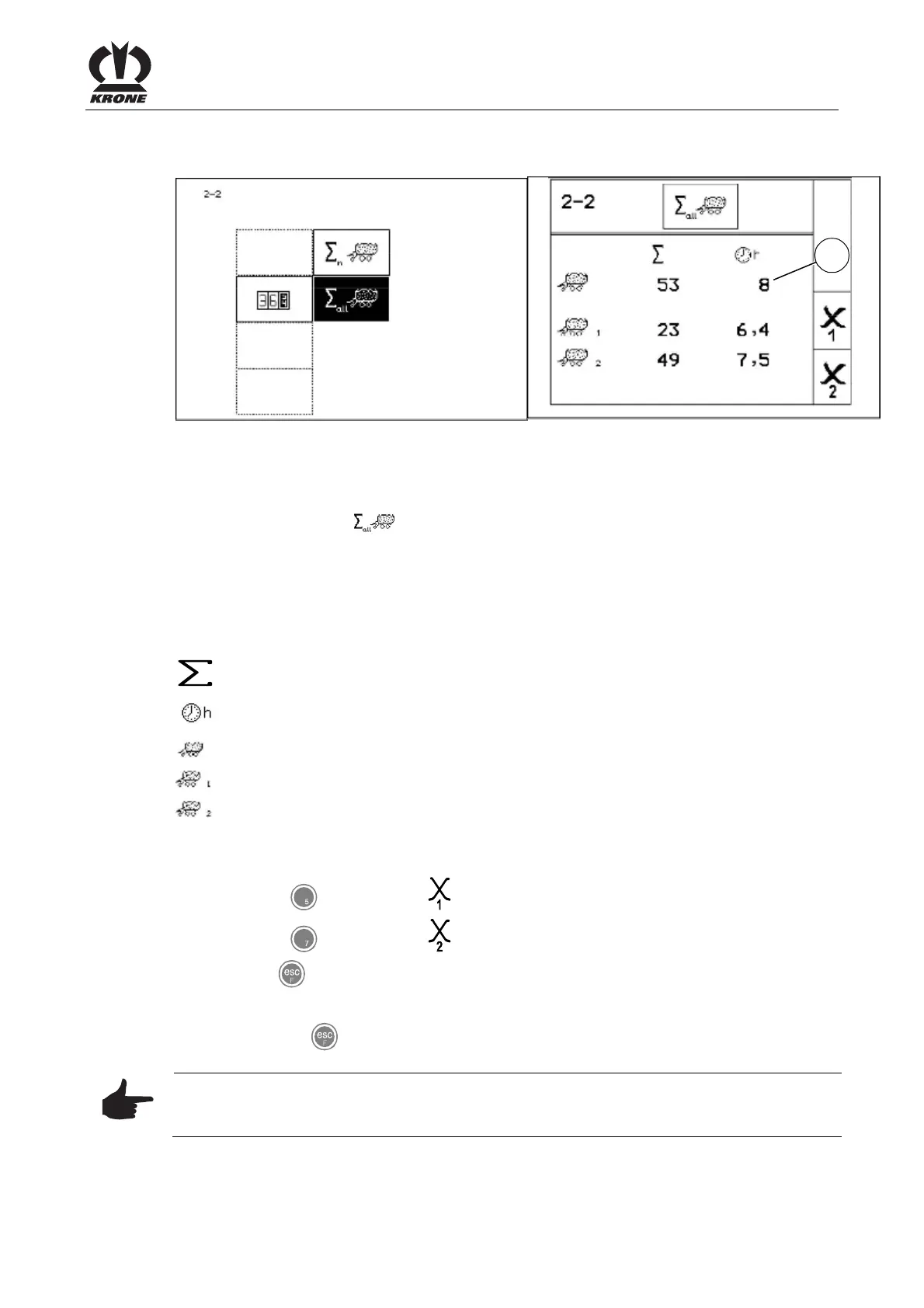
9.11.2 Menu 2-2 "Total counters"
L400150
ZX000022
1
Figure. 84
Displaying the menu
Main menu 2 "Counters" is displayed
You can select menu 2-2 with the rotary potentiometer. The icon is shown in reverse
colours.
• Press the rotary potentiometer.
The display shows menu 2-2 "Total counters". The total number of wagonloads is the sum of all
wagonloads. They are not assigned to any customer counter. Meaning of the icons:
Pos: 21.13.12 / BA/Info-Center/L adewagen/H auptmenüs/Ha uptmenü 2 Zähl er/Menü 2-2 Ges amtzähler S ymbolbedeutung @ 31\mod_ 12523157417 44_78.doc @ 30 3635
= Total number of wagonloads
= Operating hours counter
= Total wagonload counter (cannot be deleted).
= Season counter 1 (can be deleted)
= Daily counter 2 (can be deleted)
Pos: 21.13.13 / BA/Info-Center/L adewagen/H auptmenüs/Ha uptmenü 2 Zähl er/Menü 2-2 Ges amtzähler S aisonzähler/T ageszähler @ 31\ mod_125231 4670666_78.doc @ 303580
Deleting season counter 1 or daily counter 2
• Press the
key for softkey . Season counter 1 is set to zero.
• Press the
key for softkey .
Daily counter 2 is set to zero.
• Use the
key to close the menu currently displayed.
The display shows menu level 2 "Counters".
• Pressing the key and holding it down brings up the basic screen.
Note
The total operating hours counter (1) is running as soon as the electronics is turned on. The
total operating hours counter (1) cannot be deleted.
Pos: 21.14 /BA/-- ---Seitenum bruch------ @ 0\m od_119617531 1226_0.doc @ 4165











 To Next Page