Comfort Control Unit
120
Pos: 21.13.9 /B A/Info-Center/La dewagen/Ha uptmenüs/Hau ptmenü 2 Zähler/ Kundenzähl er löschen @ 0\m od_120089618 6619_78.doc @ 47105
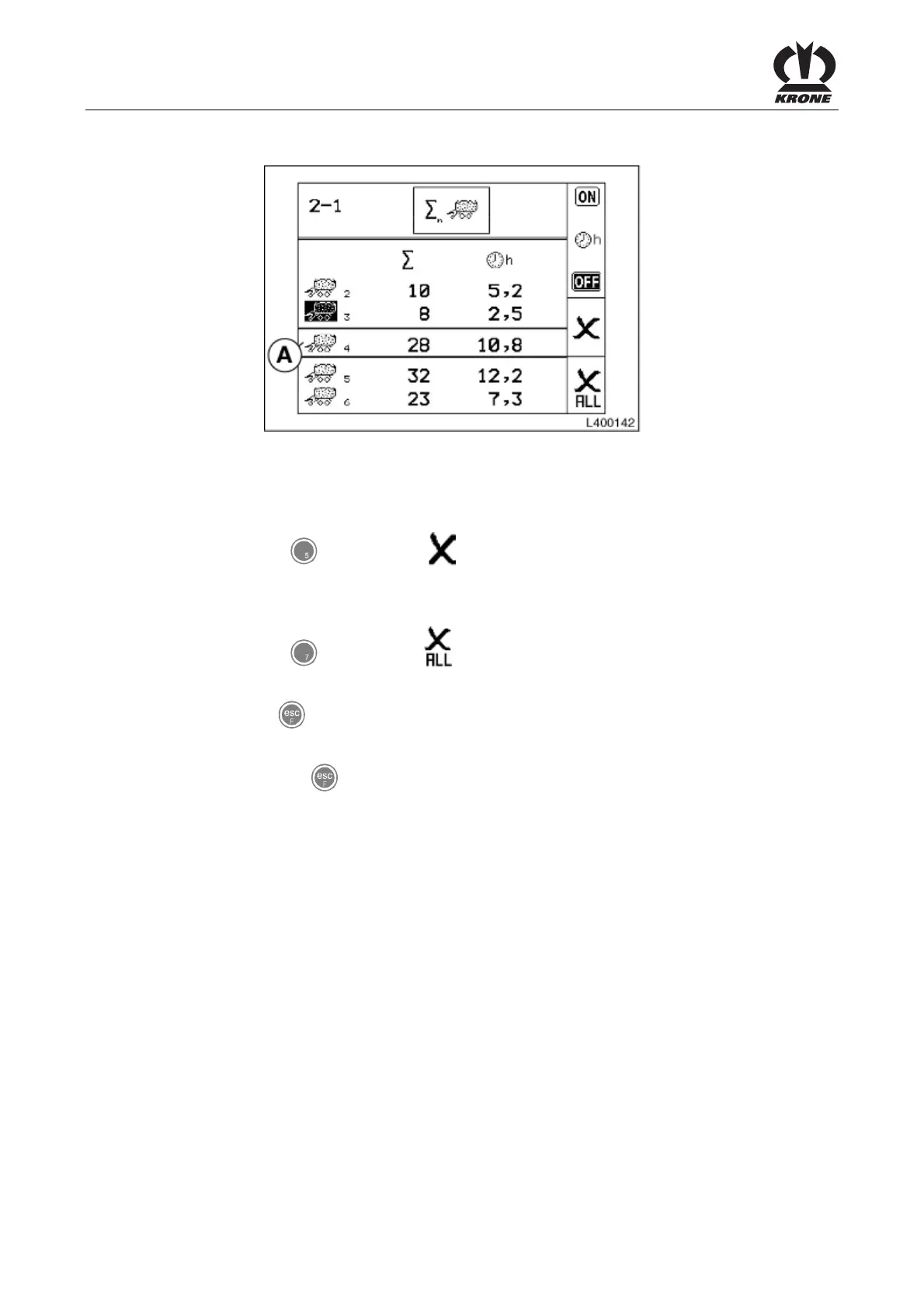
Deleting the customer counter
L400142
Figure 83:
• Use the rotary potentiometer to place the customer counter to be deleted between the
two crossbars (A).
• Press the
key for softkey .
The selected customer counter is set to zero.
Deleting all customer counters
• Press the key for softkey
and hold it for about 2 seconds.
All customer counters are set to zero.
• Use the key
to close the menu currently displayed.
The display shows menu level 2 "Counters".
• Pressing the key and holding it down brings up the basic screen.
Pos: 21.13.10 / BA/-----Seiten umbruch------ @ 0\mod_11961 75311226_0.doc @ 4165











 To Next Page