Comfort Control Unit
119
Pos: 21.13.7 /B A/Info-Center/La dewagen/Ha uptmenüs/Hau ptmenü 2 Zähler/ Kundenzähl er aktivieren @ 2 5\mod_12441 05370431_78.d oc @ 25494 8
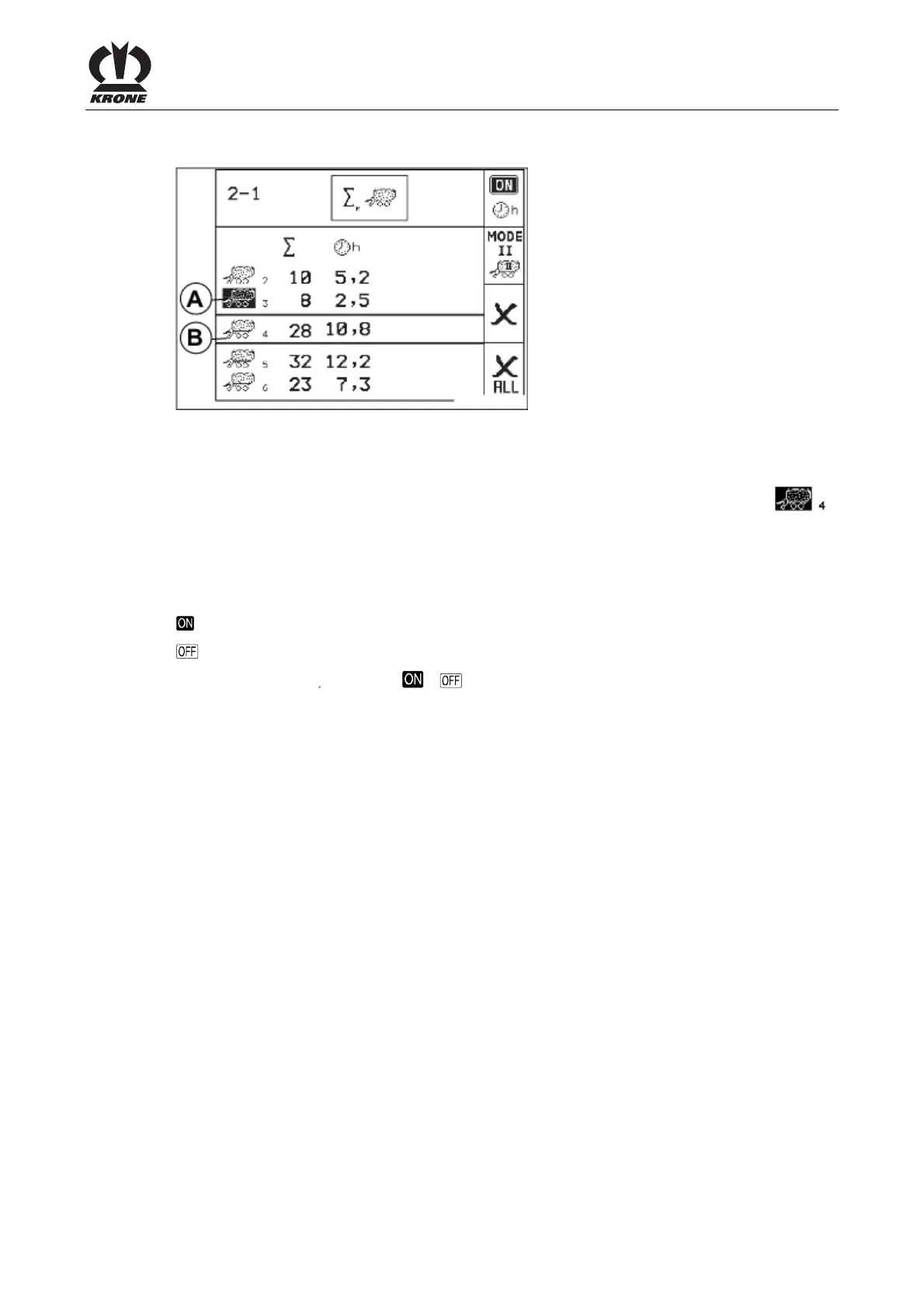
Activating the customer counter
A
B
L400141_1
t
2356
3312
6532
0
0
Fig. 82
• Use the rotary potentiometer to place the desired customer counter between the two
crossbars (A) and press the rotary potentiometer.
The desired customer counter (in this case customer counter 4) is displayed inversely (
). The old activated customer counter (in this case customer counter 3) is no longer displayed
inversely.
Activate/deactivate the operating hours counter
Meaning of the icons
Operating hours meter activated
Operating hours meter deactivated
• Press the key
for softkey
/
to activate or deactivate the operating hours counter
(the according icon is displayed).
Pos: 21.13.8 /B A/-----Seitenu mbruch------ @ 0\mod_119617 5311226_0.doc @ 4165











 To Next Page