Medium Control Unit
54
Pos: 19.5 /BA/In fo-Center/Sc hwader/Bedienei nheit - Medium/ Anbau @ 36\ mod_12608803 56866_78.doc @ 337134
8.1 Mounting
2
SW1400-006
Figure. 19
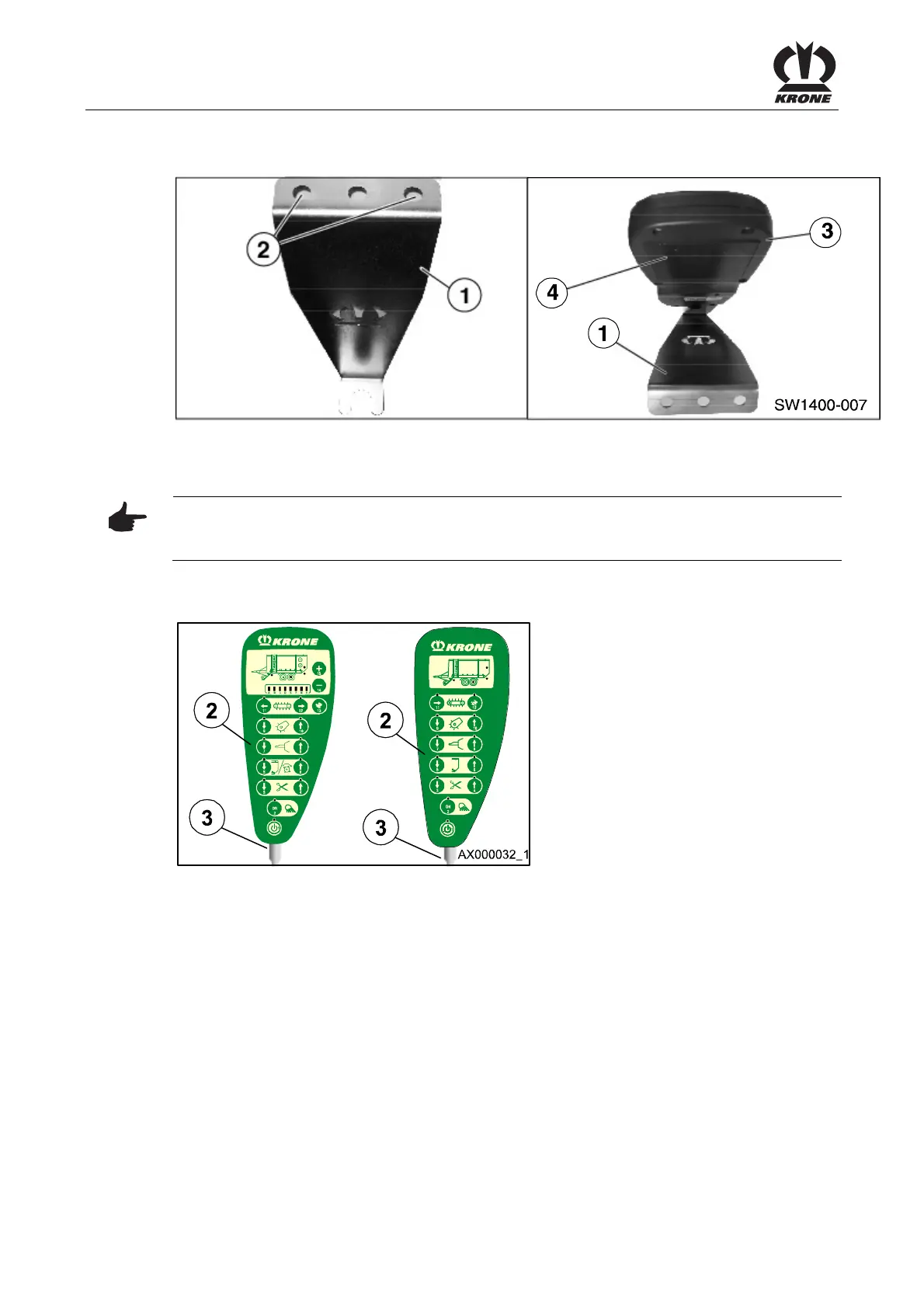
• Fasten the support (1) using the drill holes (2) already present.
• The control unit (3) is fixed by the magnetic plate (4) on the support (1).
Pos: 19.6 /BA/In fo-Center/Hin weis Bedieneinh eit muss probl emlos vom F ahresitz aus bedi ent werden @ 36\mod_1260 363833832_78. doc @ 336474
Note
Install the control unit with the support (1) in that way, that the control unit can be operated from
driver´s seat without any problems.
Pos: 19.7 /BA/In fo-Center/Lad ewagen/Medium /Anbau Bedie neinheit @ 28\ mod_12499677 81270_78.doc @ 272466
8.2 Control unit
Figure. 20
• Connect the connecting cable to the socket (3) of the control unit (2).
• Secure the control unit to the support in the cab.
• Note chafing areas or points of contact. The connection cable must not be tight or come
into contact with the tractor wheels.
Pos: 19.8 /BA/---- -Seitenumbruch-- ---- @ 0\ mod_1196175311 226_0.doc @ 4165











 To Next Page