Comfort Control Unit
115
ZX400082 ZX400085
1
2
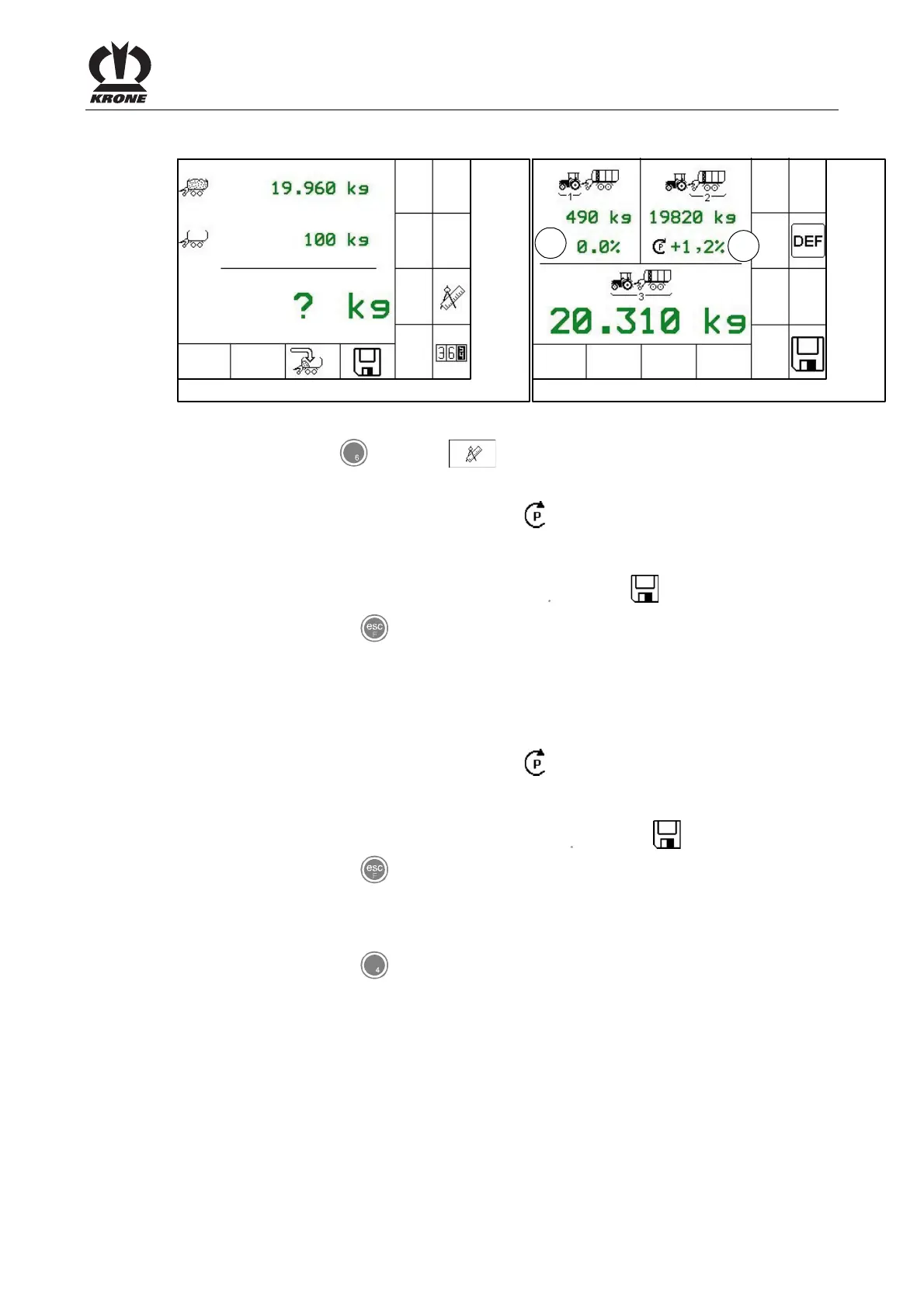
Fig. 78
• Pressing the key for softkey calls the calibration menu.
Setting the correction value of the axle load (2):
• Press the rotary potentiometer until the icon is in front of the correction value of the
axle load (2).
• Set the determined difference value in the display by turning the rotary potentiometer.
• Save the new correction value by pressing the key for softkey .
• By pressing the key you get back to the weight control without saving the correction
value.
Setting the correction value of the supported load (1):
• Press the rotary potentiometer until the icon is in front of the correction value of the
supported load (1).
• Set the determined difference value in the display by turning the rotary potentiometer.
• Save the new correction value by pressing the key for softkey .
• By pressing the key you get back to the weight control without saving the correction
value.
• By pressing the key for softkey DEF the values are set back to factory settings.
Pos: 21.12 /BA/-- ---Seitenum bruch------ @ 0\m od_119617531 1226_0.doc @ 4165











 To Next Page