2N8/2N7
1-2-84
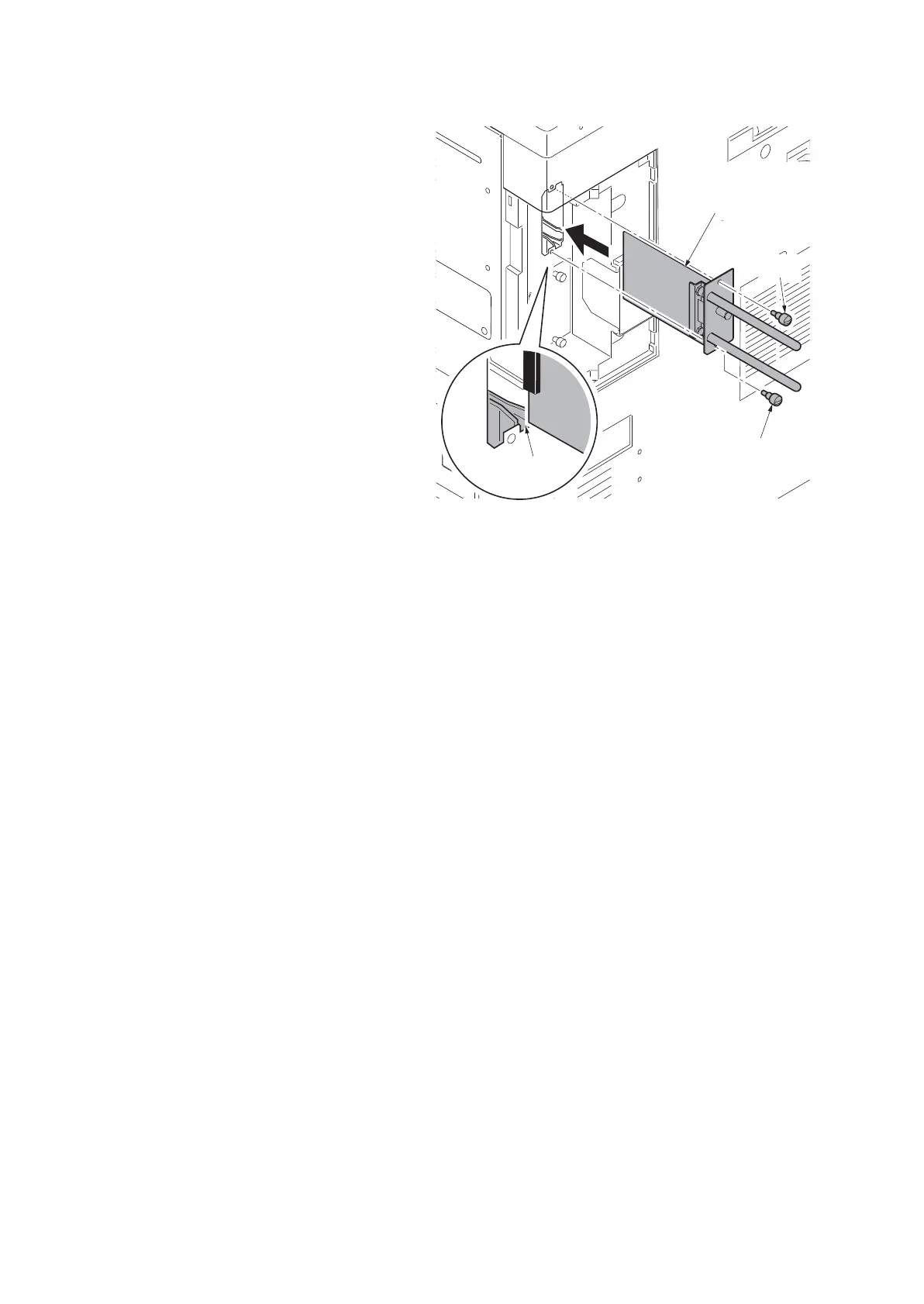
4. Insert the wire-less interface kit along
the groove in OPT2 and secure the
board with two pins that have been
removed in step 2.
*: Do not directly touch the wire-less inter-
face kit terminal.
Hold the top and bottom of the wire-less
interface kit, or the projection of the board
to insert the wire-less interface kit.
*: Load the CD-ROM in the PC and run
“Quick Network Setup” to set the IP
address.
Figure 1-2-127
Wire-less
interface kit
Pin
Pin
Groove











 To Next Page