2N8/2N7-1
1-2-28
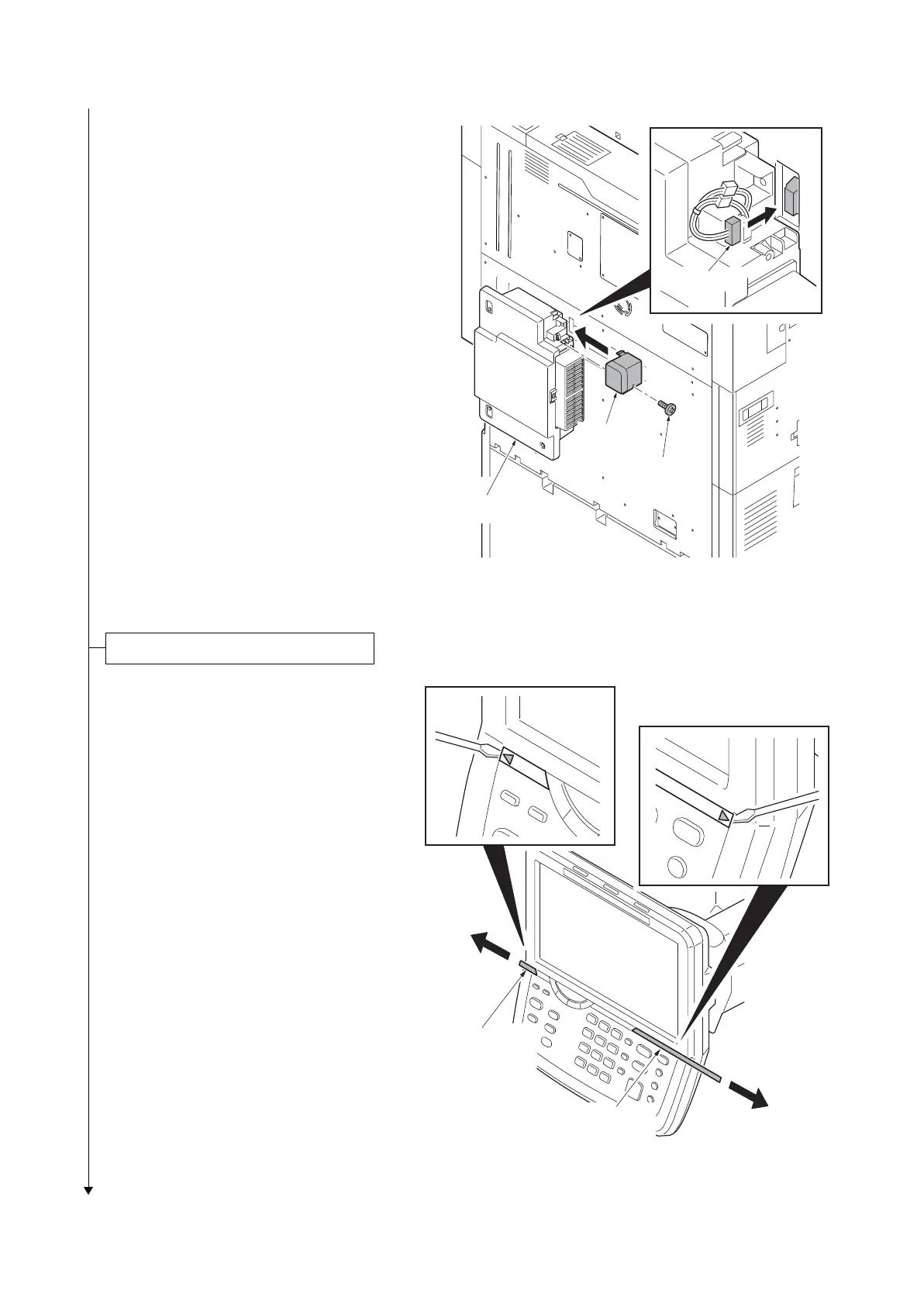
4. Connect the connector.
5. Fit the cable cover using M3 x 8 P tight
screw.
*: If power is turned on without the toner
waste box installed, the C Call is caused.
FAN unconnected: C7470
Figure 1-2-47
1. Insert a flat-head screwdriver and slide
the operation panel covers A and B to
remove them.
Figure 1-2-48
Cable cover
Screw
Toner disposal box
Connectors
Replacing operation panel sheet
Operation panel
cover B
Operation panel
cover A











 To Next Page