2N8/2N7
1-5-6
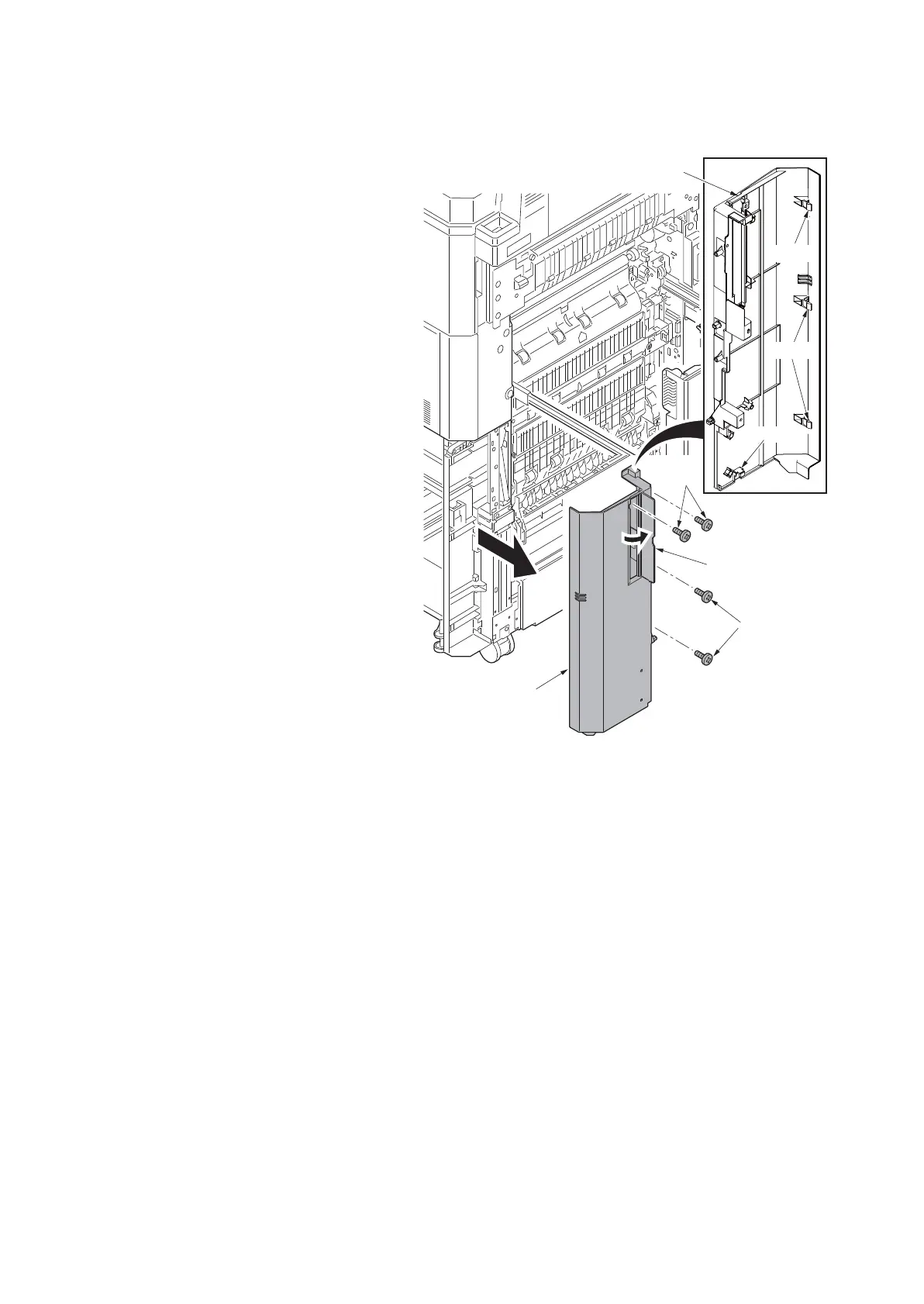
(4) Detaching and refitting the right lower front cover
Procedure
1. Pull the paper conveying unit out.
2. Open the handle cover.
3. Remove four screws.
4. Unhook the hook at the bottom of the
right-bottom front cover, unhook the
three hooks at the machine front side
while opening it from the near side, and
remove the right-bottom front cover.
Unhook the hook and then remove the
right lower front cover.
Figure 1-5-8
Hook
Hook
Hook
Right lower
front cover
Right lower
front cover
Screws
Screws
Handle cover












 To Next Page