2N8/2N7
1-5-8
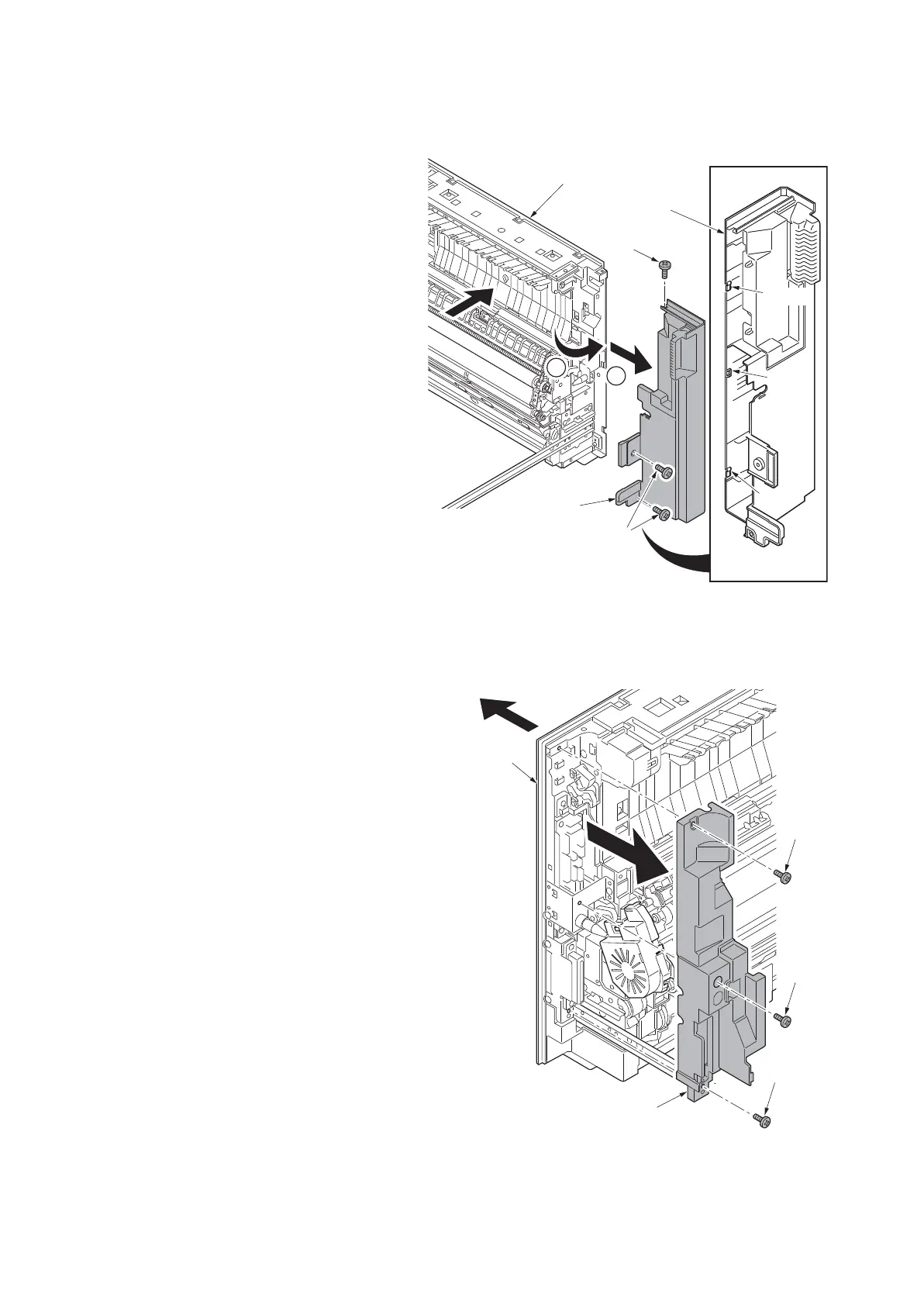
(6) Detaching and refitting the right front cover
Procedure
1. Pull the paper conveying unit out.
2. Remove three screws.
3. Unhook three hooks and then remove
the right front cover.
Figure 1-5-11
(7) Detaching and refitting the conveying rear middle cover
Procedure
1. Pull the paper conveying unit out.
2. Remove three screws and then remove
the conveying rear middle cover.
Figure 1-5-12
1
2
Screw
Screws
Hook
Hook
Hook
Right front
cover
Right front cover
Paper conveying unit
Paper
conveying unit
Conveying rear
middle cover
Screw
Screw
Screw












 To Next Page