2N8/2N7
1-2-24
1. Open the front upper cover.
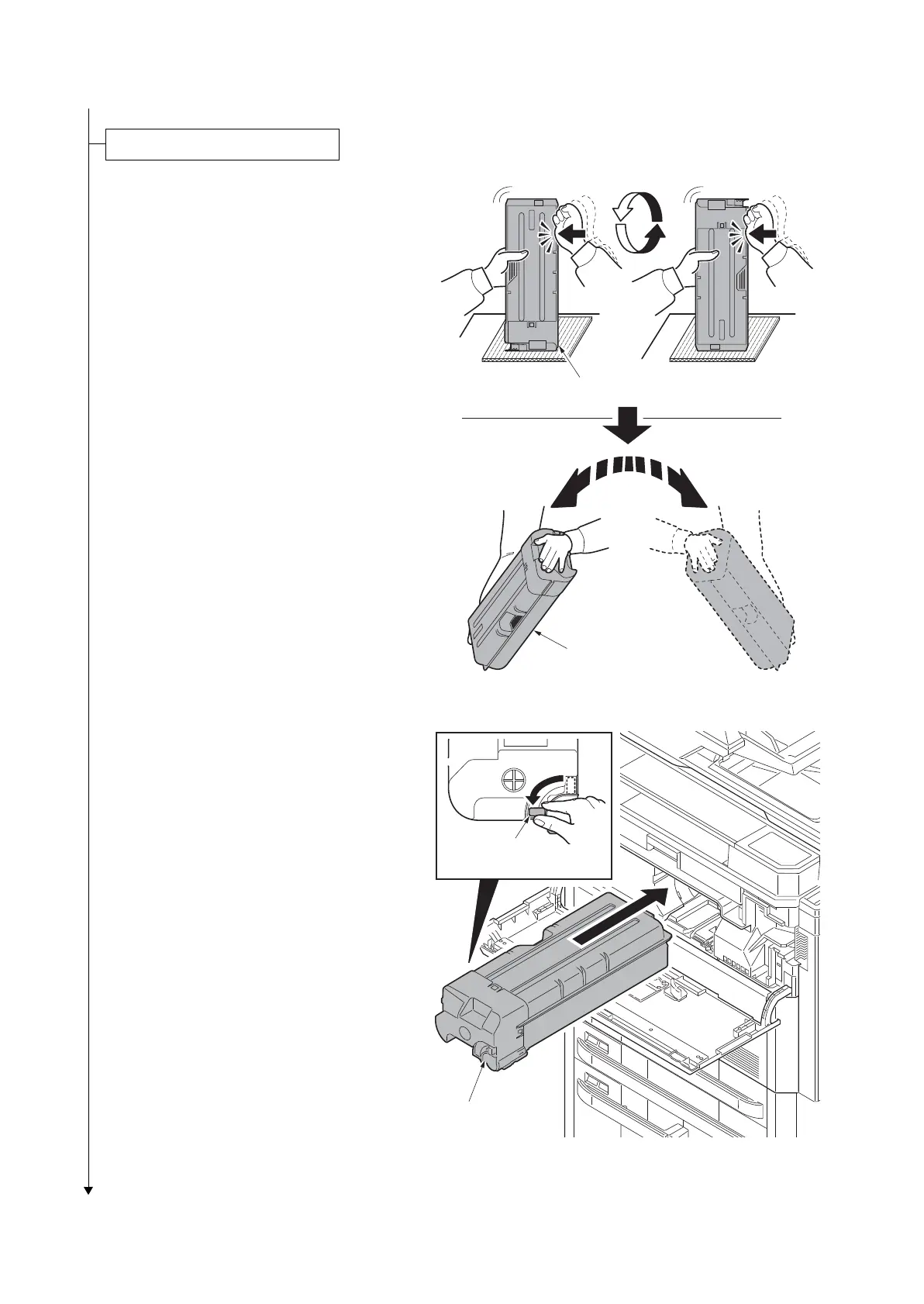
2. Hold the toner container vertically and
hit the upper part about 5 times. Invert
the toner container so that the other end
is up, and hit in the same way.
3. Shake the toner container in a wide ver-
tical curve like motion about 5 times.
Figure 1-2-39
4. Install the toner container.
5. Turn down the toner container release
lever to lock the toner container.
6. Close the front upper cover.
Figure 1-2-40
Installing the toner containers
Toner container
Toner container
release lever
Toner container
Toner container











 To Next Page