2N8/2N7
1-5-59
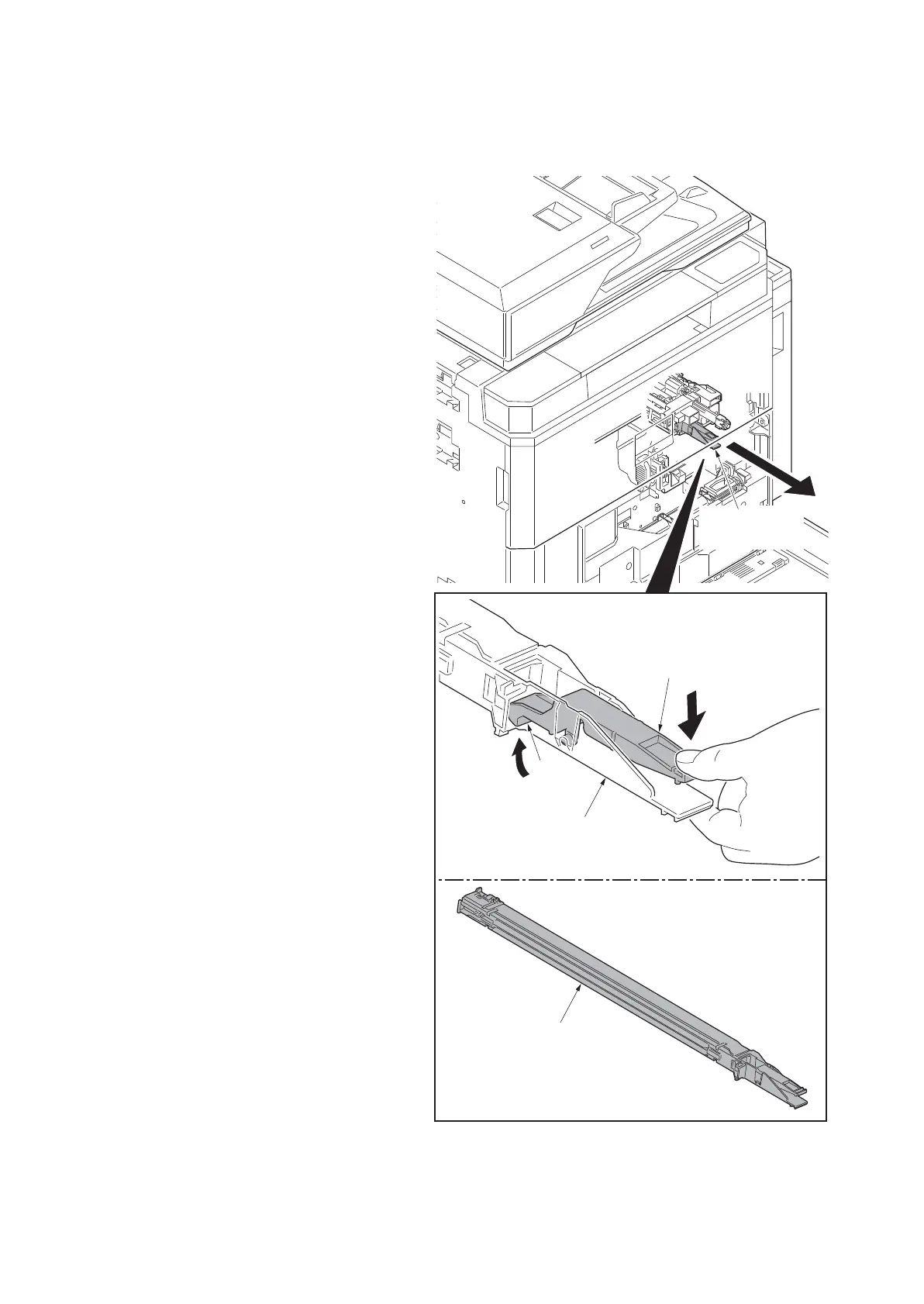
(4) Detaching and refitting the charger roller unit
Procedure
1. Remove the inner unit (see page 1-5-
53).
2. Pull out the charger roller unit by pick-
ing and releasing the MC lock lever.
3. Check or replace the charger roller unit
and refit all the removed parts.
*: When refitting the charger roller unit,
that must hook the hook certain by
operating the MC lock lever after insert-
ing the charger roller unit until bumping.
4. When replacing the new charger roller
unit, proceed as follows:
Perform maintenance mode U930
(clearing the charger roller count) (see
page 1-3-196).
Figure 1-5-99
Charger roller
unit
Charger roller unit
Hook
MC lock lever
Charger roller unit











 To Next Page