2N8/2N7-3
1-3-152
U411
Adjusting the scanner automatically
Description
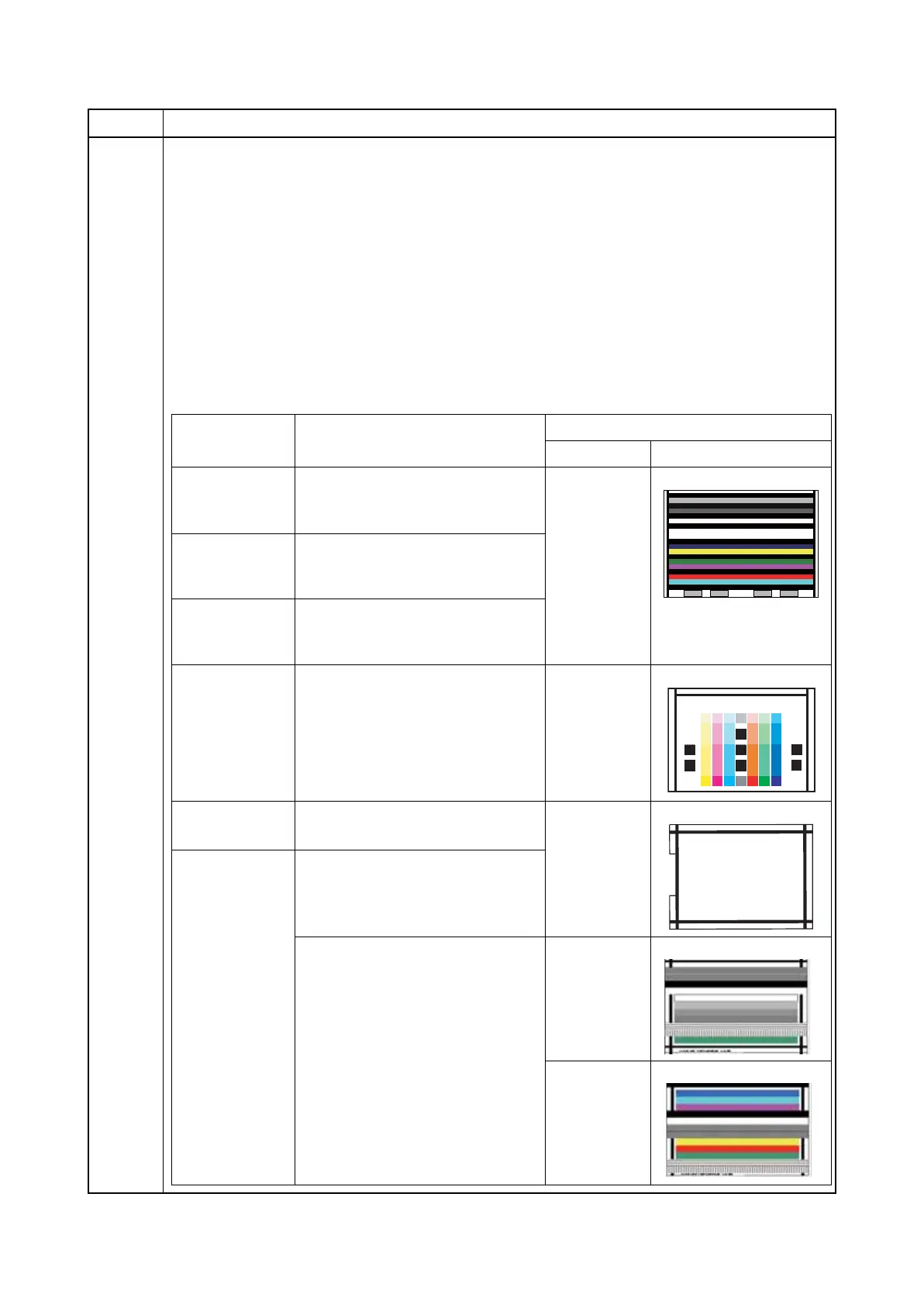
Uses a specified original and automatically adjusts the following items in the scanner and the DP
scanning sections.
Purpose
To perform automatic adjustment of various items in the scanner and the DP scanning sections.
Perform adjustments using a new test chart (chart 1) when replacing ISC PWB, LED lamp PWB,
ISU, CIS and/or DP main PWB.
* : To automatically adjust the DP, to avoid damaging original documents, using a Chart 2-2
test chart is recommended.Method
Method
1. Press the start key.
2. Select the item.
Item No. Description
Display Description
Original to be used for adjustment
P/N
Chart image
Table (Chart1)
Adjusting the scanner color and
centering and timing for the leading
edge
7505000005 Chart 1
DP FaceUp
(Chart1)
Adjusting color, centering, and
timing for the leading edge of the
reading unit (fore side) of the DP
DP FaceDown
(Chart1)
Adjusting color and retrieval of the
target data of the reading unit (back
side) of the DP (CIS)
Table (Chart2)
Adjusting the scanner color and
centering and timing for the
leading edge
302FZ56990 Chart 2-1
DP FaceUp
(Chart2)
Adjusting the scanner centering
and timing for the leading edge 302AC68243
Chart 2-2
DP FaceDown
(Chart2)
Adjusting retrieval of the target
data of the reading unit (back side)
of the DP (CIS)
Adjusting color and retrieval of the
target data of the reading unit
(back side) of the DP (CIS)
303JX57010 GAMMMA
303JX57020 MATRIX
COLOR SCANNER
CHART A4
No.302K357010











 To Next Page