2N8/2N7
1-5-3
1-5-2 Outer covers
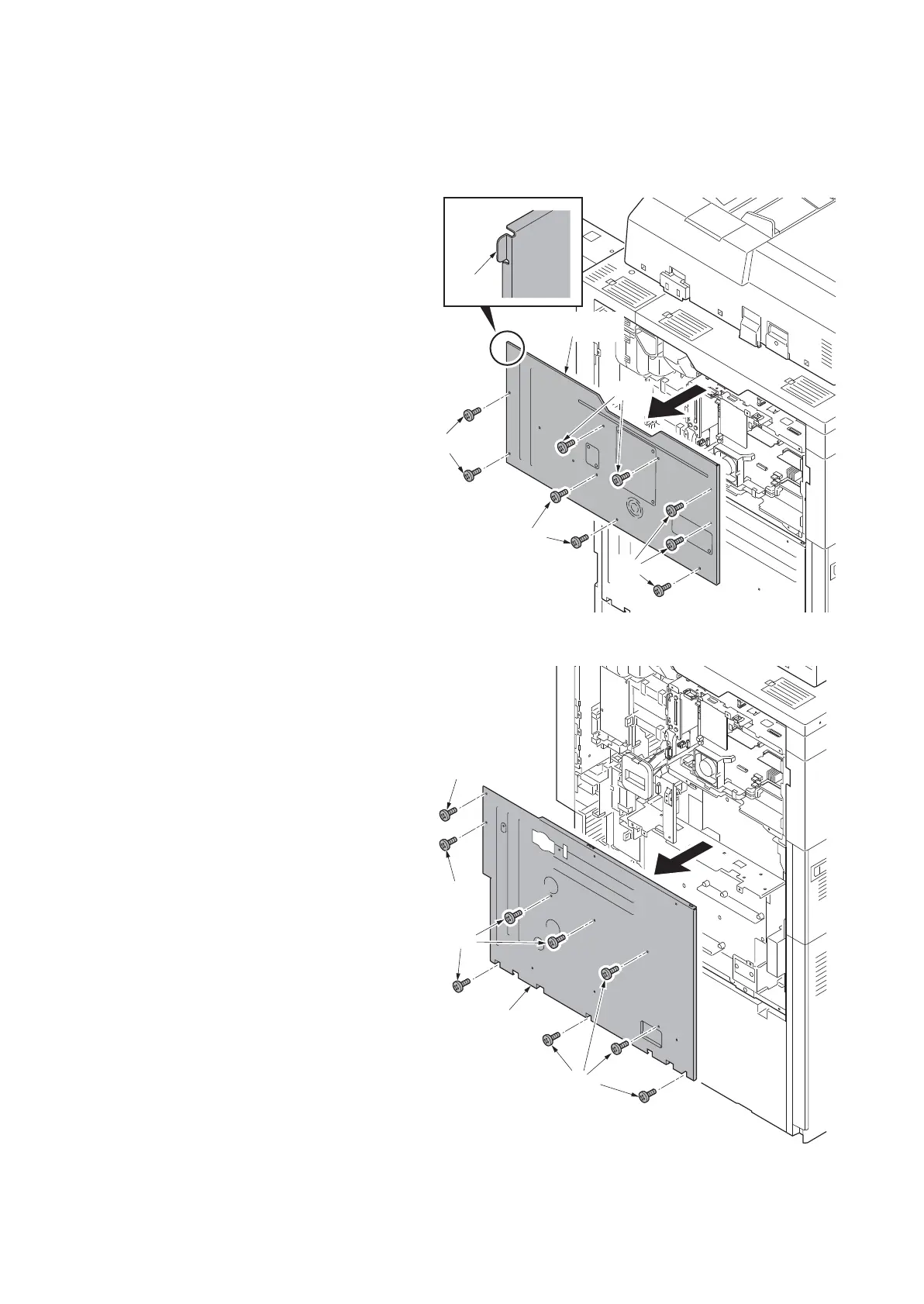
(1) Detaching and refitting the rear upper cover and the rear lower cover
Procedure
1. Remove nine screws and then remove
the rear upper cover.
*: To fix a cover, insert the hook at the left
top first by bowing the cover.
Figure 1-5-3
2. Remove the toner disposal box (see
page 1-5-134).
3. Remove nine screws.
4. Release two hanging parts and then
remove the rear lower cover.
Figure 1-5-4
Hook
Rear upper
cover
Screws
Screws
Screws
Screws
Rear lower
cover
Screw
Screw
Screws
Screws












 To Next Page