2N8/2N7
1-5-5
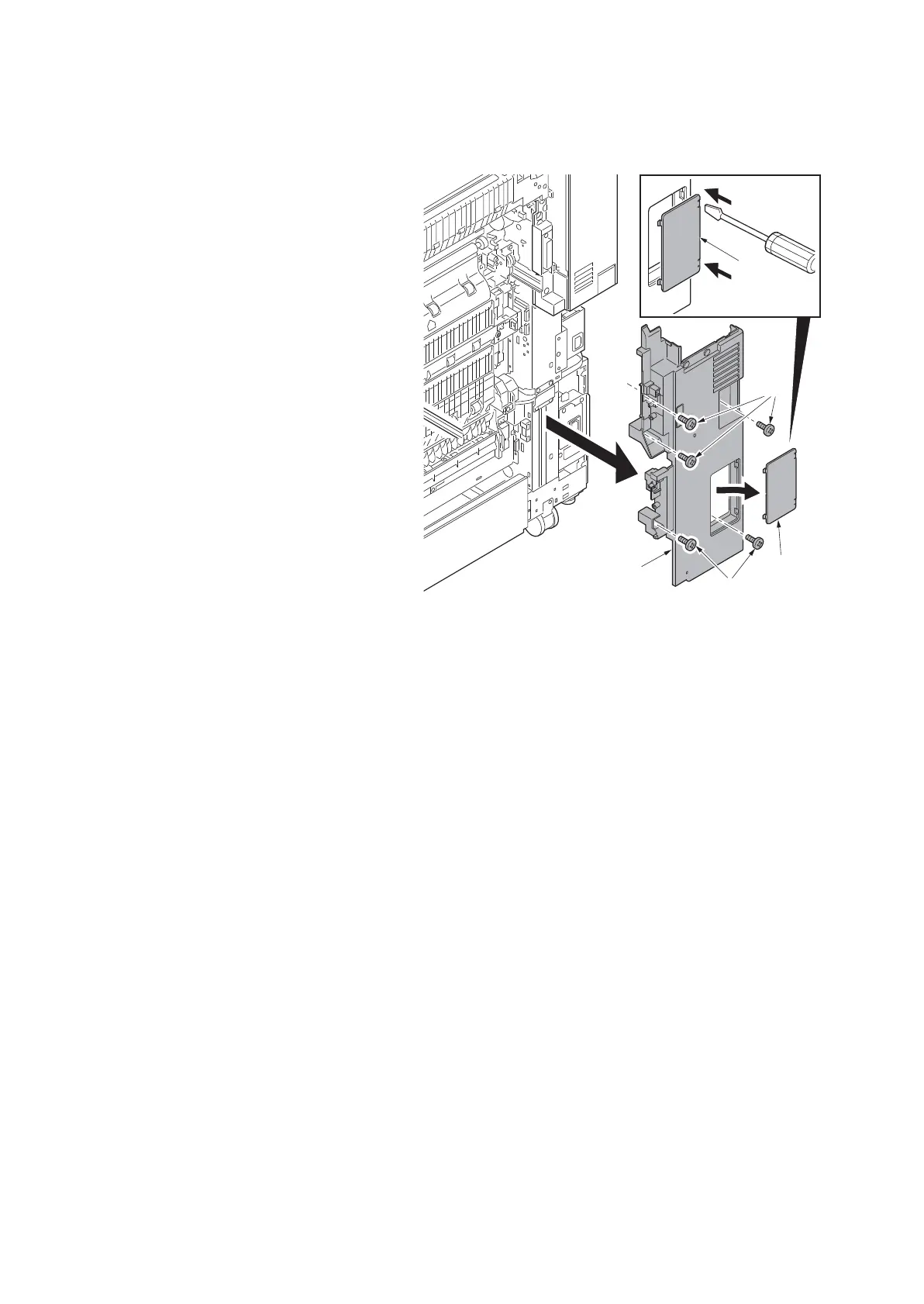
(3) Detaching and refitting the right lower rear cover
Procedure
1. Remove the rear upper cover and the
rear lower cover (see page 1-5-3).
2. Pull the paper conveying unit out.
3. Unhook two hooks using a flat blade
screwdriver and then remove the inter-
face cover
4. Remove five screws of the right lower
rear cover.
5. Remove the right lower rear cover.
Figure 1-5-7
Interface
cover
Screws
Interface
cover
Screws
Right lower
rear cover












 To Next Page