2N8/2N7
1-3-141
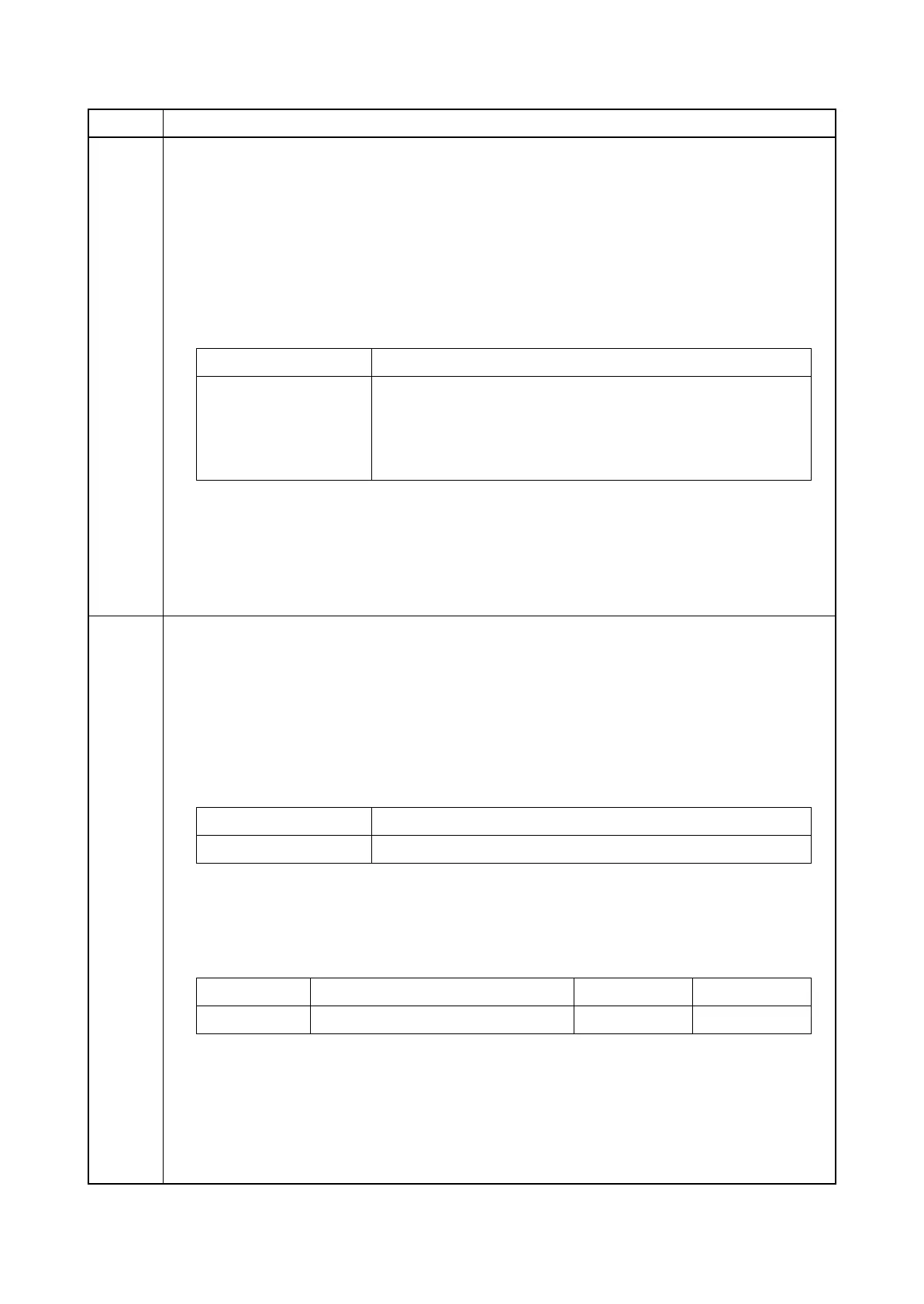
U327 Setting the cassette heater control
Description
Sets the cassette heater control.
Purpose
To change the setting according to the machine installation environment.
Setting
1. Press the start key.
2. Select the item to set.
Initial setting: Off
3. Press the start key. The setting is set.
Completion
Press the stop key.
* : The screen for selecting a maintenance item No. is displayed.
U332 Setting the size conversion factor
Description
Setting a factor to convert a non-standard size paper to A4/Letter. The coefficient set here is used
to convert the black ratio in relation to the A4/Letter size and to display the result in user simula-
tion.
Method
1. Press the start key.
2. Select the item to set.
Setting: [Rate]
Purpose: To set the coefficient for converting the black ratio for nonstandard sizes in relation to
the A4/Letter size.
1. Change the setting using the +/-keys or numeric keys.
2. Press the start key. The value is set.
Completion
Press the stop key.
The screen for selecting a maintenance item No. is displayed.
Item No. Description
Display Description
Mode1 Setting On when the humidity is 65%. (when sleep mode and
waiting mode)
Mode2 Setting On in full-time. (when sleep mode and waiting mode)
Off Cassette heater OFF
Display Description
Rate Size coefficient
Display Description Setting range Initial setting
Rate Size coefficient 0.1 to 3.0 1.0








 To Next Page