2N8/2N7
1-2-17
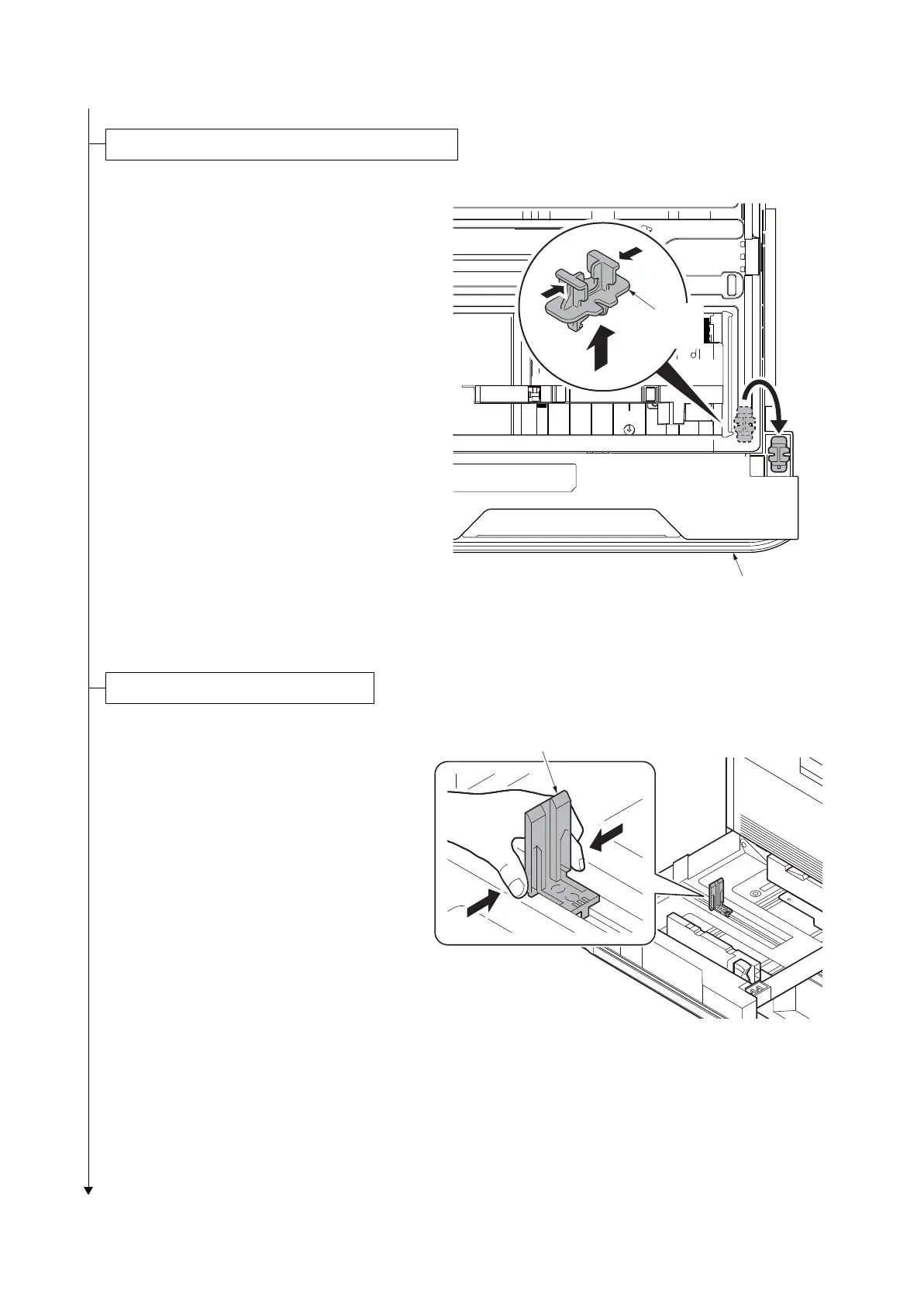
1. Pull cassette 1 and 2 out.
2. Remove the lift plate stopper from each
cassette and attach it to the storage
location.
*: When moving the machine, attach the lift
plate in original position.
Figure 1-2-26
1. Squeeze the ends of the bottom of the
paper length guide and move the guide
to fit the length of the paper.
Figure 1-2-27
Release of lift plate stopper (cassette 1 and 2)
Lift plate
stopper
Cassette
Loading paper (cassette 1 and 2)
Paper length guide











 To Next Page