2N8/2N7
1-2-16
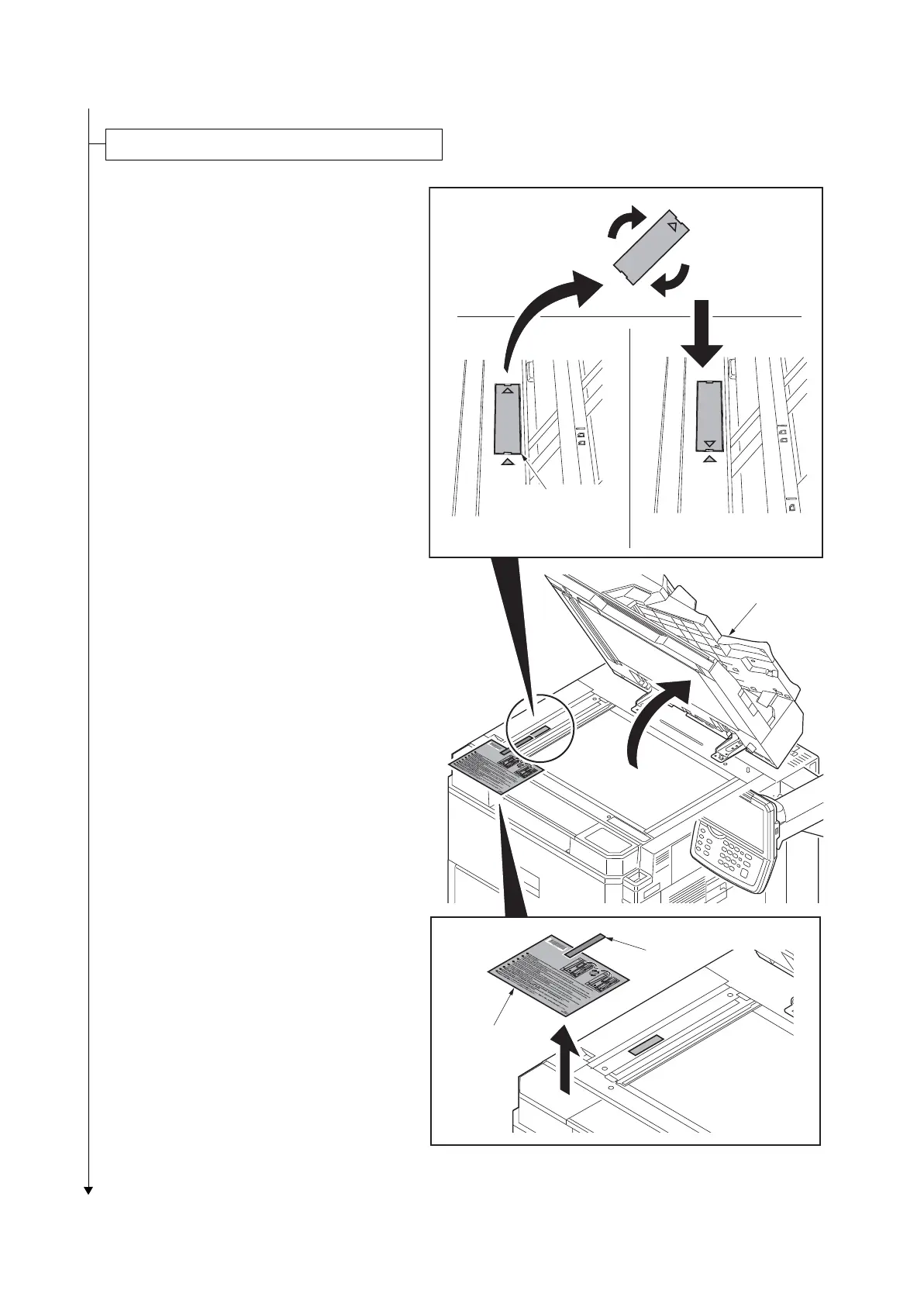
1. Open the DP.
1. Remove the tape and then remove the
ISU lock leaflet.
2. Remove the scanner lock cover.
3. Mount the scanner lock cover in the
reverse manner to restore in the original
location.
4. Close the DP.
*: Unless unlocking is performed, C3100 is
caused.
Figure 1-2-25
Release the lock of the scanner mirror frame
Scanner lock cover
[Released][Locked]
DP
Tap e
ISU lock leaflet











 To Next Page