2N8/2N7
1-5-123
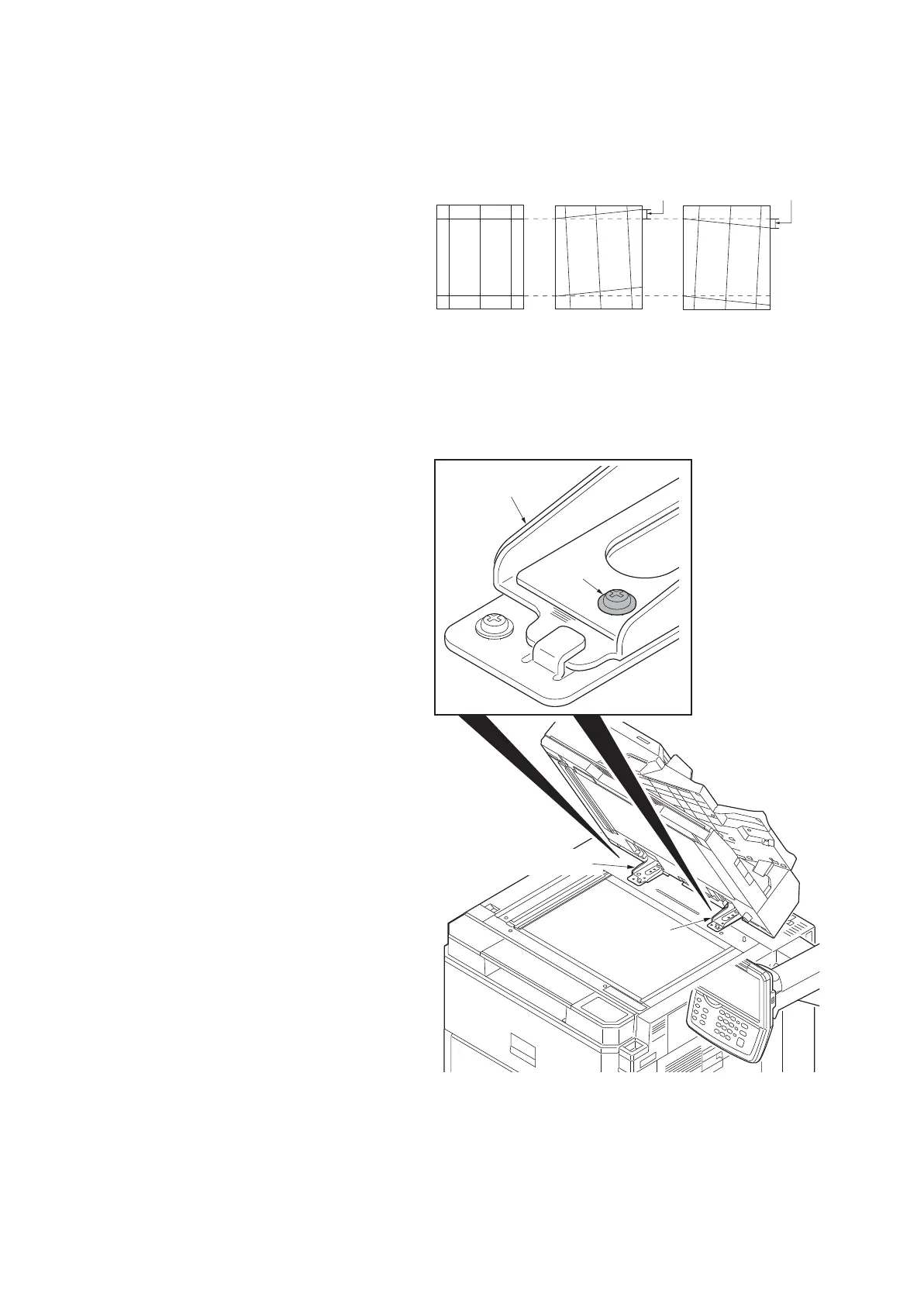
(4) Adjusting the angle of leading edge
Perform the following adjustment if the leading edge of the copy image is laterally skewed.
Procedure
1. Place an original on the DP and press
the start key to make a test copy.
2. If the gap of leading edge exceeds the
reference value, perform the following
adjustment.
Reference value
For simplex copying: Within ±3.0 mm
For duplex copying: Within ±4.0 mm
Figure 1-5-203
3. Loosen two screws of right and left fix-
ing fittings.
Figure 1-5-204
Original
Copy
example 2
Copy
example 1
3mm/4mm 3mm/4mm
Fixing fitting
Screw
Fixing fitting
Fixing fitting











 To Next Page