2N8/2N7
1-5-124
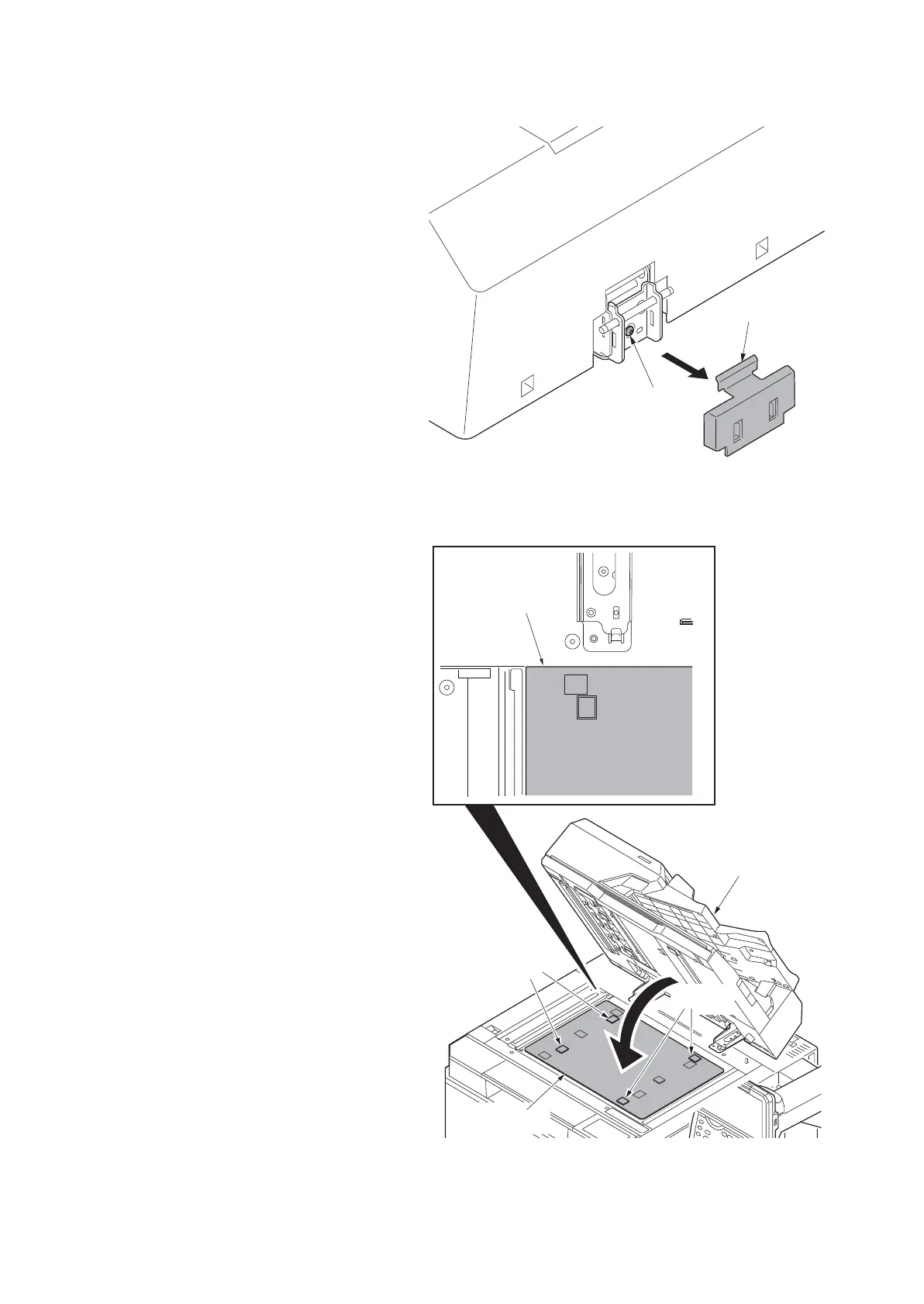
4. Remove the right hinge cover.
5. Turn adjusting screw at the rear side of
the right hinge to adjust the DP position.
For copy example 1:
Turn the adjusting screw counterclock-
wise and move the DP to the inner side.
For copy example 2:
Turn the adjusting screw clockwise and
move the DP to the front side.
Amount of change per scale: Approx. 1
mm
6. Make a test copy.
7. Repeat the steps above until the gap of
the leading edge falls within the refer-
ence values.
8. After adjustment is completed, retighten
two screws that have been loosened in
step 3.
Figure 1-5-205
9. Remove the original mat.
10. Place original mat with its Velcro
upward over the contact glass.
*: Align original mat corner that has 90
degrees of angle with the inner left cor-
ner of the original instruction panel.
11. Close DP and attach original mat onto it
with Velcros.
Figure 1-5-206
Adjusting screw
Right hinge cover
DP
Velcros
Velcros
Original mat
Original mat











 To Next Page