2N8/2N7
1-2-83
1-2-9 Installing the Wire-less interface kit (option)
Wire-less interface kit installation requires the following parts:
Procedure
1. Press the power key on the operation
panel to off. Make sure that the power
indicator and the memory indicator are
off before turning off the main power
switch. And then unplug the power
cable from the wall outlet.
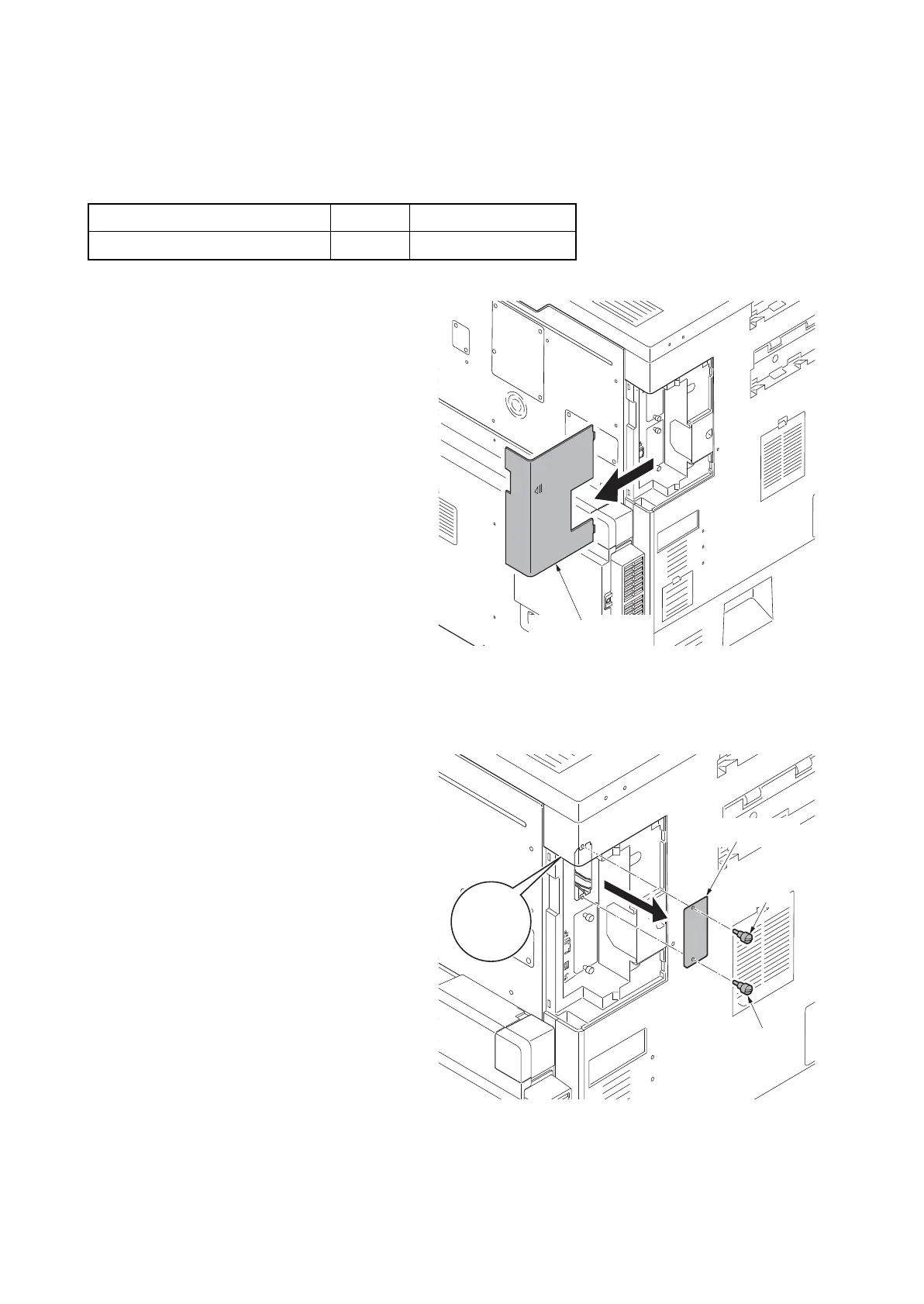
2. Remove the controller cover.
Figure 1-2-125
3. Remove two pins and then remove the
slot cover of the OPT2.
Figure 1-2-126
Parts Quantity Part.No.
Wire-less interface kit 1 1505J50UN0 (option)
OPT2
Slot cover
Pin
Pin











 To Next Page