2N8/2N7
1-5-4
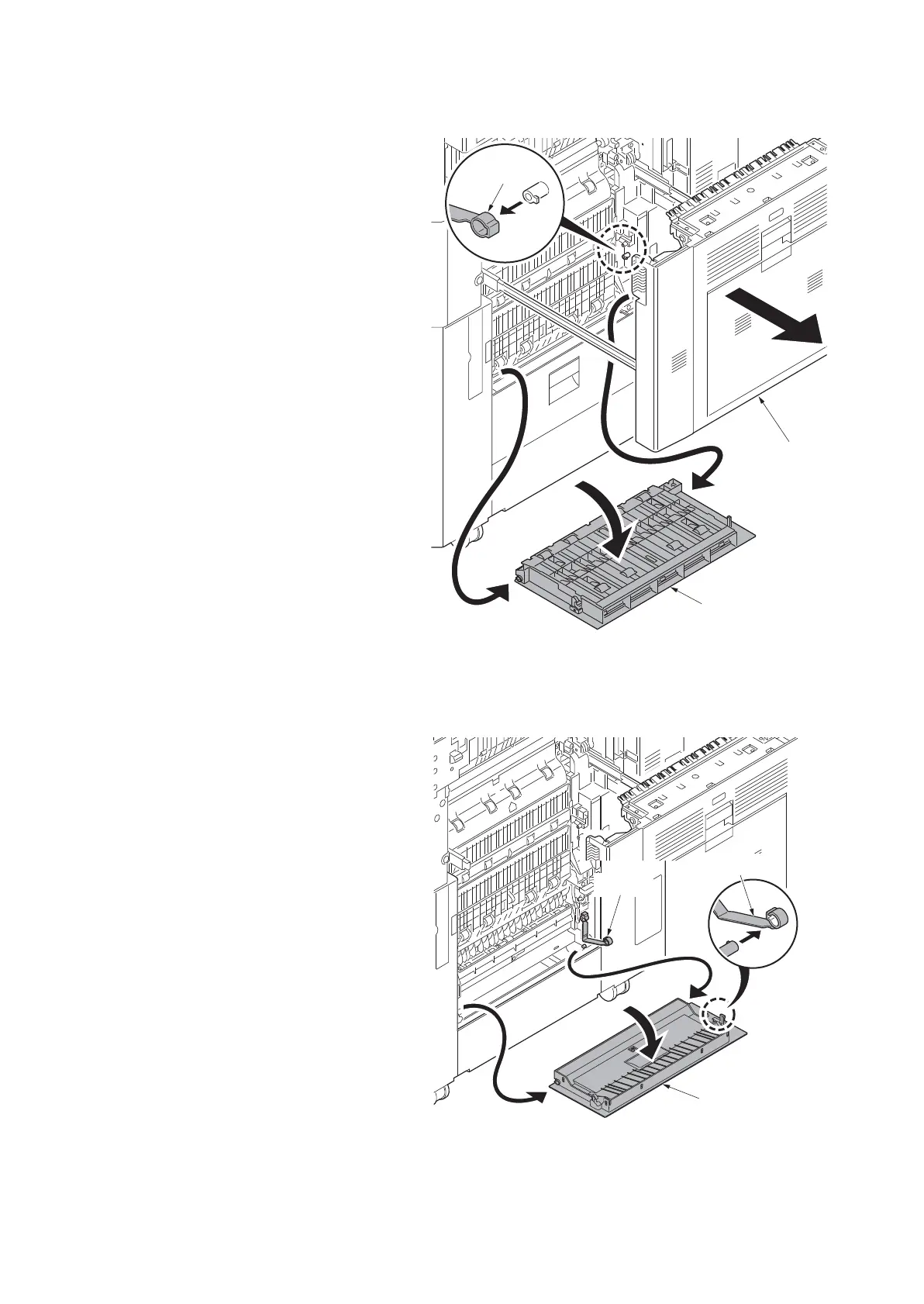
(2) Detaching and refitting the paper conveying cover and PF paper conveying cover
Procedure
1. Pull the cassette 1 to 4 out completely.
2. Pull the paper conveying unit out.
3. Open the paper conveying cover.
4. Remove the strap and then remove the
paper conveying cover.
Figure 1-5-5
5. Open the PF paper conveying cover.
6. Remove the strap and then remove the
PF paper conveying cover.
Figure 1-5-6
Paper
conveying
unit
Paper conveying
cover
Strap
PF paper
conveying cover
Strap
Strap












 To Next Page