2N8/2N7
1-5-44
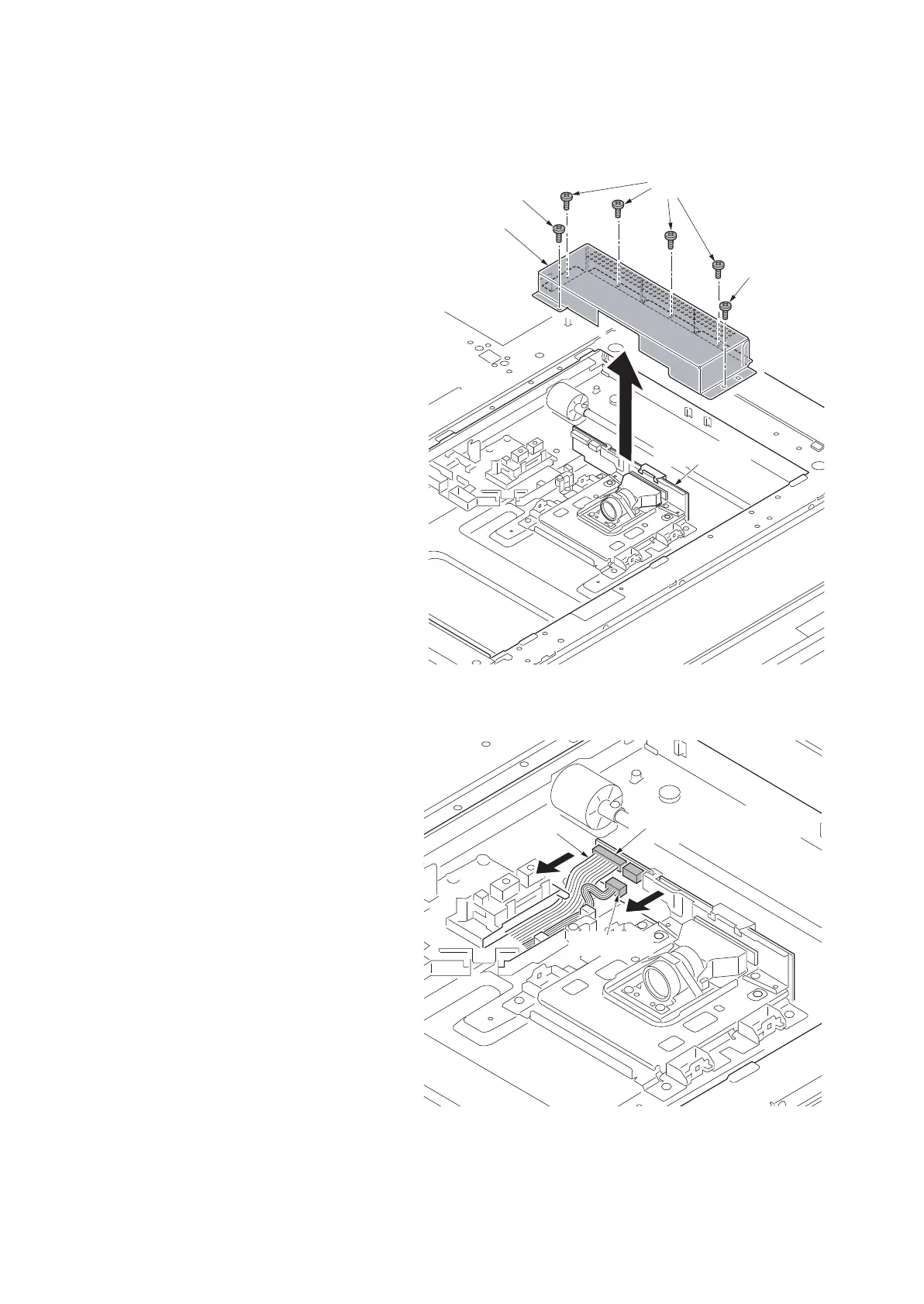
(3) Detaching and refitting the ISU
Procedure
Detaching the ISU
1. Worn the electrostatic prevention band
for the destruction prevention of the
CCD board by static electricity.
2. Remove the platen (see page 1-5-37).
3. Remove six screws and then remove
the lens cover.
Figure 1-5-71
4. Remove the connector.
5. Remove the FFC from the FFC connec-
tor with a lock.
*: When removing the FFC from the FFC
connector with a lock, remove the FFC
after released by lifting down the lock
lever (see page 1-5-76).
Figure 1-5-72
Lens cover
Screw
Screws
Screw
CCD PWB
FFC connector
with a lock
Connector
FFC











 To Next Page