2N8/2N7
1-4-175
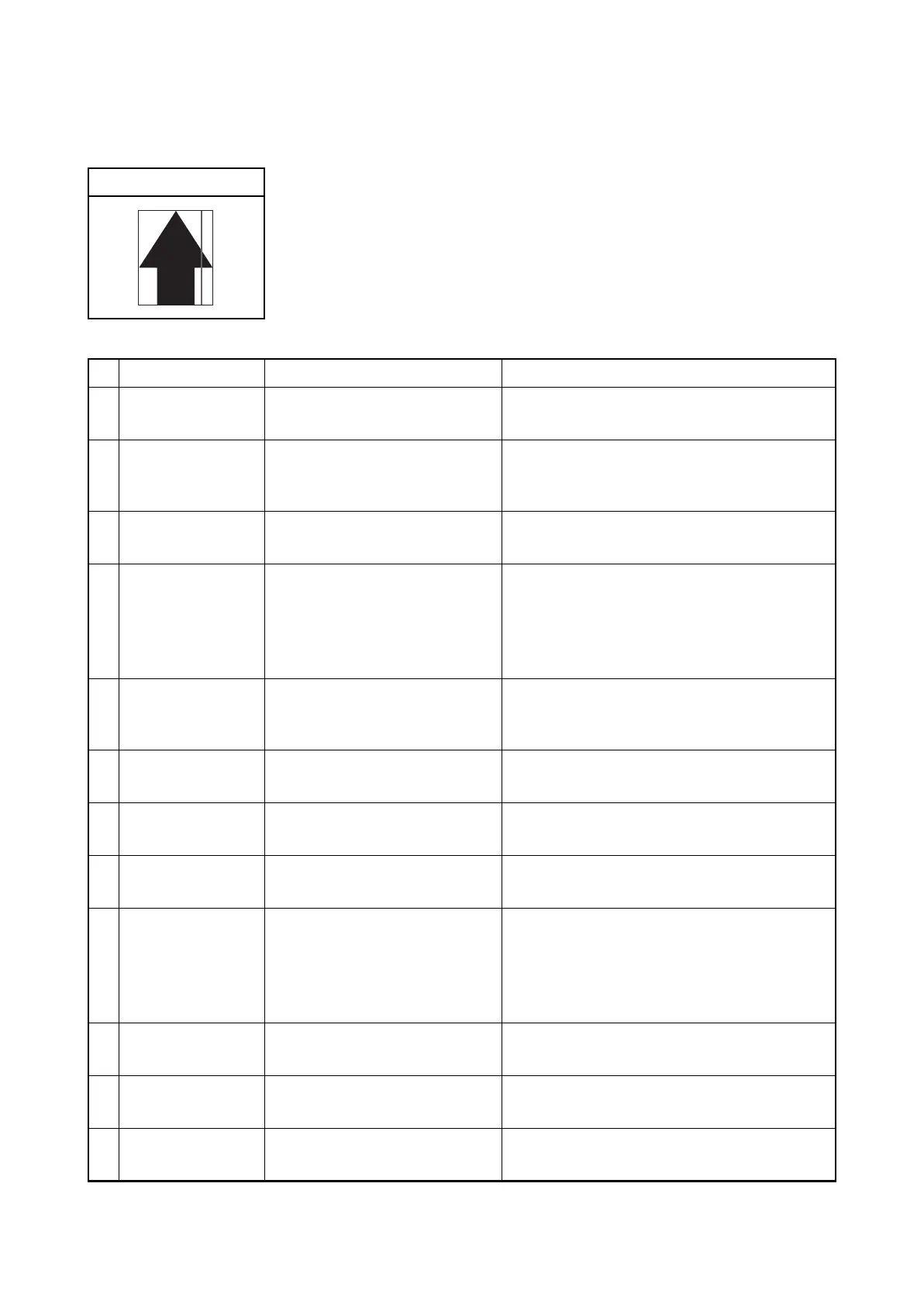
(6) Black streaks appear longitudinally.
1. Table scanning
Print example
Defective part Check description Corrective Action
1
Original document Check whether the original
document is dirty.
If the original document is dirty, replace.
2
Original document Check if the size of the original
document and its reference size
match.
If the size of the original document and its
reference size do not match, set the correct
document size or activate border erasure.
3
Contact glass assy
Check the location the contact
glass is mounted.
Re-mount the contact glass if it is hanged off.
4
Adjustment of the
scanner
Check whether the outer areas
of the original document have
streaks or lines.
1. Perform maintenance mode U067,
Front.(see page 1-3-54)
2. Perform maintenance mode U411, table
(Chart1)_Input.
(see page 1-3-152)
5
Contact glass Check whether the outer areas
of the original document have
streaks or lines.
If the contact glass is dirty, clean.
6
mirror Check whether the mirrors are
dirty.
If the mirrors are dirty, clean the three mirrors.
7
Lamp unit Check that the lamp unit is con-
taminated with dusts.
If dusts are observed on the lamp unit, remove
the dusts in the light paths.
8
CCD sensor Check that the CCD sensor
glass is contaminated with dusts.
If dusts are observed on the CCD sensor
glass,remove the dusts by an air blower.
9
Shading plate Check whether the shading plate
is dirty.
If the shading plate is dirty, perform
maintenance mode U063 to modify the
shading position. If it does not cure, replace the
contact glass assembly.
(see page 1-3-50)
10
ISC PWB The ISC PWB is defective. Replace the ISC PWB and perform U411.
(see page 1-3-152)
11
CCD PWB The CCD PWB is defective. Replace the ISU and perform U411.
(see page 1-3-152)
12
Main PWB The main PWB is defective. Replace the main PWB.(see page 1-5-74)







 To Next Page