2N8/2N7-4
1-2-31
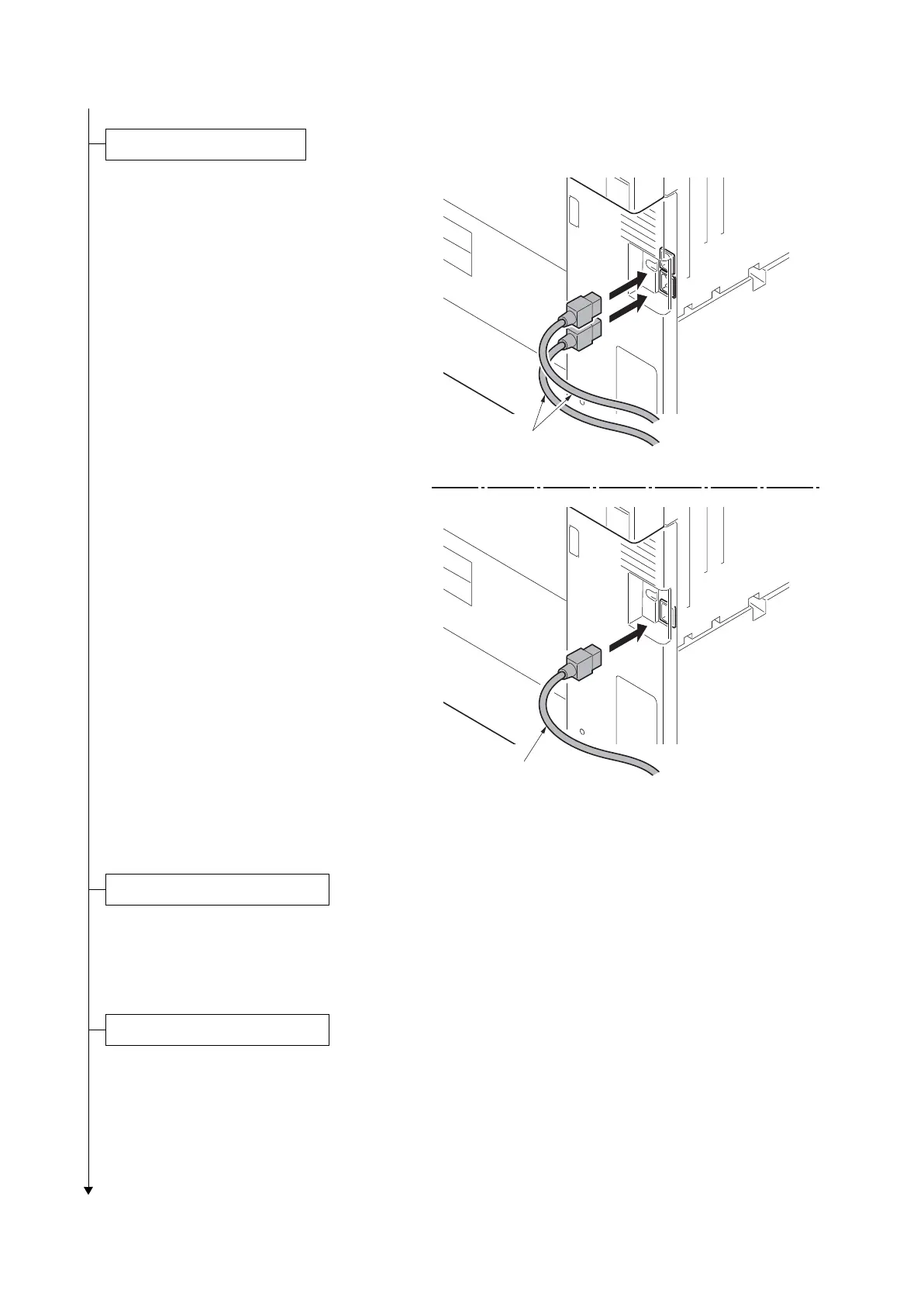
1. Connect the power cord to the power
cord connector on rear lower of the
machine.
2. Connect the power plug to the wall out-
let.
Figure 1-2-53
1. Turn the main power switch on. Toner installation is started.
2. The drive chain is disengaged when toner installation is completed.
Run maintenance mode U132 if [Add Toner] remains displayed even after the drive chain is disengaged
(see page 1-3-80).
1. Check the messages on the operation panel
After completion of warming up, in case to display “Warning for high temperature. Adjust the room tem-
perature.” on the operation panel, follow the step 2. (Performing Drum Refresh)
In case to display “Warning for low temperature. Adjust the room temperature.” on the operation panel,
install the machine in the other location this message won’t be shown.
Installing the machine in a low temperature environment could cause image quality problems.
Power cord
Power cords
120 V specifications
220 - 240 V specifications
Setup for adjusting images












 To Next Page