2N8/2N7
1-5-120
(3) Detaching and refitting the CIS
Procedure
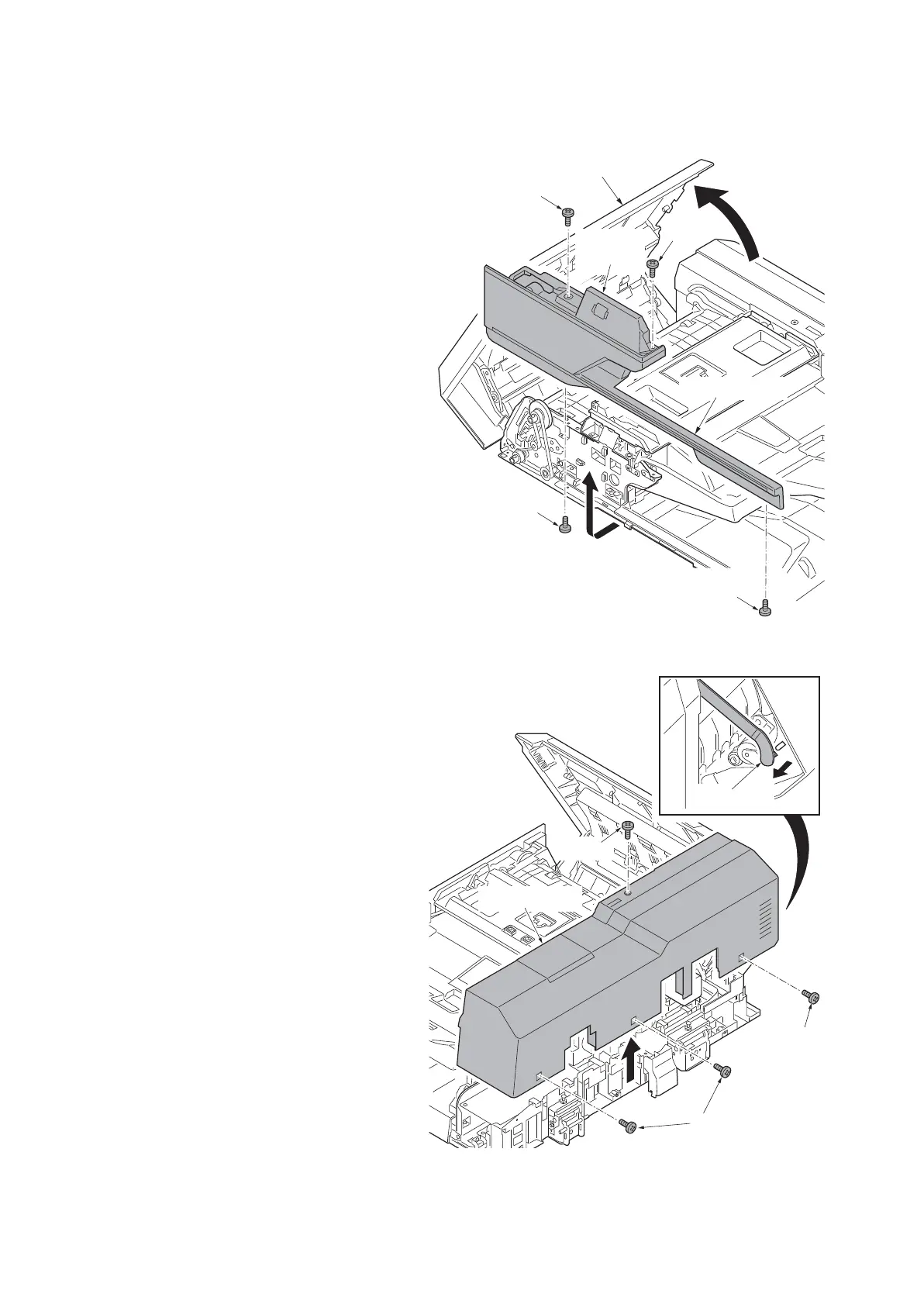
1. Open the DP top cover.
2. Remove four screws from the upper
side and reverse side of DP.
3. Pull forwards and then remove the DP
front left cover and DP front cover.
Figure 1-5-197
4. Remove the strap from the DP top
cover.
5. Remove four screws and then remove
the DP rear cover.
Figure 1-5-198
DP top cover
Screw
Screw
Screw
Screw
DP front
left cover
DP front cover
Strap
Screw
Screw
DP rear cover
Screws











 To Next Page