2N8/2N7-2
2-4-10
(5) Inner Cleaning
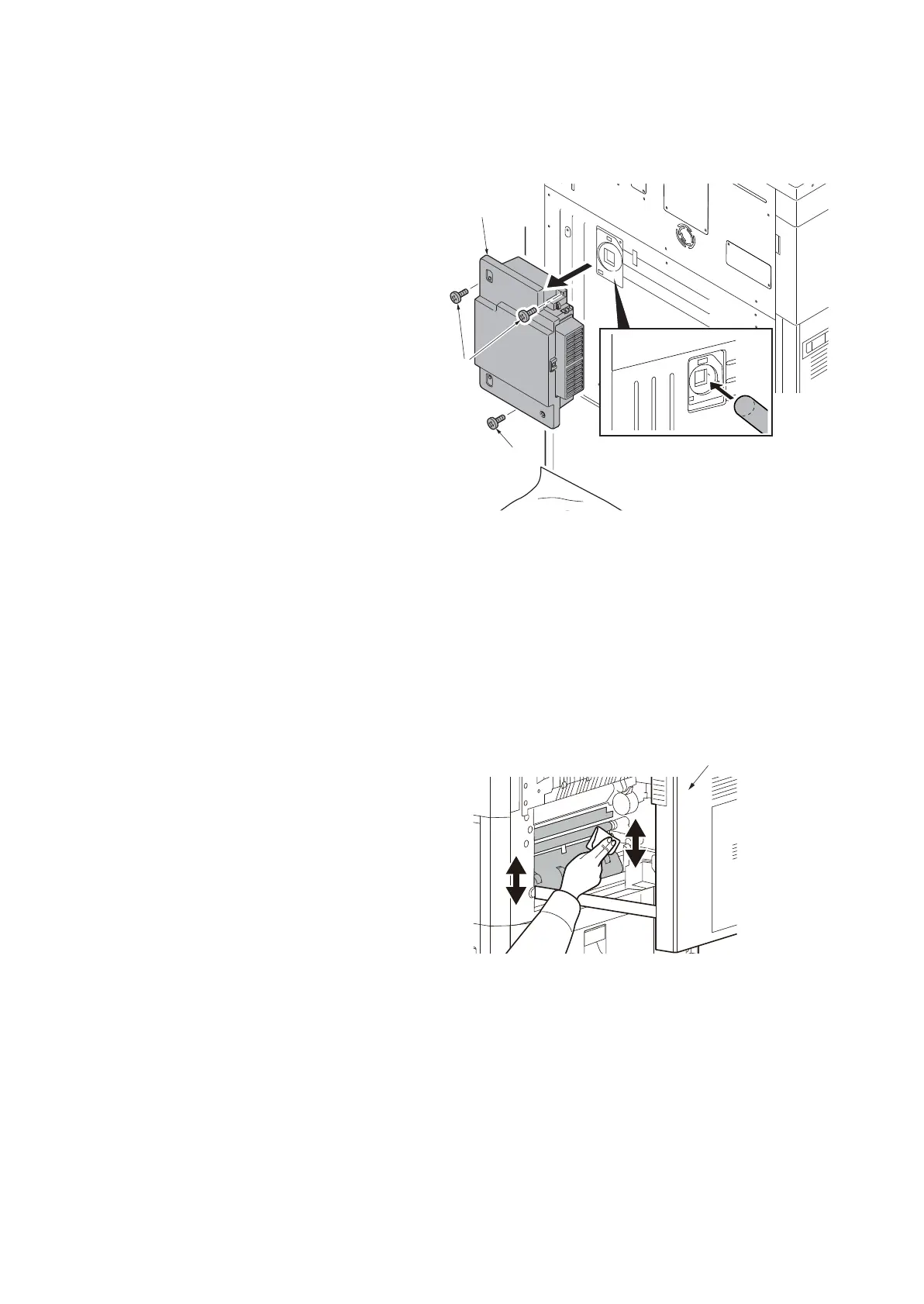
1. Cleaning the toner collection duct
Procedure
1. Remove the toner disposal box (see
page P.1-5-134).
2. Insert the vacuum cleaner inlet from the
opening at the back side of the rear
cover, vacuum toner for 1 minutes.
Figure 2-4-1
2. Cleaning the inner air duct and the paper conveying plate
* : When a toner contamination is observed at the end of the paper conveying plate.
Procedure
1. Remove the developer unit and the
drum unit (see page P.1-5-56,P.1-5-57).
2. Pull out the paper conveying unit.
3. Clean the side of the paper conveying
plate, which paper runs through.
Figure 2-4-2
Toner
disposal box
Screws
Screw
Paper conveying unit











 To Next Page