2N8/2N7
1-5-90
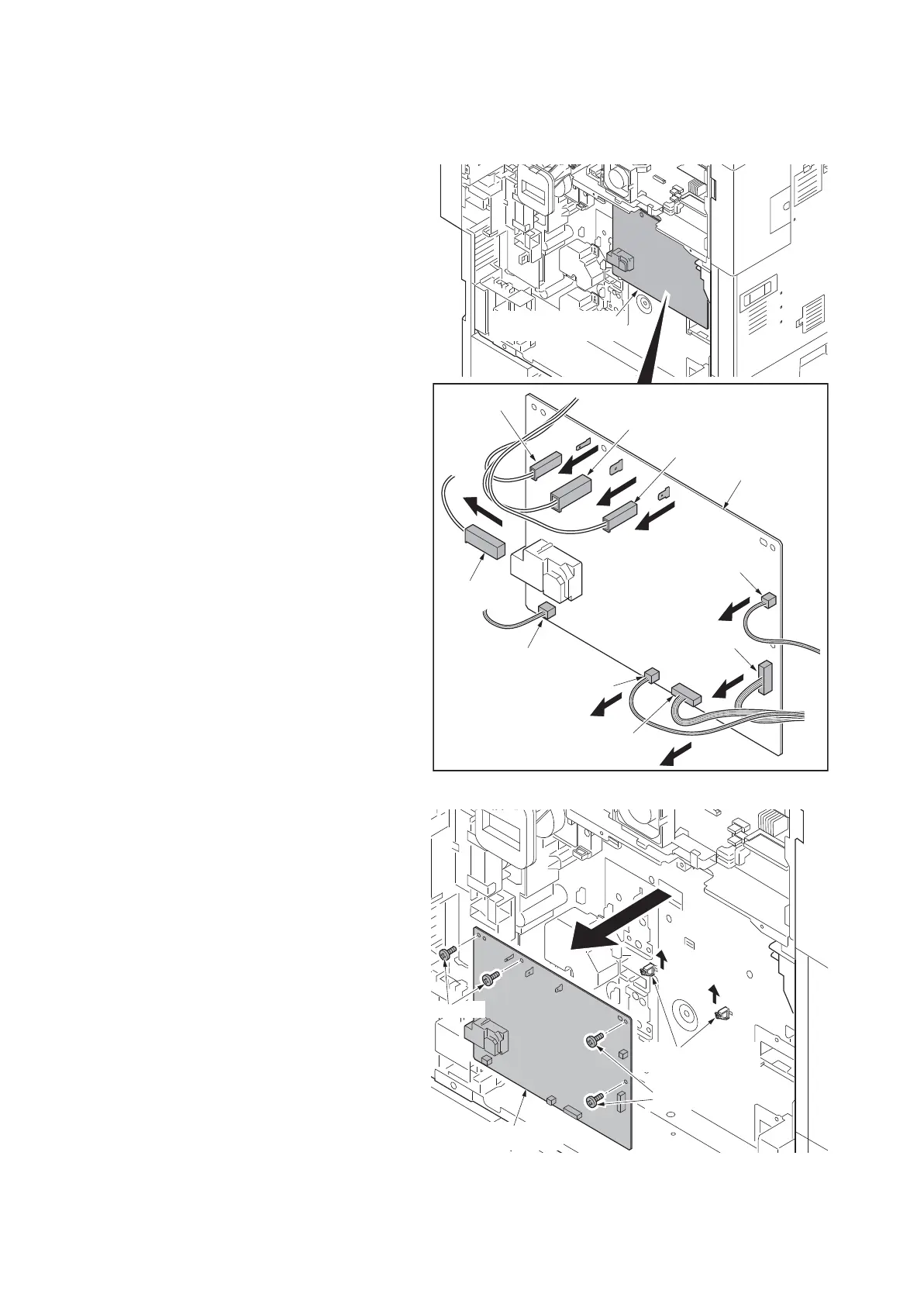
(7) Detaching and refitting the high voltage PWB
Procedure
1. Remove the power source PWB (see
page 1-5-87).
2. Remove five connectors and four tabs
from high voltage PWB.
Figure 1-5-141
3. Remove four screws.
4. Unhook two hooks of PWB spacer and
then remove the high voltage PWB.
5. Check or replace the high voltage PWB
and refit all the removed parts.
Figure 1-5-142
High voltage PWB
High voltage PWB
Tab
Tab
Tab
Tab
Connector
Connector
Connector
Connector
Connector
PWB spacers
Screws
High voltage PWB
Screws











 To Next Page