2N8/2N7
1-5-104
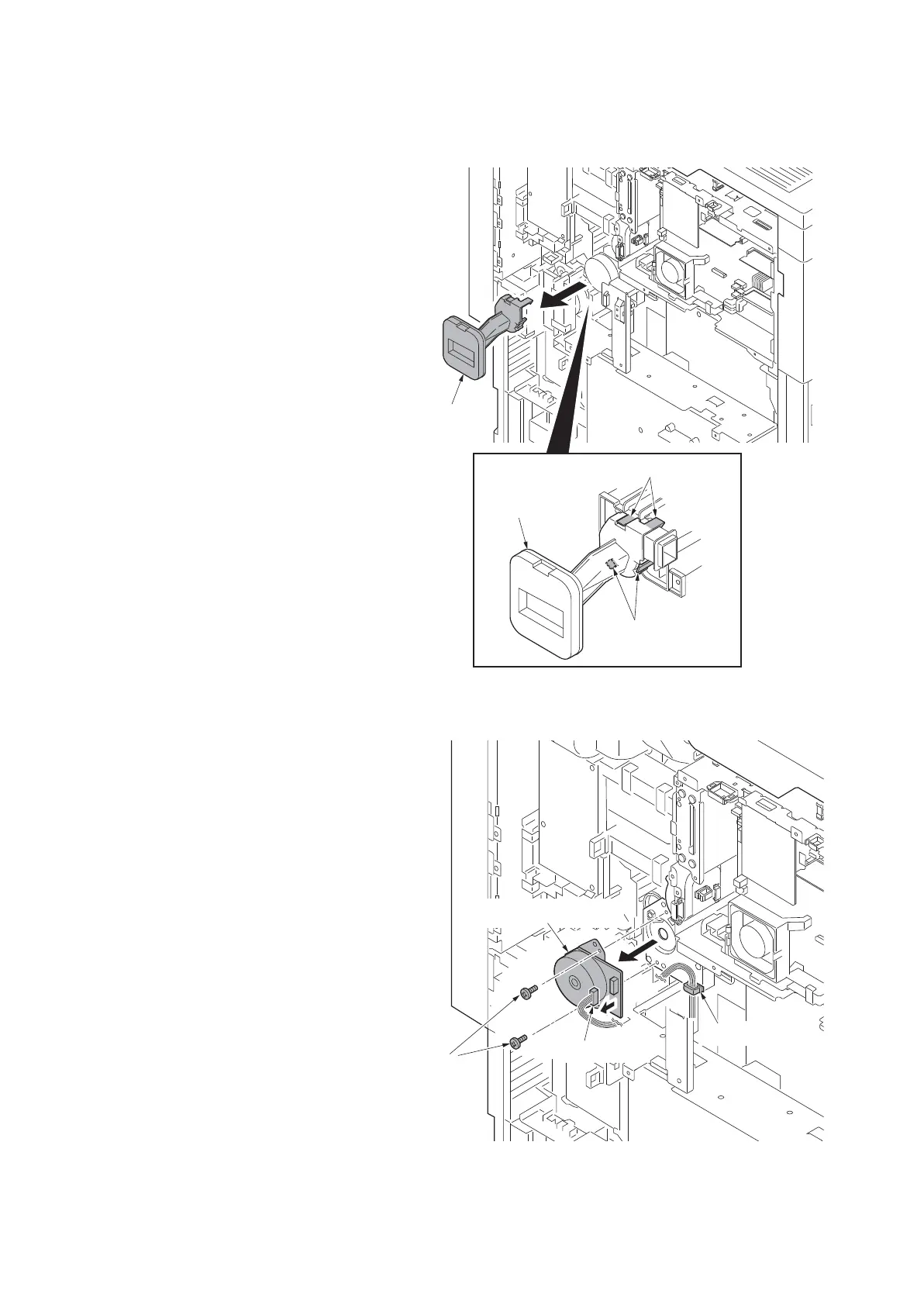
(2) Detaching and refitting the developer drive unit
Procedure
1. Remove the rear upper cover and the
rear lower cover (see page 1-5-3).
2. Unhook four hooks and then remove
the duct.
Figure 1-5-167
3. Remove the connector.
4. Release the wire saddle.
5. Remove two screws and then remove
the developer drive unit.
6. Check or replace the developer drive
unit and refit all the removed parts.
Figure 1-5-168
Figure 1-5-169
Duct
Duct
Hooks
Hooks
Screws
Connector
Wire saddle
Developer drive unit











 To Next Page