2N8/2N7
1-5-119
(2) Detaching and refitting the DP separation pulley
Procedure
1. Open the DP top cover.
2. Remove the DP original feed guide and
DP original feed unit. (See page 1-5-
115)
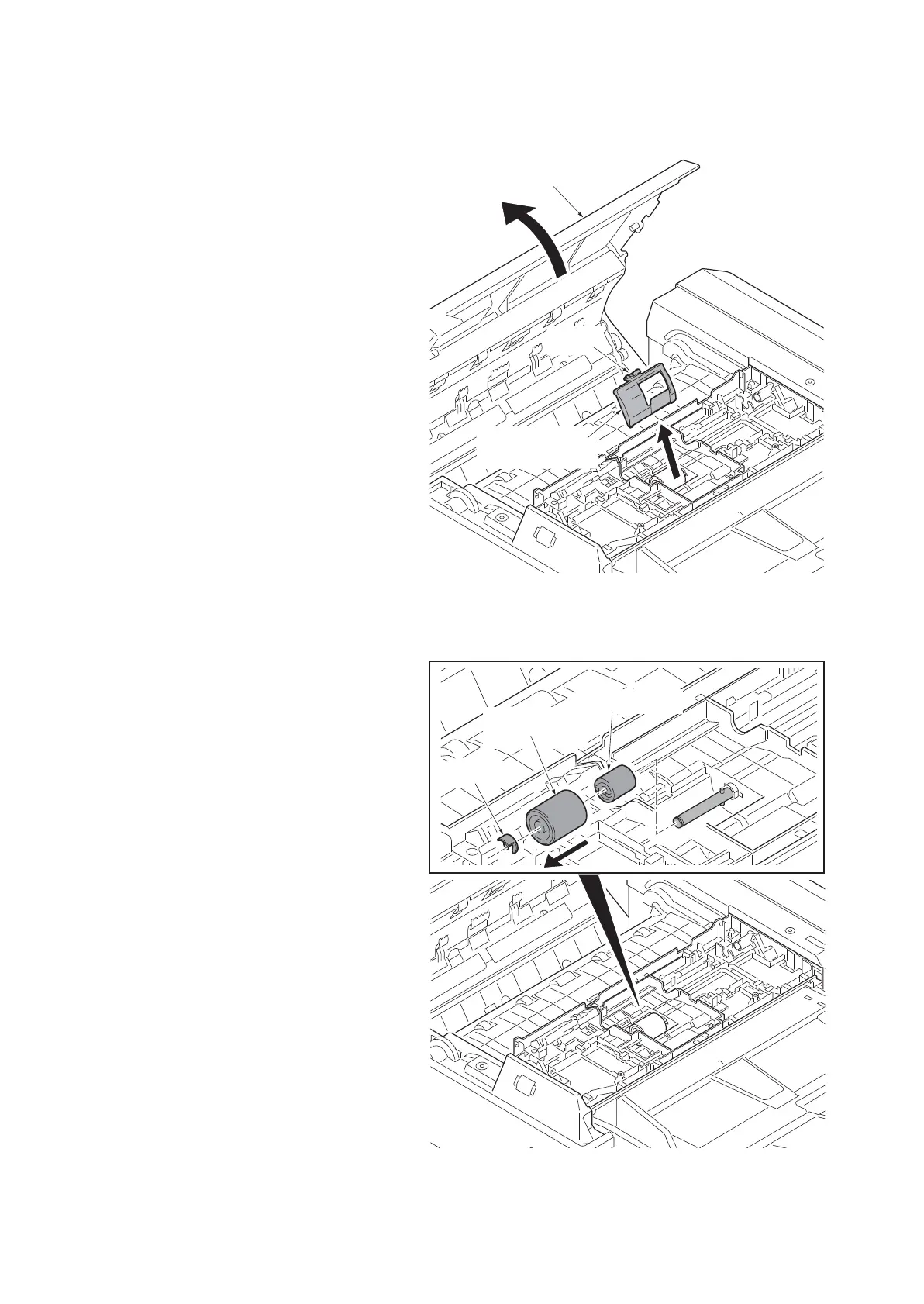
3. Unhook the hook and then remove the
DP separation pulley cover.
Figure 1-5-195
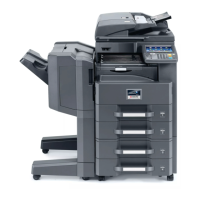
4. Remove the stop ring and then remove
the DP separation pulley and torque
limiter.
5. Check or replace the DP separation
pulley and refit all the removed parts.
Figure 1-5-196
DP separation
pulley cover
Hook
DP top cover
Stop ring
DP separation
pully
Torque limiter







 To Next Page