2N8/2N7-4
1-3-86
U140 2. Select [Execute].
3. Press the start key.
Setting: [Magnification]
1. Select the item to be set.
2. Change the setting value using the +/- keys or numeric keys.
3. Press the start key. The value is set.
Method: [High Altitude]
1. Select Mode1 or Mode2
l
Initial setting: Mode1
2. Press the start key. The value is set.
3. Turn the main power switch off and on. Allow more than 5 seconds between Off and On.
Method: [Image Preference]
1. Select the Copy.
2. Change the value using the +/- or numeric keys.
* : 1: Low 0: Normal +1: Deep
Setting: [Lead Density]
Purpose
Activates settings for the user who frequently uses a document with a solid black printing at the
leading edge (Such a document tends to entwine around the fuser roller).
1. Select the item to be set.
* : Initial setting: Off
2. Press the start key. The setting is set.
Completion
Press the stop key. The screen for selecting a maintenance item No. is displayed.
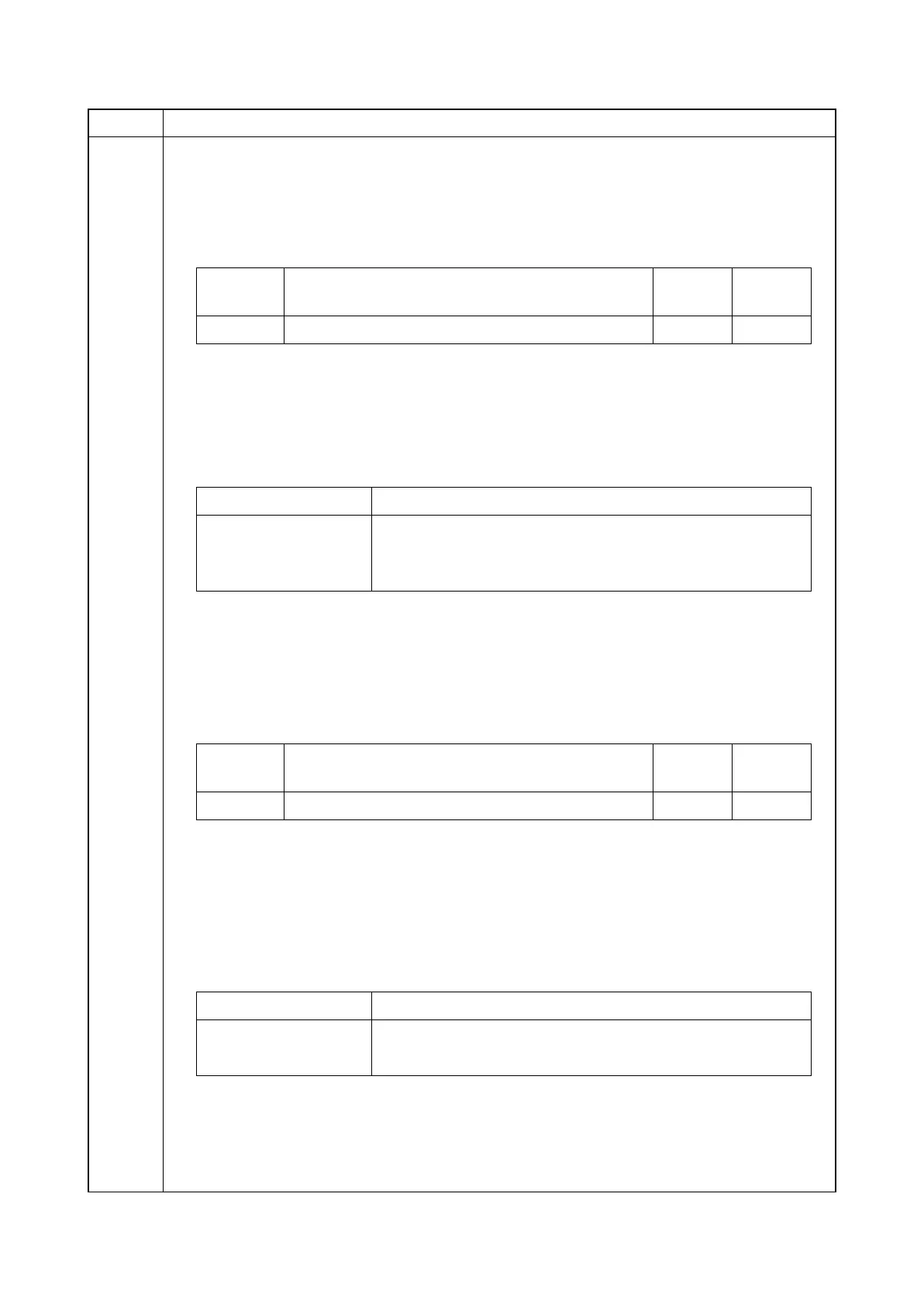
Item No. Description
Display Description
Setting
range
Initial
setting
K Set it at the time of Black developing leak outbreak -10 to1 5
12
Display Description
Mode1 Execute AC calibration by normal bias control
Mode2 If print density is low in an installation at high altitude, execute
calibration by fixing the bias potential.
Display Description
Setting
range
Initial
setting
Copy Setting toner density at copying -1 to +1 0
Display Description
On
mode is performed
Off
mode is not performed







 To Next Page