2N8/2N7
1-3-180
U470 Setting: [Send]
1. Select the item to be set.
2. Select the item to be set.
3. Change the setting value using the +/- keys or numeric keys.
[Photo] or [Text]
[HC-PDF (BG)]
[HC-PDF (Char)]
4. [HC-PDF (File Size)]
5. Press the start key. The value is set.
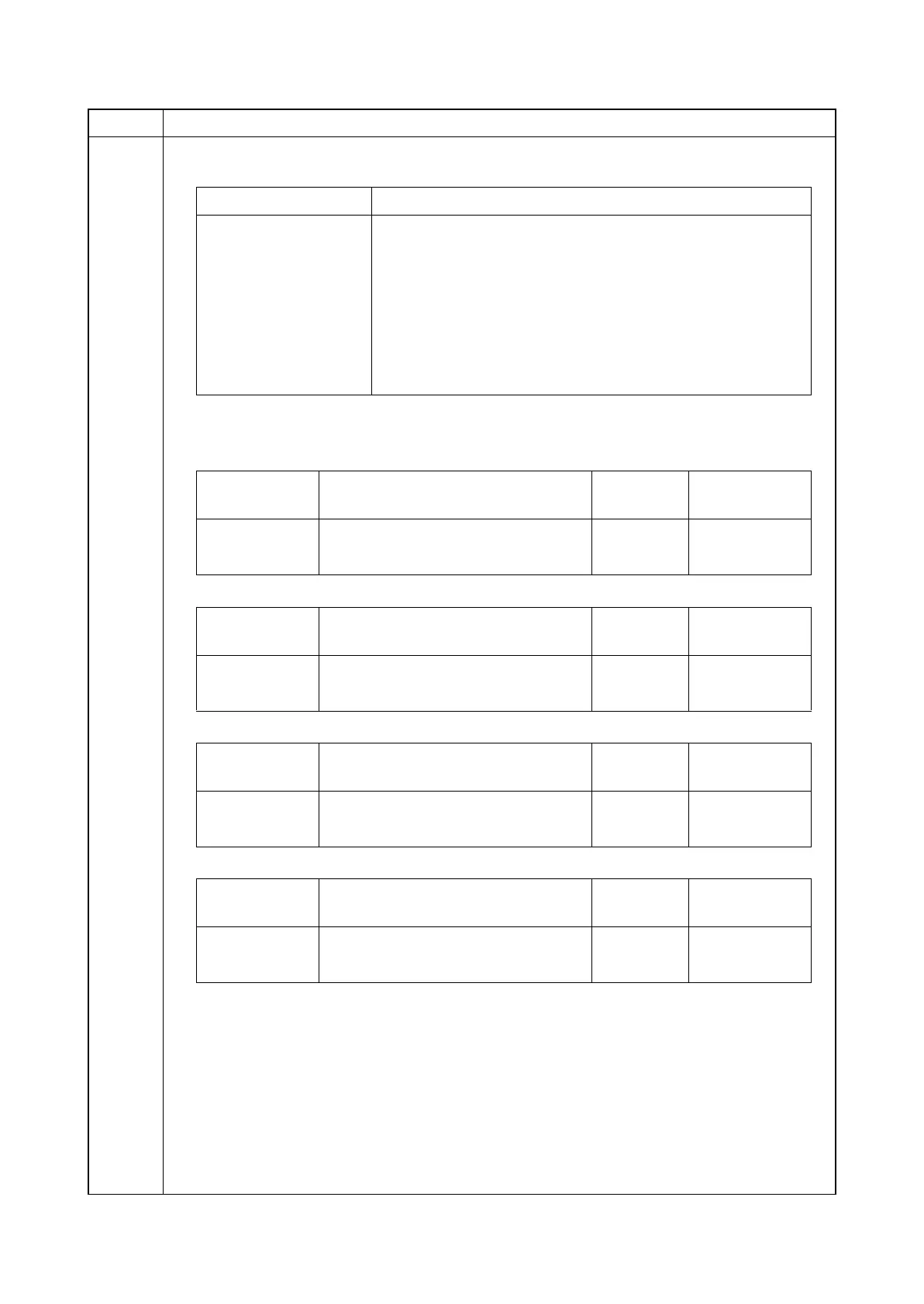
Item No. Description
Display Description
Photo Compression ratio in the photo mode
Text Compression ratio in the text mode
HC-PDF (BG) Compression ratio of high compression PDF
HC-PDF (Char) Setting the compression rate of the high-compression PDF
(text color)
HC-PDF (File Size) Setting the compression rate of the high-compression PDF
(reduced file size priority)
Display Description
Setting
range
Initial
setting
Y1 to Y5 Compression ratio of brightness 1 to 100 30/40/51/70/90
CbCr1 to CbCr5 Compression ratio of color differential 1 to 100 30/40/51/70/90
Display Description
Setting
range
Initial
setting
Y3 to Y3 Compression ratio of brightness 1 to 100 15/25/90
CbCr3 to CbCr3 Compression ratio of color differential 1 to 100 15/25/90
Display Description
Setting
range
Initial
setting
Y3 to Y3 Compression ratio of brightness 1 to 100 15/75/90
CbCr3 to CbCr3 Compression ratio of color differential 1 to 100 15/75/90
Display Description
Setting
range
Initial
setting
Y3 to Y3 Compression ratio of brightness 1 to 100 15/25/75
CbCr3 to CbCr3 Compression ratio of color differential 1 to 100 15/25/75







 To Next Page