2N8/2N7-2
1-5-61
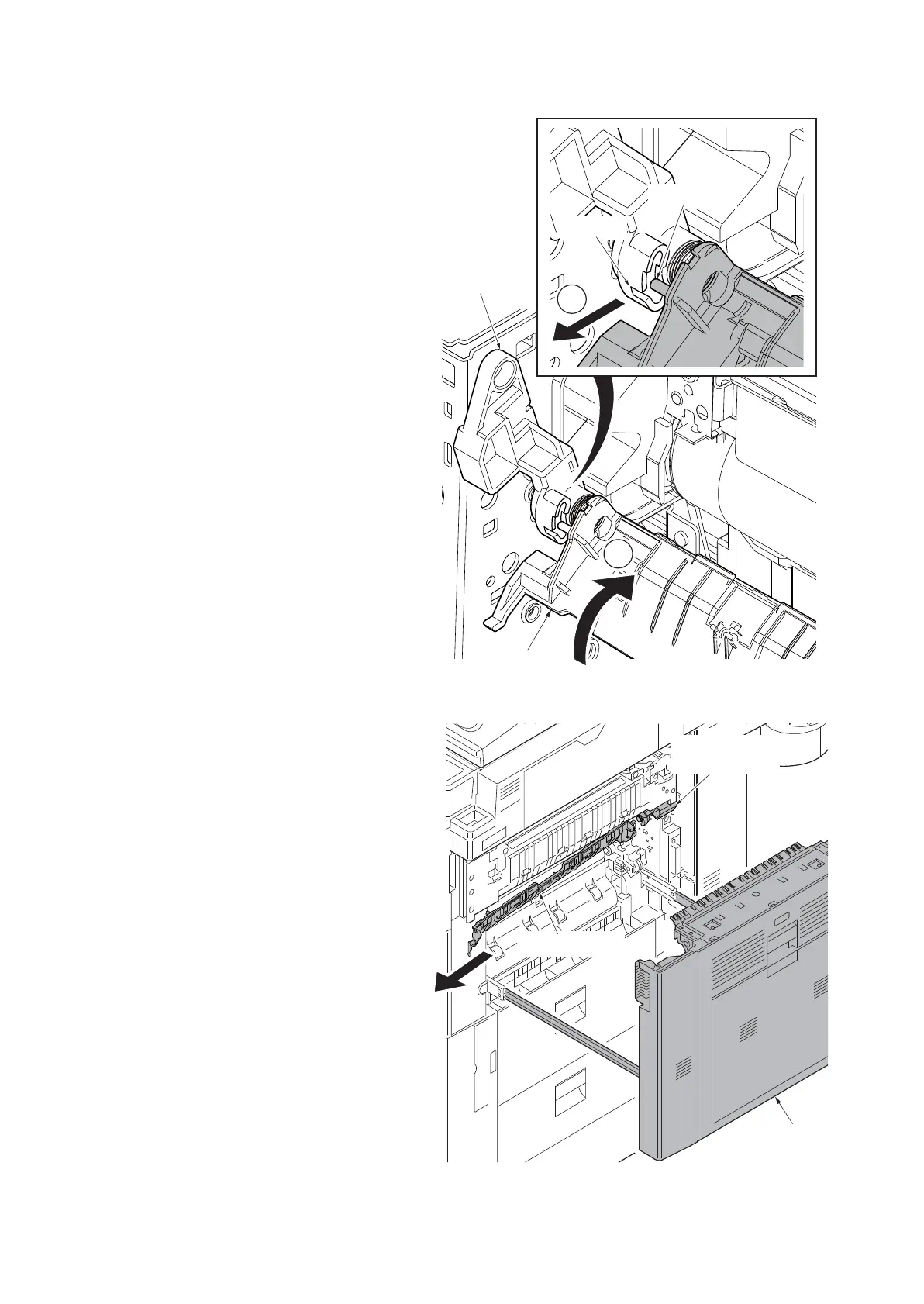
4. Remove the fixing pin on the drum
cover from the cutout at the front drum
cover arm by turning the drum cover
upwards.
Figure 1-5-102
5. Pull the drum cover towards you to
remove it from the rear drum cover arm.
6. Clean the drum cover and clamp all the
parts back in place.
Figure 1-5-103
1
2
Fixing pin
Front drum
cover arm
Drum cover
Cutout
៝ㅍ࡙࠾࠶࠻
Rear drum
cover arm
Drum cover











 To Next Page