2N8/2N7-4
1-5-81
3. Reset machine settings.(Resets system menu settings modified at setup to their defaults.)
If backup data is saved with the U917 maintenance mode, execute import of the backup data with the
U917.
Main items for settings
[Date/Timer] - Date/Time settings
[Date/Timer] - Timer settings (Sleep timer)
[User/Job accounting] - Defaults for user authentication and job accounting only.
Resettings are not required as the data are stored in hard disk.
Procedure to be followed after the EEPROM on the main PWB has been replaced
1. Run U004 – model number entry.
The C0130 (mismatching model number) is displayed when the device is powered up after its EEPROM
has been replaced. Restore the counter values and serial number that are stored in the engine
EEPROM.
2. Referring to the maintenance report that was printed using U000 at setup, set the following maintenance
modes:
1) U252 - Setting the destination
2) U265 - Setting OEM purchaser code
3. Reconfigure settings if the U250 maintenance counter preset value has been changed from the initial
settings.
4. Run the following maintenance mode for image adjustment:
1) U410 – Adjusting the halftone automatically
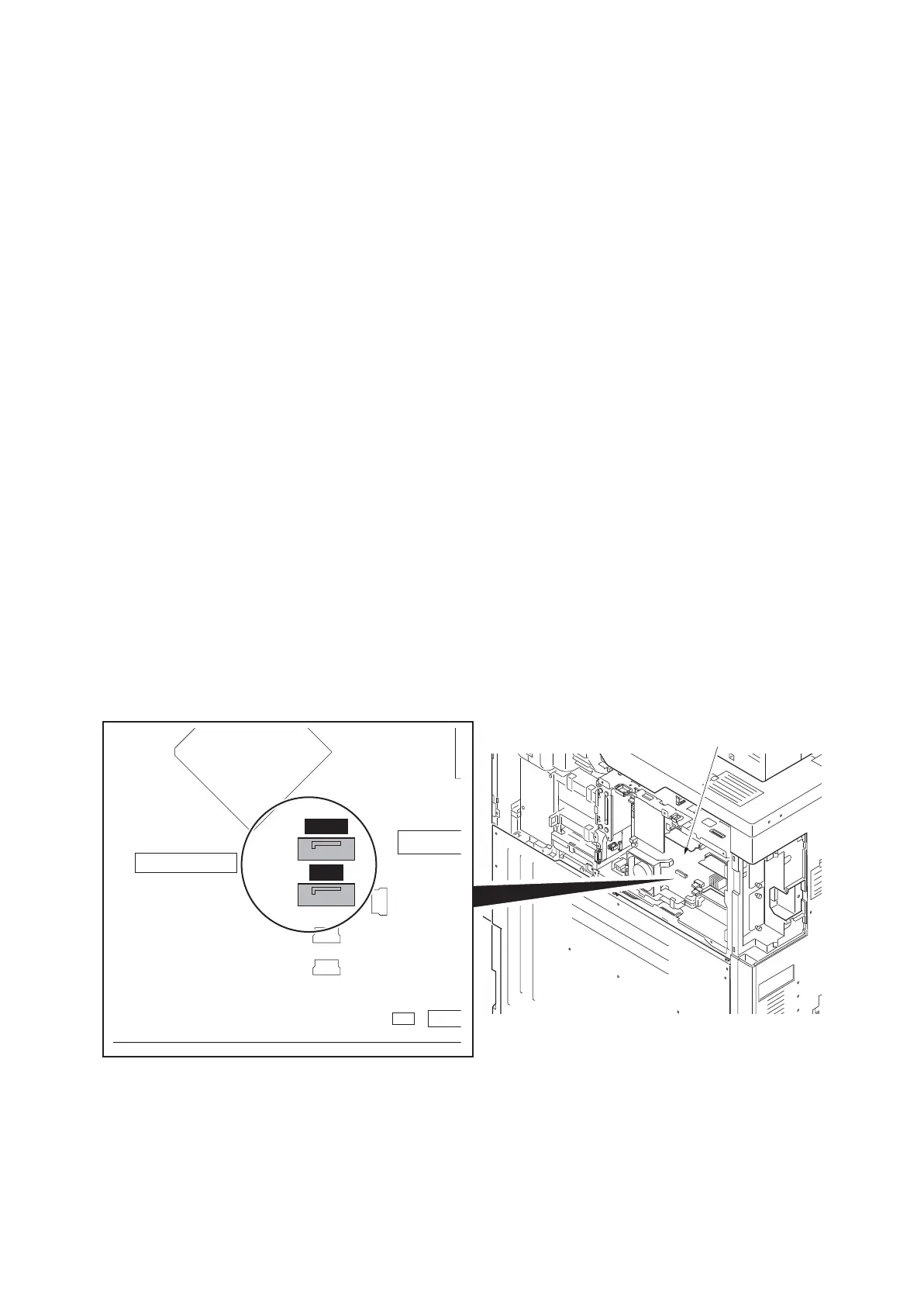
When connecting the hard disk cables (YC1, YC2) to the PWB, match “BLACK” and “BLUE” marked on the
PWB with the connector colors.
Figure 1-5-130
BLACK
BLUE
YC2
YC1
Main PWB











 To Next Page