2N8/2N7
1-5-126
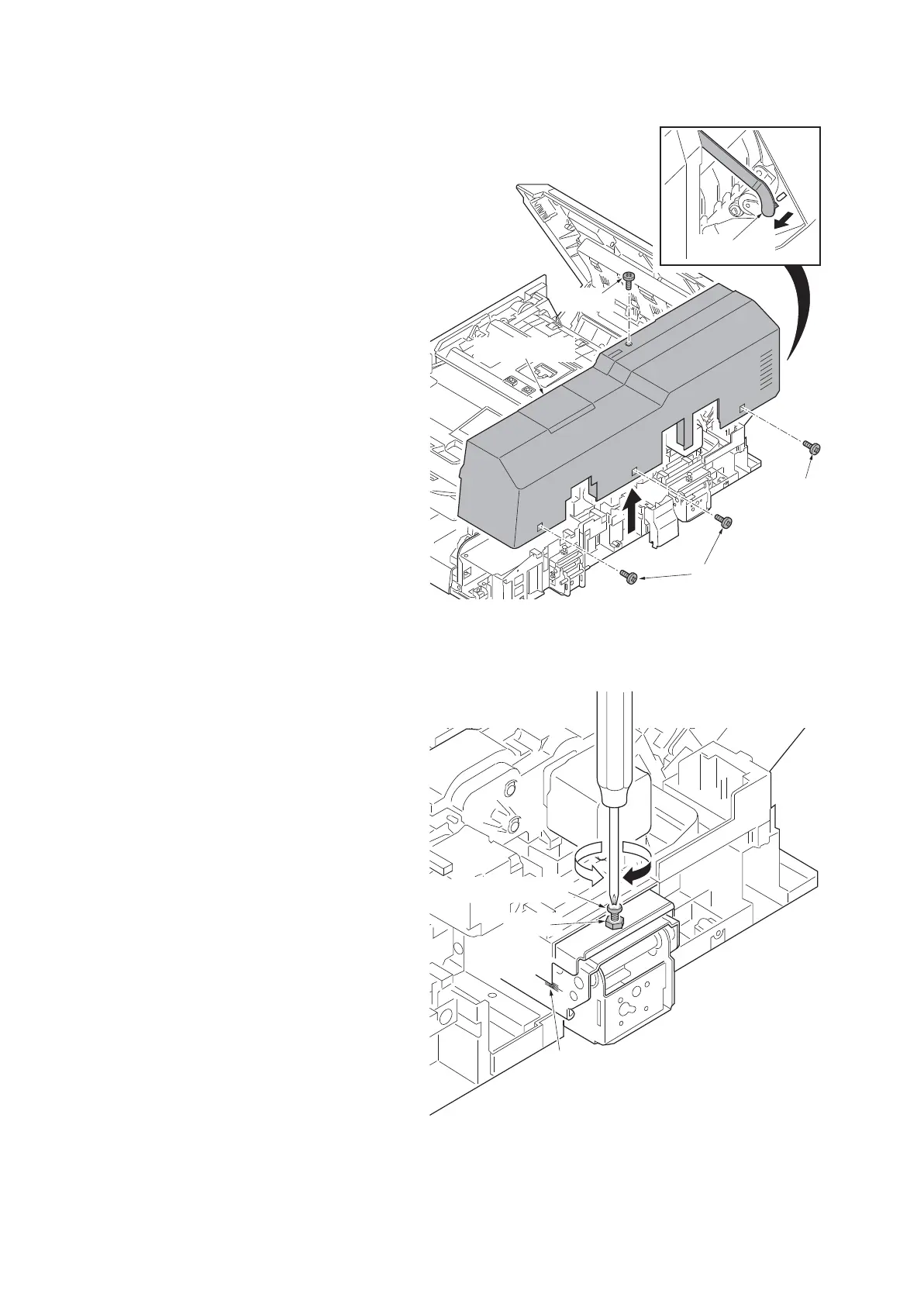
6. Remove the strap from the DP top
cover.
7. Remove four screws and then remove
the DP rear cover.
Figure 1-5-209
8. Adjust the height of DP.
Loosen the nut.
For copy example 1:
Loosen the adjusting screw.
For copy example 2:
Tighten the adjusting screw.
Amount of change per scale:
Approx. 0.5 mm
Retighten the nut.
9. Refit the DP rear cover.
10. Refit the right hinge cover and left hinge
cover.
Figure 1-5-210
Screw
Screw
Screws
DP rear cover
Strap
Nut
Scale
Adjusting screw











 To Next Page