2N8/2N7-2
2-4-12
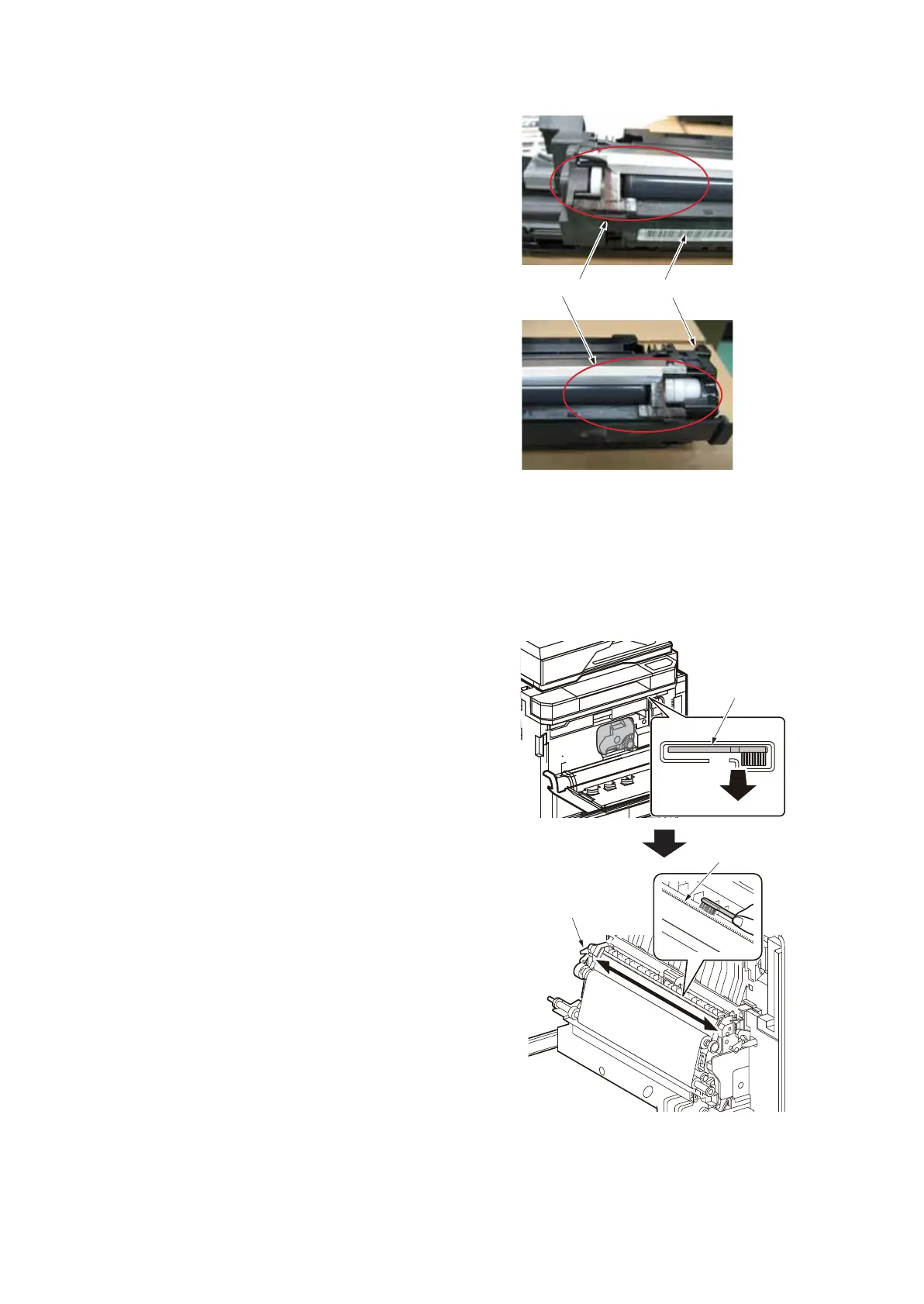
3. Cleaning the toner reservoir at the toner
receiver in the developer unit.
Figure 2-4-5
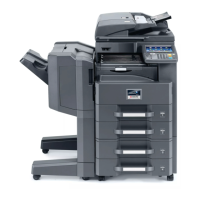
4. Cleaning the separator
Procedure
1. Remove the cleaning brush (blue col-
ored) from the cleaning cloth compart-
ment.
2. As shown in the figure, clean dirt from
the separator by moving the brush from
side to side along the separator.
Figure 2-4-6
Cleaning brush
Separator
Paper conveying unit







 To Next Page