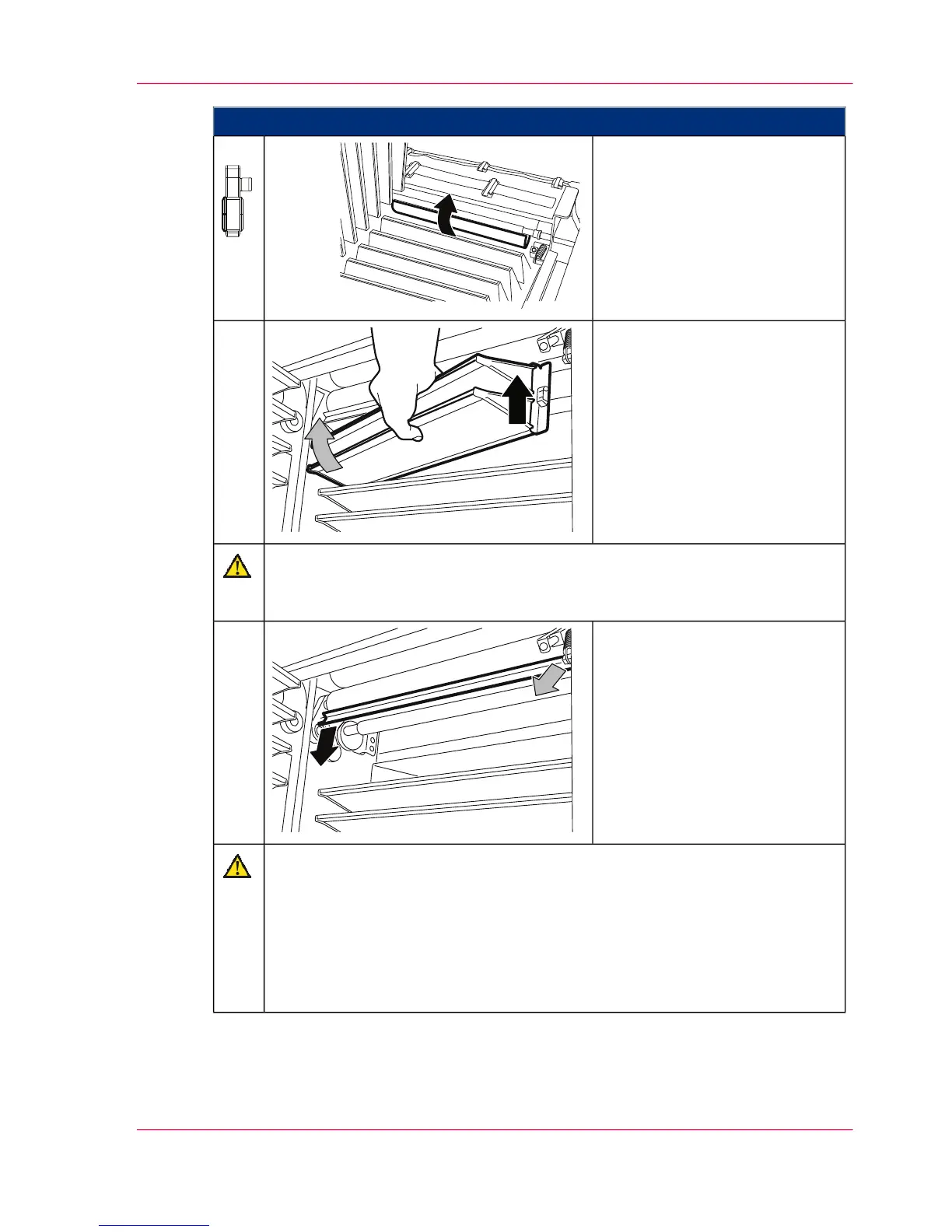
Proceed as follows:
On the left-hand side of the
printing system:
Bend the paper web over towards
the paper input as shown and
wedge it in. The lower cooling
fins must remain clear.
13.
Remove the two cooling fins
shown:
First lift on the left-hand side (in
paper path direction) and then
pull diagonally upwards on the
right-hand side (in paper path
direction).
14.
Caution
Do not damage the discharge brush
Ensure that you do not bend the discharge brush.
Remove the lower discharge
brush:
To do this, carefully pull the
discharge brush out of the clamp
springs on both sides.
15.
Caution
If the smoothing rollers have not cooled down yet, you may sustain burns if
you touch them.
Put on heat protection gloves to continue working.
Do not damage the smoothing roller
Ensure that you do not damage the smoothing rollers on the edges of the
blower unit.
Chapter 9 - Replacing Expendables 459
Removing the smoothing rollers



 To Next Page