5 Managing Patients and Equipment
121
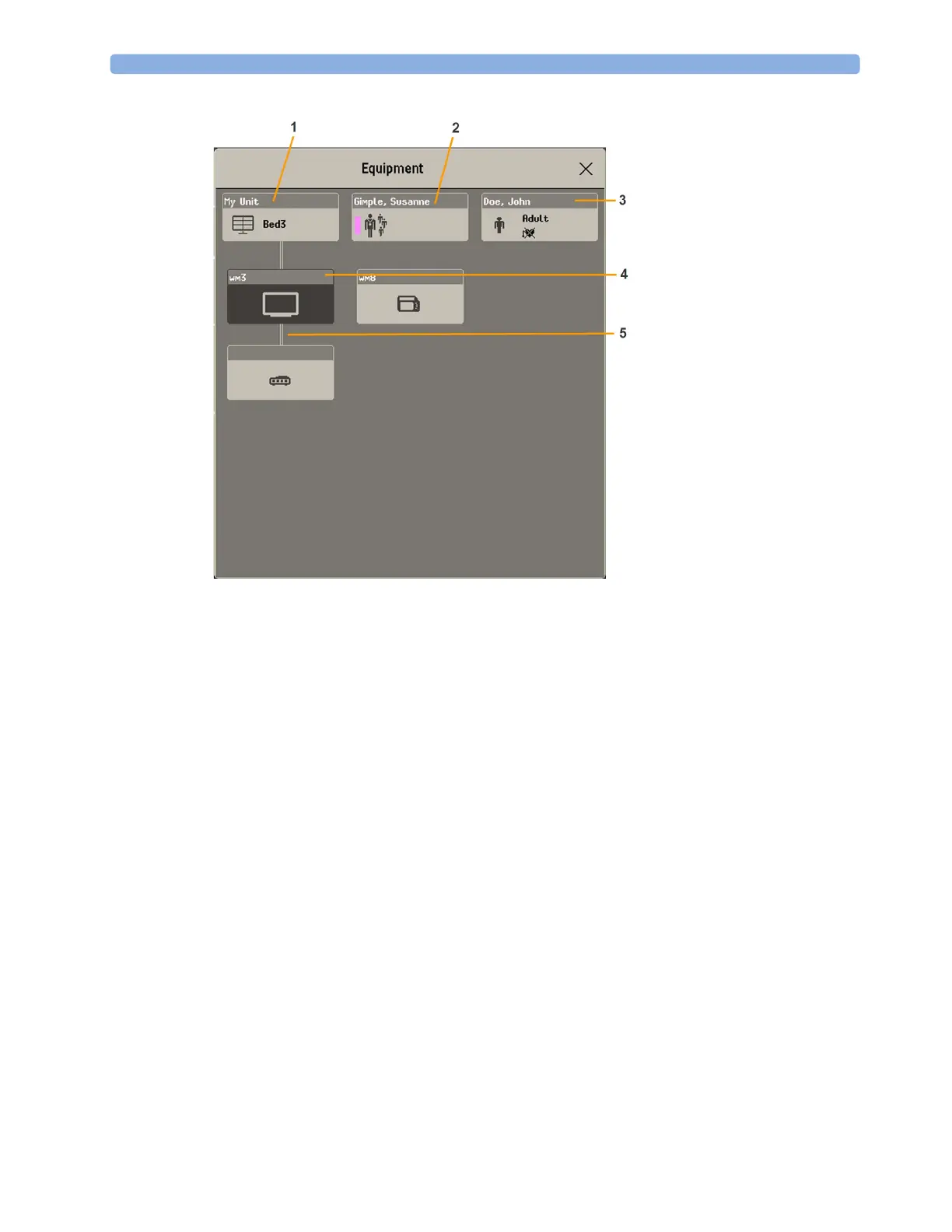
1
This bed is Bed 3, the connection to the Information Center is active.
2 Name of assigned caregiver
3 Patient name, category and paced mode
4 This monitor is assigned to the patient and is the one on which you are viewing the window.
5 Wired connection
The top part of the window contains the patient data, with the assigned caregiver and the status of the
connection to the Information Center, and the bed label. In the lower part of the window, all
equipment for this patient is shown, with the corresponding assignments and connections.
The device you are currently viewing the window on is shown with a dark background (in the above
example, the monitor with the label wm3).
Changing Caregiver Assignment
When a caregiver is assigned, the caregiver name appears next to the caregiver symbol in the
Equipment window. When you select this area of the window, a menu opens offering the following
functions:
PIIC iX • Select Caregiver - you can select a different caregiver from a list. When a new caregiver is
assigned, the patient will be automatically added to that caregiver's Care Group. The availability of
the function and the caregiver list depends on the Information Center configuration.
•
My Patients - opens the My Patients window showing all patients in your Care Group.



 To Next Page