5 Managing Patients and Equipment
123
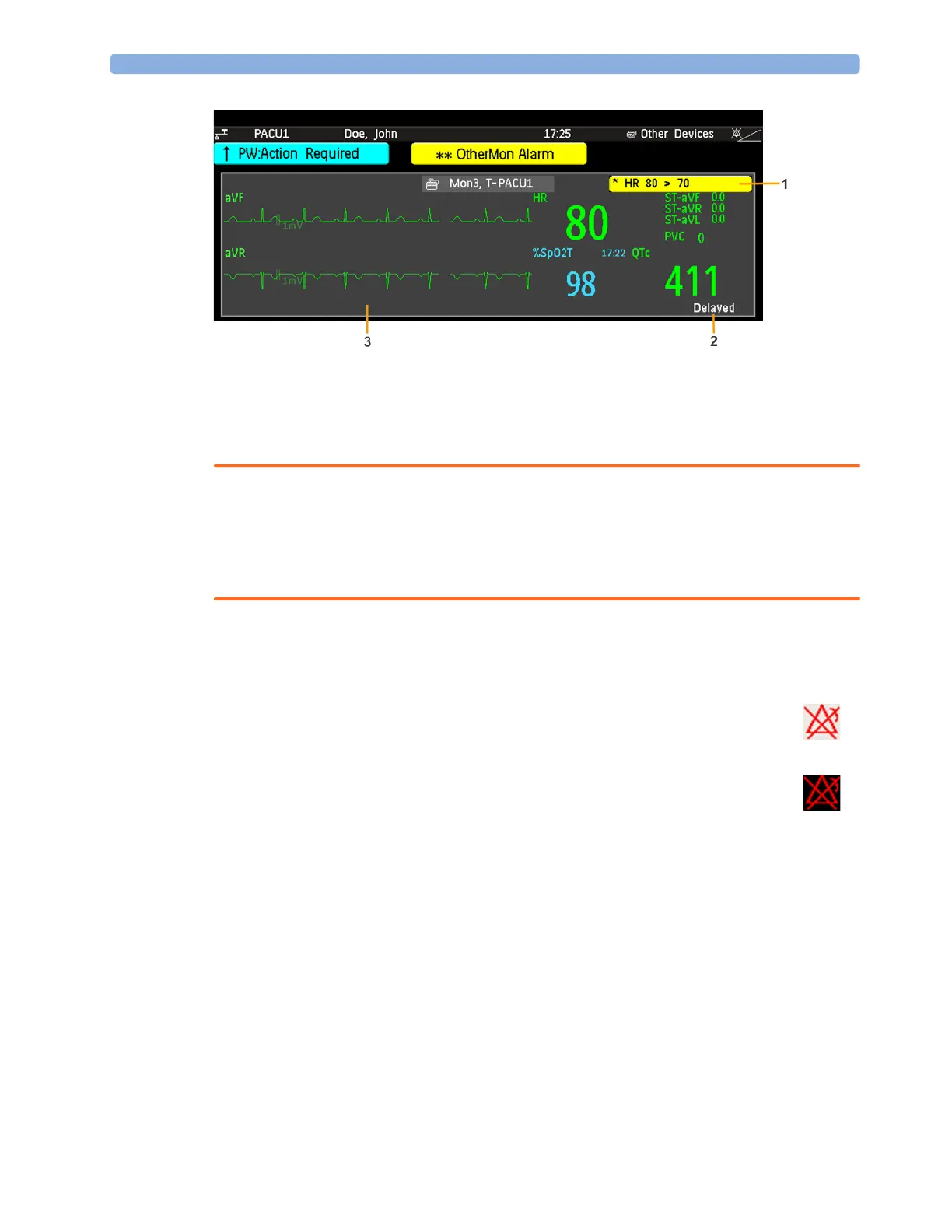
1
A current alarm generated by another device.
2 Delayed - indication that data in the window is delayed.
3 Own patient overview window
WARNING
All data presented in the own patient overview window are delayed for several seconds.
If you need realtime data, for example for defibrillation, always use the host monitor ECG instead of
telemetry or ECG from another monitoring device. As long as the ECG is being measured with
another device there will be no ECG signal available at the ECG analog output.
Visual Alarm Status Information in the Own Patient Overview Window
Controlling Other Devices from the Bedside
You can change ECG settings for the current ECG source from the patient monitor.
1 Select the own patient overview window.
2 Select the Setup Equipm. pop-up key.
A setup menu will appear with the settings available for the current ECG source. If it is a telemetry
transmitter or patient monitor connected to the Information Center via LAN or WLAN, the following
settings are available: adjust HR alarms, relearn arrhythmia, select primary/secondary ECG lead, select
arrhythmia analysis mode, change primary/secondary ECG lead size. PIIC iX only: if the current ECG
• If individual measurement alarms are switched off at any of the devices in use for the
patient, a crossed alarm symbol on a white background is shown beside the
measurement numeric
• If all alarms are switched off or paused for one of the devices in use for the patient, a
crossed alarm symbol on a dark gray background is shown beside all affected
measurement numerics (if so configured). If all red and yellow alarms are switched
off/paused, the crossed alarm symbol is red. If only yellow alarms are switched off/
paused, the crossed alarm symbol is yellow.



 To Next Page