40 Specifications
448
MX400/450
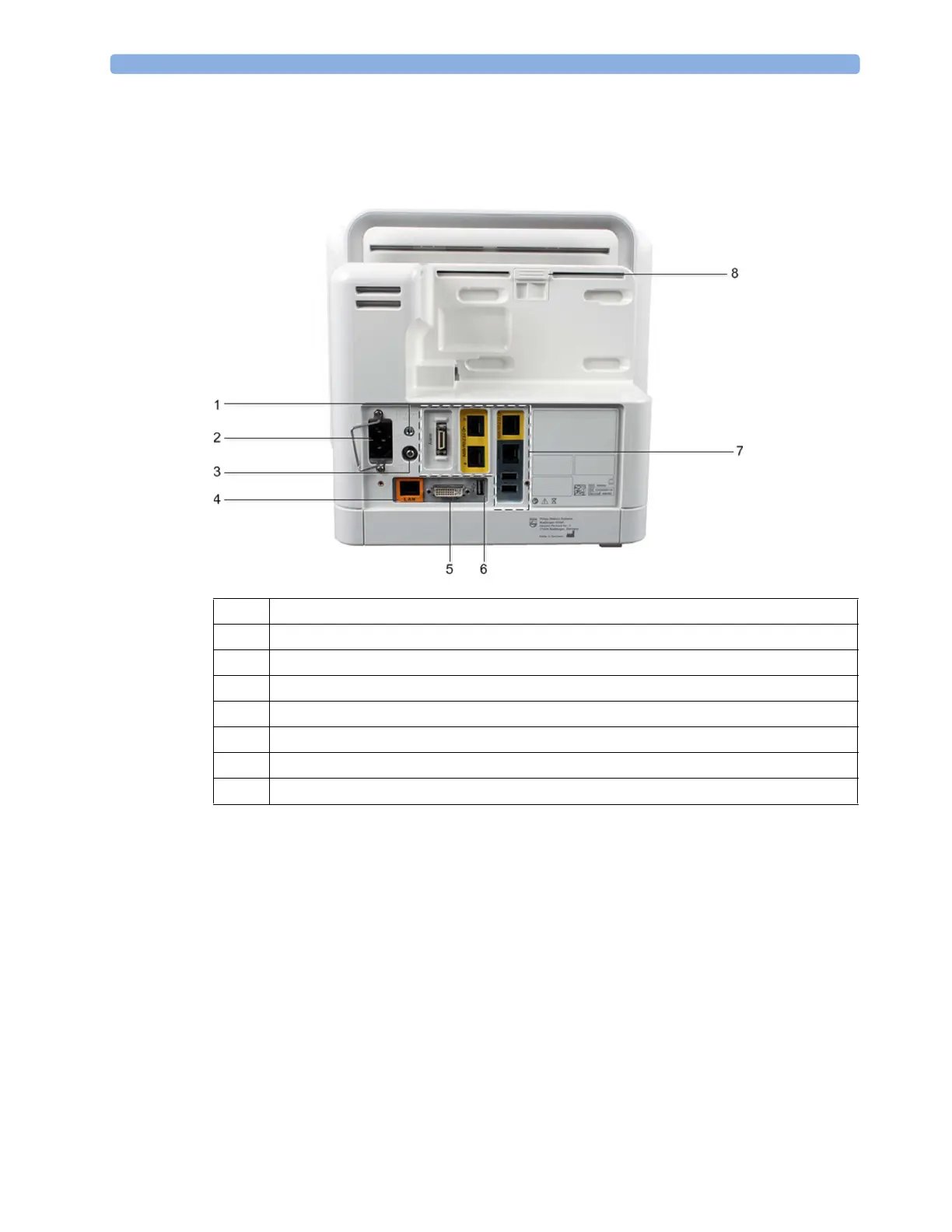
Rear of the Monitor
Shown here without the standard spillage cover that protects the connectors.
1 Protective earth screw hole
2 AC power input with clamp
3 Equipotential ground connector
4 Wired network connector (color-coded in orange)
5 Video out connector (digital/analog)
6 USB rear connector (for remote control, keyboard, pointing devices, printer)
7 Optional interfaces
8 Release switch for a connected multi-measurement module



 To Next Page