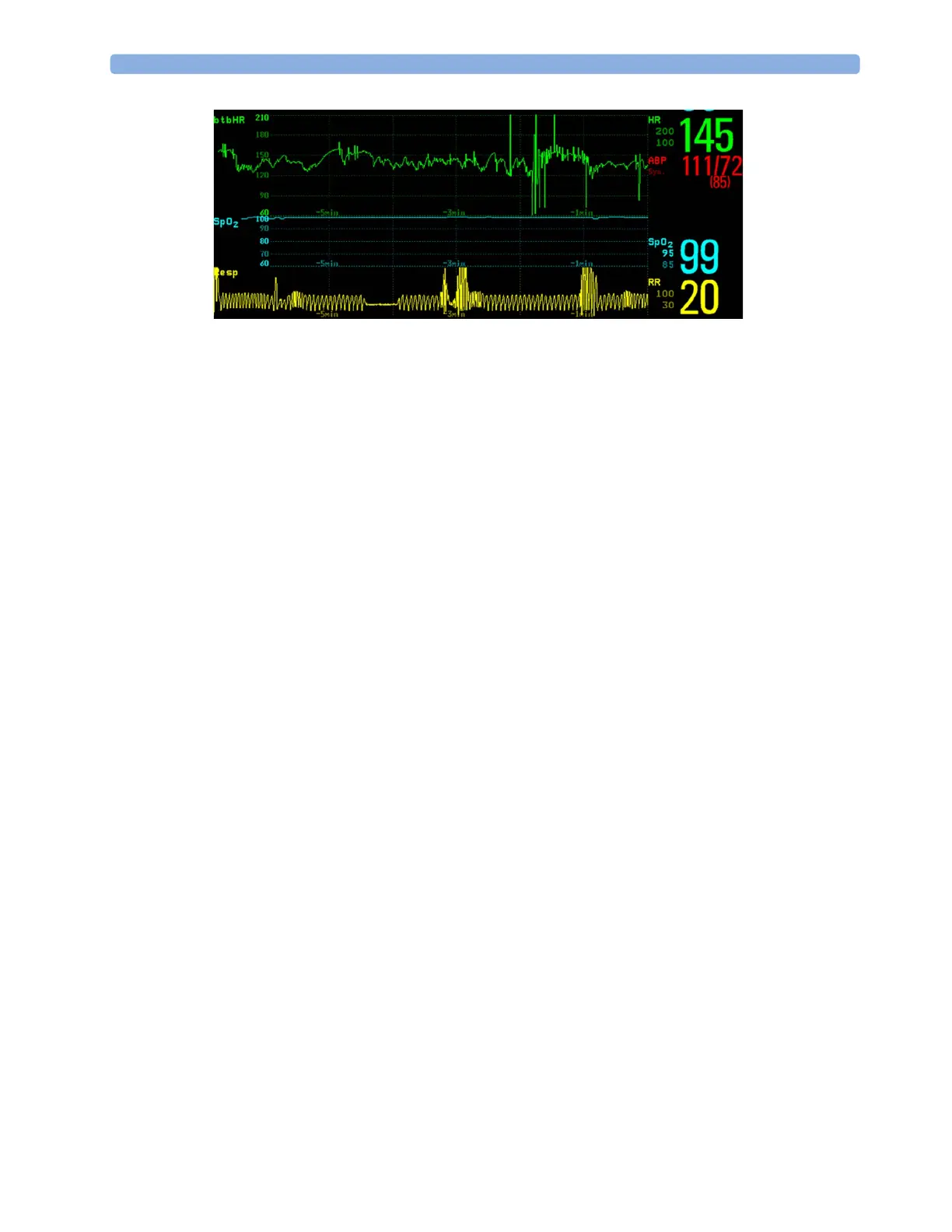
25 High Resolution Trend Waves
332
Printing Hi-Res Trend Wave Reports
To print hi-res trend waves on reports, you can choose to print either
• all
VisibleWaves - prints all waves and hi-res trend waves currently displayed
•
All Waves - prints realtime waves and hi-res trend waves for all currently-monitored measurements
•
HiRes Waves - prints hi-res trend waves for the currently-monitored measurements
•
OxyCRG Waves - prints hi-res trend waves for btbHR, SpO
2
, and Resp.
For each hi-res trend wave, a maximum of six minutes of measurement data will be printed.
See the “Printing Patient Reports” chapter for more information on setting up reports.
Hi-Res Trend Wave Recordings
The selection of waves in hi-res trend wave recordings and the recording speed are defined by the pre-
configured HiResTrd recording template. See “Recording” on page 357 for more information.
To start a hi-res trend waves recording,
1 select the Recor- dings SmartKey, if configured, or select Main Setup then select Recordings.
2 select the HiRes Recordng pop-up key.



 To Next Page