1 Introduction
17
and the MX400/MX450, MX500/MX550, and MX700/MX800 use the touch screen as primary input
device. All monitors have a remote control for convenient access to the five main keys and numeric
data input.
The monitor stores data in trend, event, and calculation databases. You can see tabular trends (vital
signs) and document them on a printer. You can view measurement trend graphs, with up to three
measurements combined in each graph, to help you identify changes in the patient's physiological
condition. You can view fast-changing measurement trends with beat to beat resolution and see up to
four high resolution trend segments. Event surveillance enhances documentation and review of
physiologically significant events by automatically detecting and storing up to 50 user-defined clinical
events over a 24 hour period.
MX600/700/
800
With the optional Integrated PC, you have computer functionality directly in the monitor. You can use
standard applications (e.g. Web browsers), connect to the hospital network or intranet, and run a
second independent display with content from the patient monitor.
An IntelliVue X2 can be connected to your monitor, where it acts as a multi-measurement module,
acquiring measurements for the host monitor. When the X2 is disconnected from the original host
monitor, it continues to monitor the patient as a fully independent, battery powered patient monitor,
eliminating the need for a separate transport monitor. On connection to a new host monitor, the X2
resumes its role as multi-measurement module, ensuring fully continuous monitoring.
Major Parts and Keys
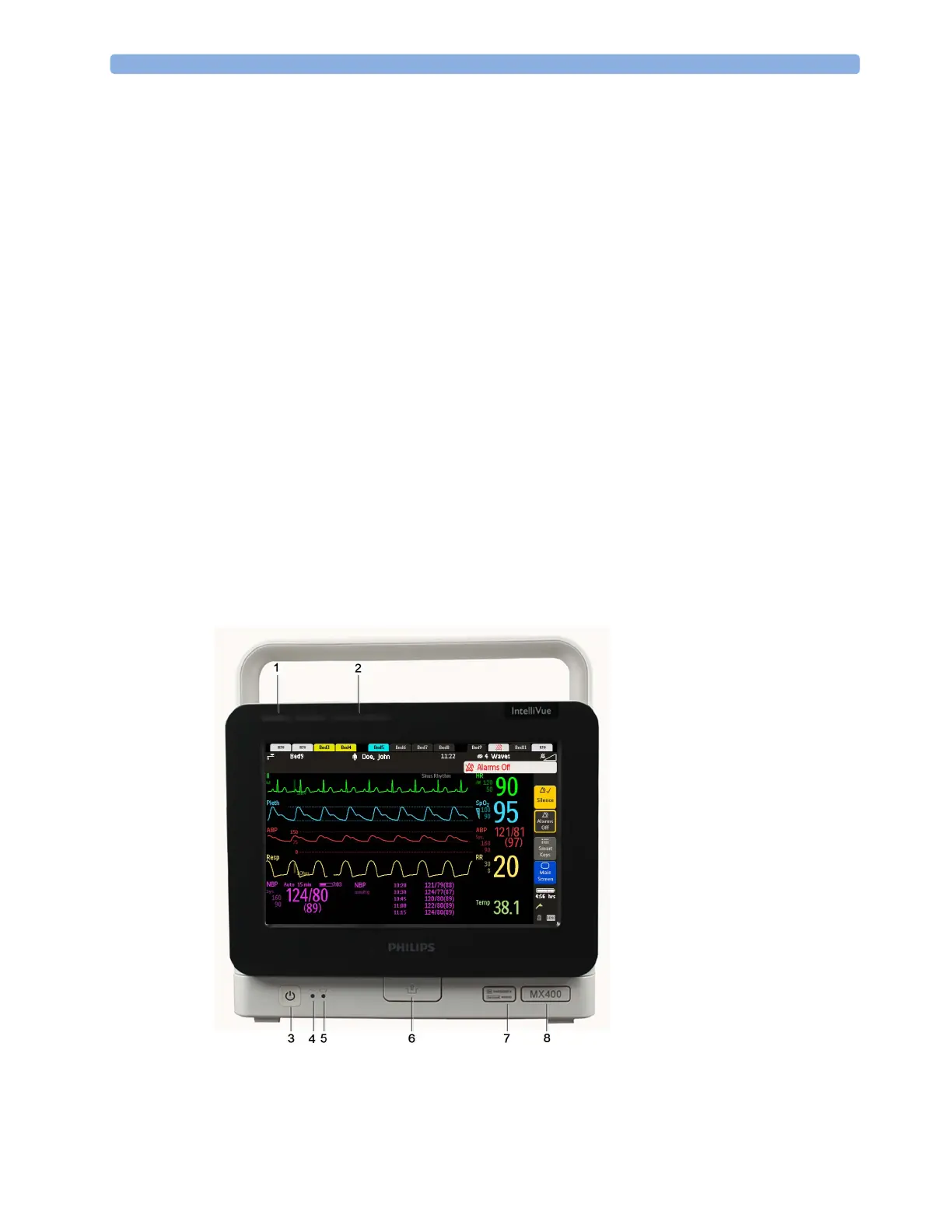
MX400/450/500/550
The MX400/450/500/550 monitors have the same parts, controls and indicators. Here the MX400 is
shown.
1 Color coded alarm lamps
2 Alarms Off lamp
3 Power on/Standby switch with
integrated LED: Green - On/
Standby, Red - Error
4 AC power LED
5 Battery LED
6 Mounting quick-release lever
(when this is pressed the
monitor is not fixed on the
mounting)
7 Service number and serial
number
8 Device type



 To Next Page