1 Introduction
31
SmartKeys
A SmartKey is a configurable graphical key, normally located at the bottom of the main screen. On
some models, a selection of SmartKeys is displayed by selecting the SmartKeys permanent key on the
right of the main screen.
SmartKeys give you fast access to functions. The selection of SmartKeys available on your monitor
depends on your monitor configuration and on the options purchased. If you have an integrated PC
(iPC) you may also see SmartKeys generated by applications on the iPC.
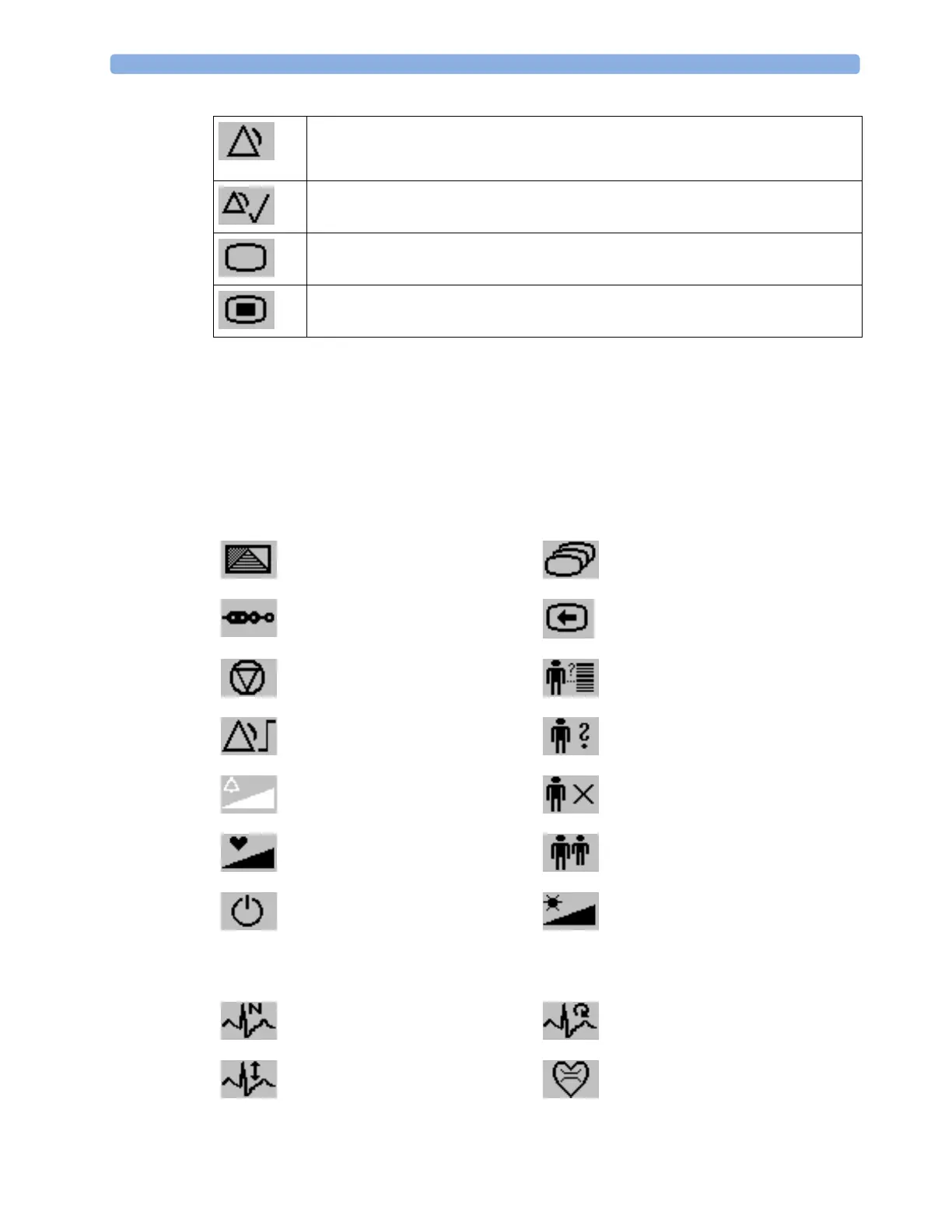
Pause Alarms - pauses alarm indicators. Pause duration depends on monitor
configuration. If pause duration is infinite, this key is labeled
Alarms Off.
Select again to immediately re-enable alarm indicators.
Silence - acknowledges all active alarms by switching off audible alarm indicators and
lamps.
Main Screen - close all open menus and windows and return to the main screen.
Main Setup - enter main setup menu.
enter profile menu, or revert to
default profile
change Screen, or revert to default
screen
show BIS Sensor previous Screen
freeze waves quick admit a patient
set alarm limits enter patient demographics menu to
admit/discharge/transfer
change alarm volume end case to discharge a patient
change QRS volume view information for patients in
other beds
enter standby mode - suspends
patient monitoring. All waves and
numerics disappear from the display.
All settings and patient data
information are retained.
change screen brightness (not for
independent displays)
review beat labels (annotate
arrhythmia wave)
re-learn arrhythmia
change amplitude (size) of ECG
wave
enter cardiac output procedure



 To Next Page