27 ProtocolWatch
350
Sepsis Management Bundle - the recommendations to maintain patient status are listed and can be
checked off as they are implemented. The Sepsis Management Bundle ends when 24 hours have
passed since the Sepsis Resuscitation Bundle began.
The SSC Sepsis protocol may have been configured, to customize it for the specific treatment
measures used in your facility. This can include changes to limits for measured or manually entered
values, changes to the Severe Sepsis Screening criteria, and changes to the recommendations in the
Sepsis Resuscitation Bundle and the Sepsis Management Bundle. If configuration changes have been
made, your screens may not exactly match the screens shown here.
Depending on the option your monitor has, it may be that only the Severe Sepsis Screening phase is
implemented. If, at the end of this phase sepsis has been confirmed, and the patient is transferred for
treatment in the resuscitation and management phases, you can transfer the current state, the settings
and the log from the SSC Sepsis Protocol in the MMS to another monitor with the full version of the
SSC Sepsis Protocol. The transfer of data and settings must be enabled in Configuration mode.
WARNING
Always consider the specific clinical context for your patient, before following SSC Sepsis Protocol
treatment recommendations.
The SSC Sepsis Protocol and this description are based on the SSC Guidelines for Management of
Severe Sepsis and Septic Shock from January 2008 (including the Amendment from October 2011)
and the SSC Bundle definitions from January 2005. To check the version of the Guidelines and Bundle
definitions on the monitor,
•Select
Main Setup then Revision then ProtocolWatch followed by SSC Sepsis
Orientation On The Screen
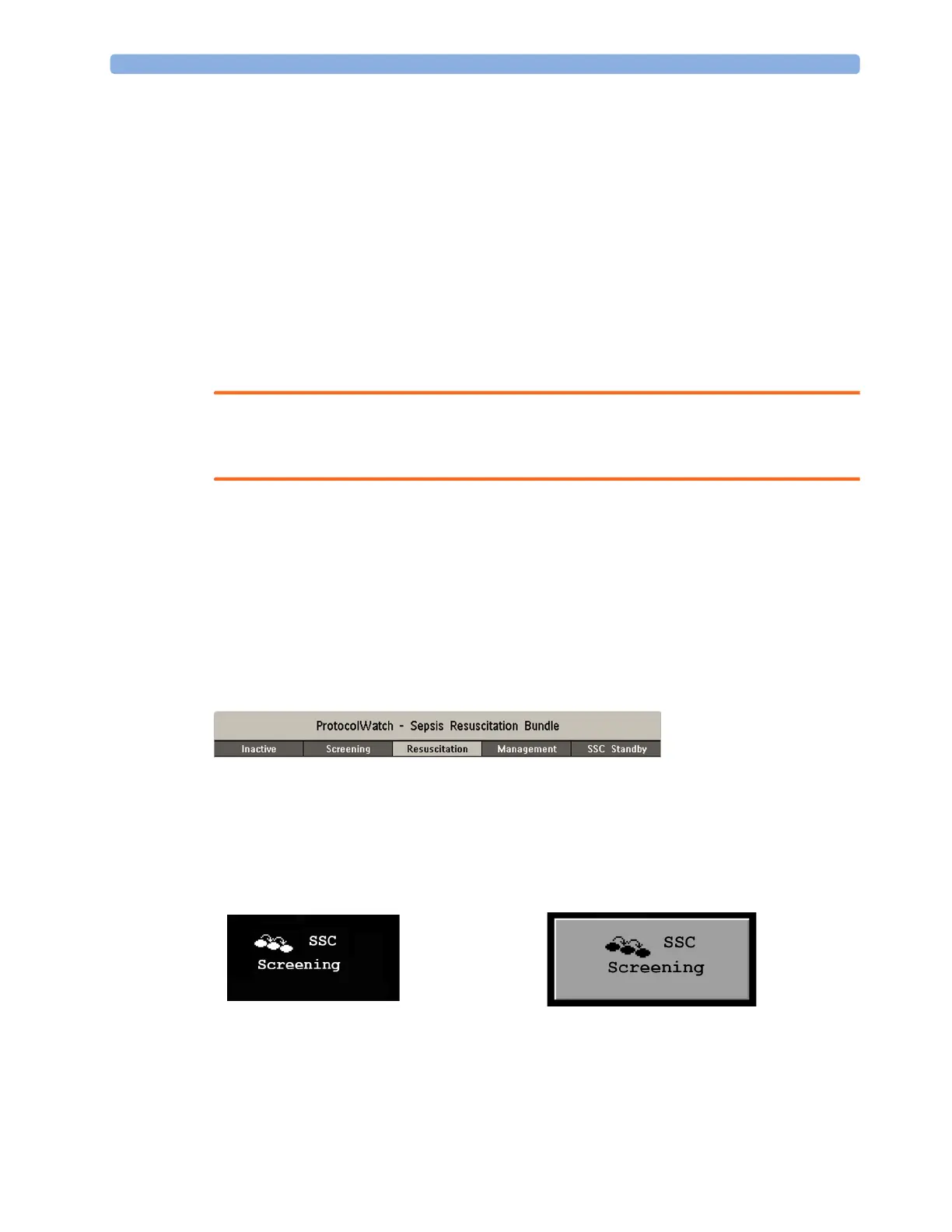
At the top of each window there is an orientation line showing the phases available on your monitor,
with the currently active phase highlighted.
You can also place the ProtocolWatch symbol, together with the currently active phase, on the main
screen, in one of the numeric positions. This allows you to see at a glance which phase is currently
active, even when no SSC Sepsis Protocol window is currently displayed.
If you need to enter data or perform an action in an SSC Sepsis Protocol window, the symbol will turn
into a SmartKey.



 To Next Page