28
357
28Recording
There are two ways to record data using your monitor. If a paper-strip recorder is available, you can
make paper recordings, selecting from a variety of recording types. If no paper-strip recorder is
available, or if you want to record data in an electronic form, you can use electronic recording. See
“Paper-Strip Recording” on page 357 and “Electronic Recording” on page 365 for further details
Paper-Strip Recording
MX500/550/
600/700/800
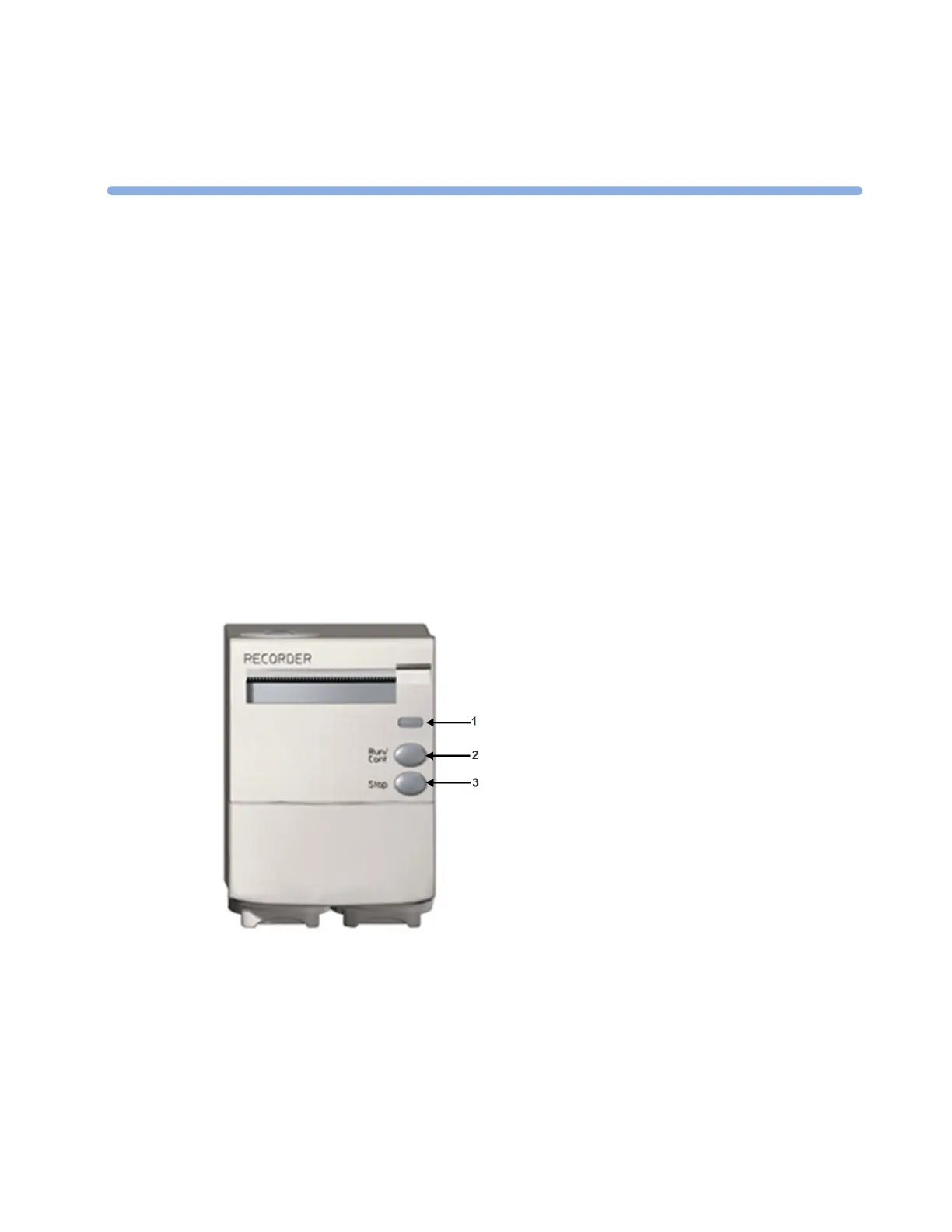
The M1116B/C plug-in recorders record numerics for all active measurements and up to three
waveforms. You can use them for local recording mounted in the monitor's FMS.
M1116B
1 Continue LED - lights if a continuous recording is
ongoing
2 RUN/CONT key - starts a delayed recording,
extends the current recording or makes the current
recording continuous
3 STOP key - stops the current recording



 To Next Page