36
405
36Using Batteries
MX400/
MX450/
MX500/
MX550
The Lithium Ion batteries used in your monitor store a large amount of energy in a small package. This
allows reliable battery-operated monitoring but also requires care in use and handling of the batteries.
Follow the instructions in this chapter and refer for further details to the Service Guide.
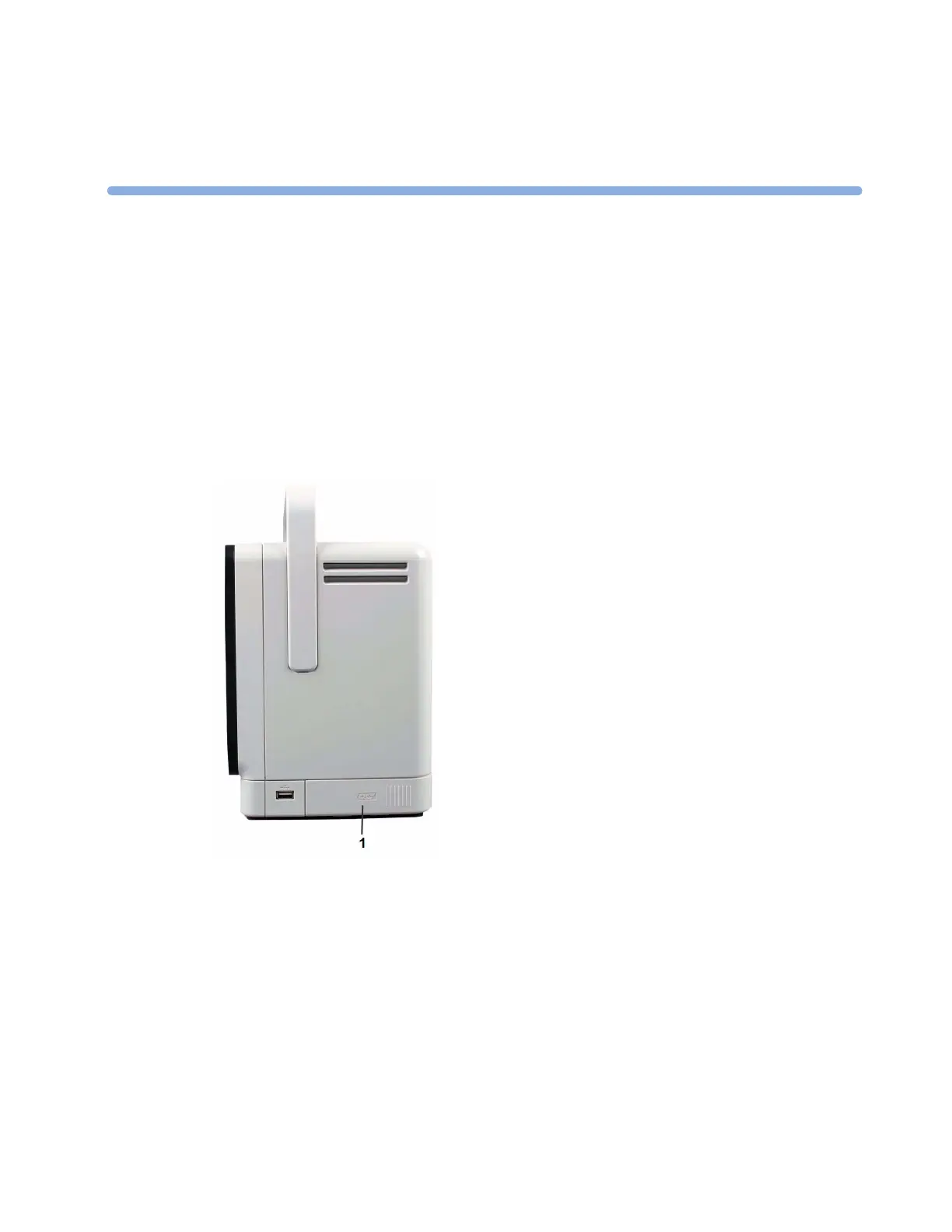
One Philips M4605A rechargeable Lithium Ion battery must be inserted into the battery compartment
on the right side of the monitor to use the monitor with battery power.
1 Battery compartment
You can switch between battery-powered and mains-powered (AC) operation without interrupting
monitoring.
The battery recharges automatically when the monitor is connected to mains power.
Battery Power Indicators
The battery LED and battery status information on the Main Screen, in combination with INOP
messages and prompts, help you keep track of the battery power status. The indicators always show
the remaining capacity in relation to the battery's actual maximum capacity, which may lessen as the
battery ages. You can see the actual capacity in the
Battery Status window.



 To Next Page