12 Monitoring Invasive Pressure
219
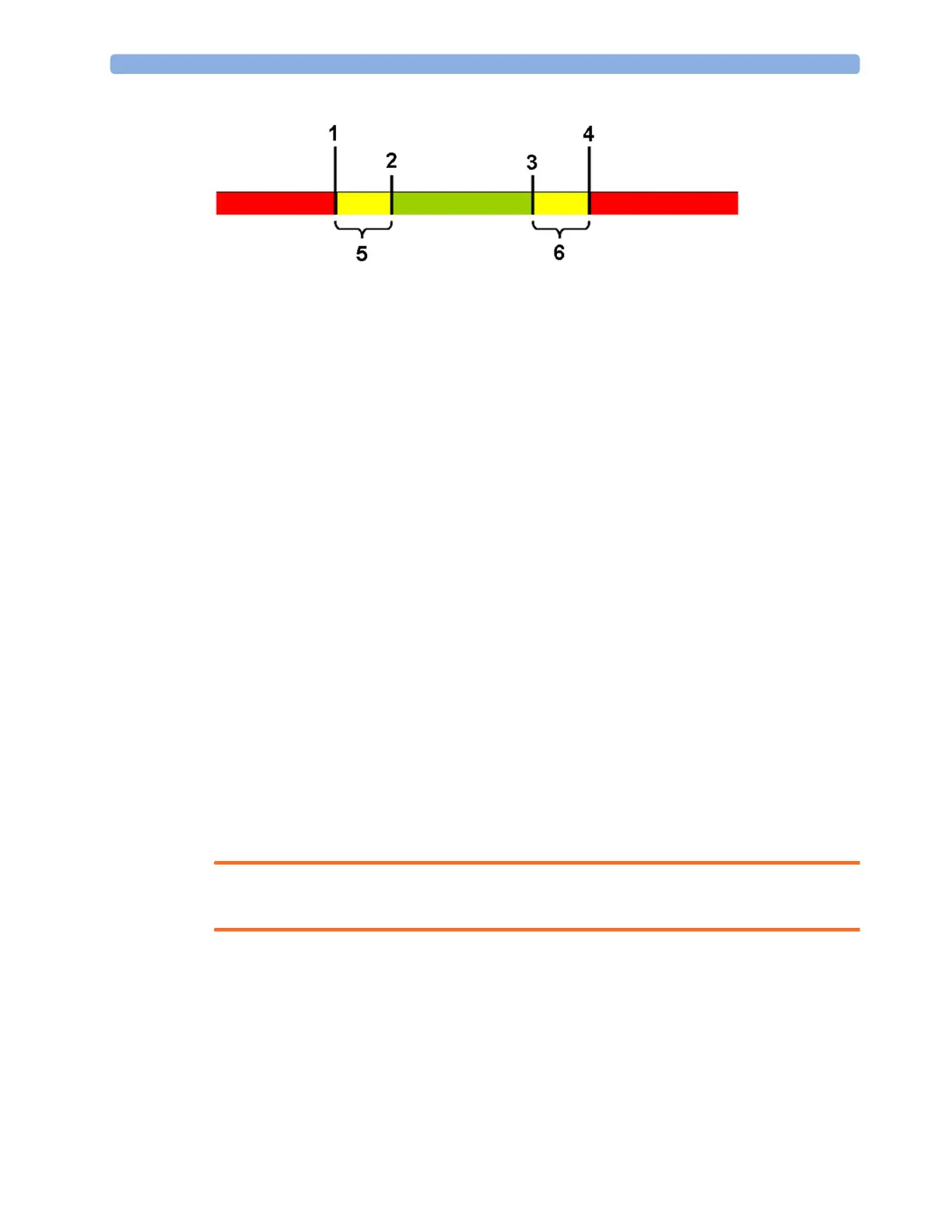
1
Extreme Low Limit
2 Low Limit
3 High Limit
4 Extreme High Limit
5 Δ Extreme Low
6 Δ Extreme High
You need to know which values have been configured for your monitor. Changing the high and low
alarm limits automatically changes the extreme alarm limits within the allowed range.
• To see the extreme pressure alarms set for your monitor, in the
Setup <Press Label> menu, see
the menu items
Δ Extreme High and Δ Extreme Low.
The extreme pressure alarms are high priority, red alarms, marked
*** in the alarm message.
Calibrating Reusable Transducer CPJ840J6
Depending on your monitor's configuration, you may be able to perform a calibration in monitoring
mode. Perform a mercury calibration when you use a new transducer, and at regular intervals
according to your hospital policy. You require:
• standard sphygmomanometer.
• sterile 10cc syringe with heparinised solution.
•3-way stopcock.
• approximately 25 cm of tubing.
Making the Pressure Calibration
WARNING
Never perform the invasive pressure calibration while a patient is being monitored.
1 Zero the transducer.
2 Connect the syringe and manometer.
a. Attach the tubing to the manometer.
b. Connect the 3-way stopcock to the stopcock that is not connected to the patient catheter
when you measure a patient.
c. Attach the syringe to one port and the manometer tubing to the other port.



 To Next Page