3 Alarms
68
Viewing All Alarm Limits
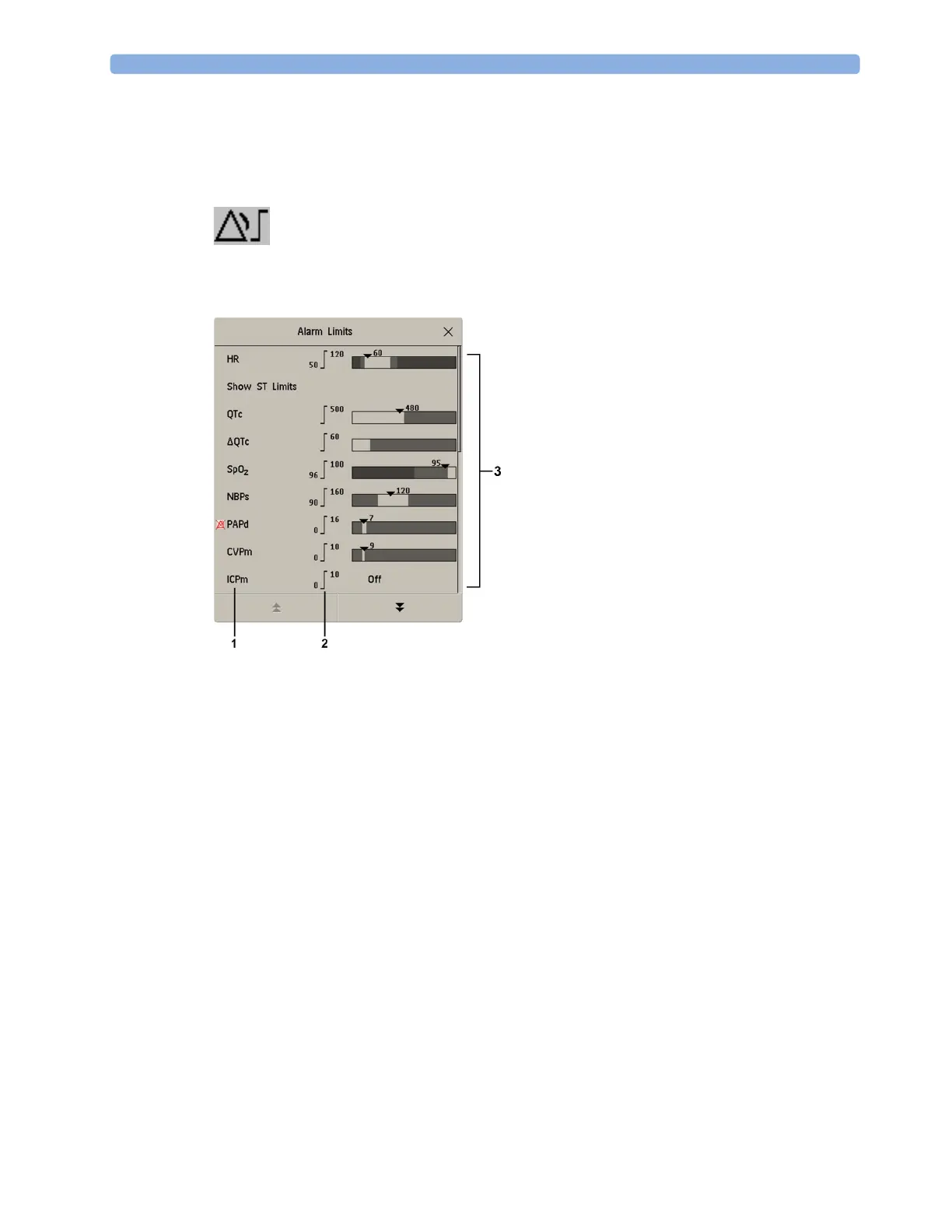
The Alarm Limits overview window lists the currently set alarm limits for all measurements. If an
Apnea alarm delay time is set, this is also shown. The alarms off symbol is shown beside the
measurement label of any measurement whose alarm switched off.
To open the
Alarm Limits window, either select any alarm field to open the Alarm Messages window,
then select the
Alarm Limits pop-up key, or select the Alarm Limits SmartKey, if configured.
1 Measurement labels, with alarms off symbol where appropriate
2 Current alarm limits
3 Graphic view of current yellow and red alarm limits and currently monitored measurement value.
Off indicates the measurement is switched off
•Select
Show ST Limits to expand the list of ST leads and view the currently set alarm limits.
Selecting
Hide ST Limits hides the list again.
You can use the pop-up keys that open with the
Alarm Limits window to perform common tasks:
–
All Al. On/All Al. Off
– All Lim. Narrow/All Lim. Wide to set narrow or wide alarm AutoLimits for all measurements.
–
Print Limits/Record Limits to print a list of all current alarm limit settings on a connected
printer or recorder.
These pop-up keys are not available in the window for changing individual alarm limits which you
access by selecting the measurement label in the
Alarm Limits window.
Changing Alarm Limits
Set limits so that alarms will be triggered for those changes in the patient condition that you want to be
advised of. Setting limits to very high or low values can render the alarm system useless.
To change individual measurement alarm limits using the measurement's Setup Menu,
1 In the measurement's setup menu, select the alarm limit you want to change. This calls up a list of
available values for the alarm limit.



 To Next Page