26 Event Surveillance
344
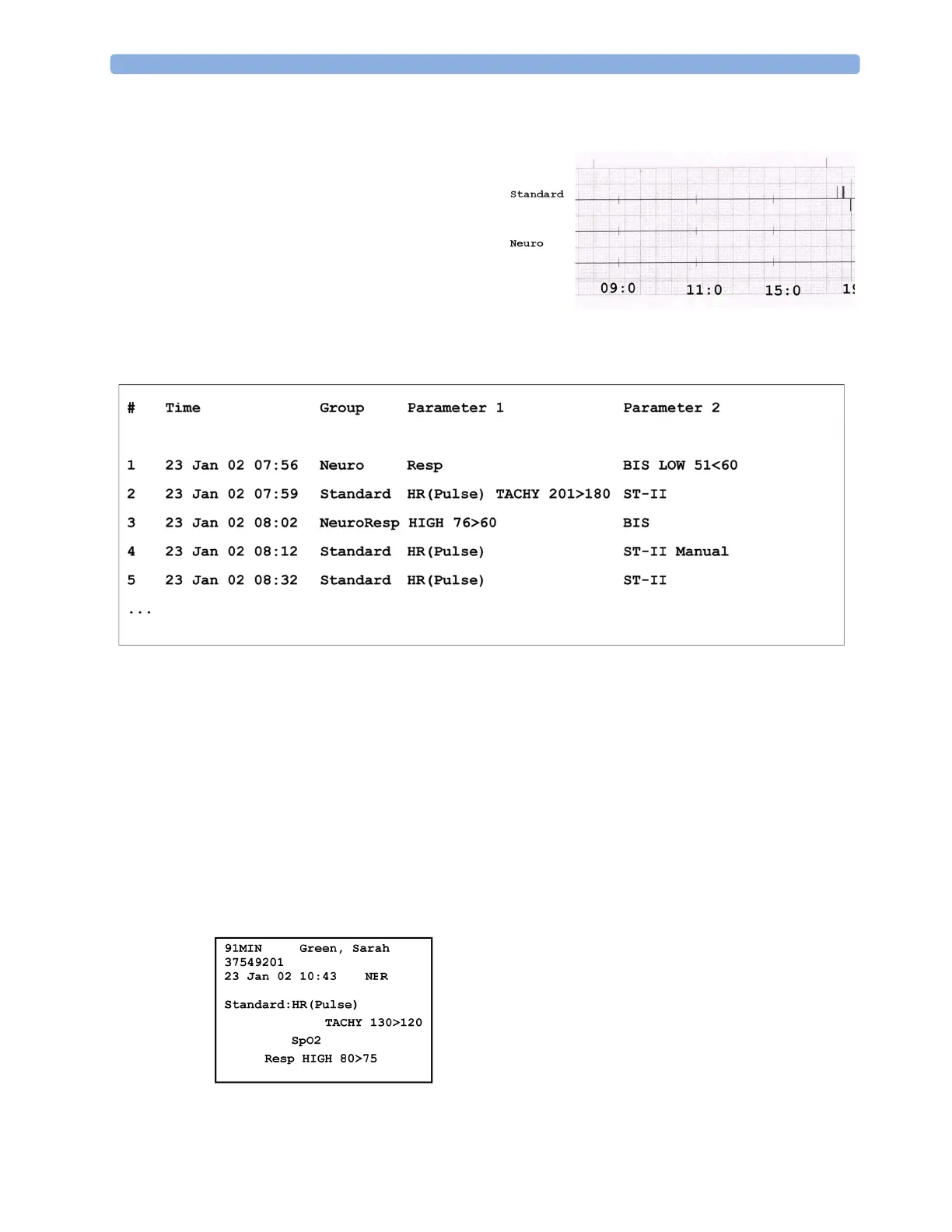
In tabular event review recordings, the events stored in the event database are shown in chronological
order, with a number and time-stamp.
The measurements in the event group are shown in the next columns, marked "Parameter 1, Parameter
2...", along with the event values measured at the time of the event. For each event, the trigger values
are shown.
This section of the recording is A4 or letter size, so that it fits in a patient file.
Event Episode Recordings
Event episode recordings are divided into four sections.
The first section shows the patient information and the event group of the episode with the event
values for the group measurements. The trigger symbol marks the event trigger.
In graphic event review recordings,
events are represented by bars, and each
event group is printed on a separate
channel.
The timeline reflects the period stored
in the database, either 24 hours (divided
into 4 hour sections) or 8 hours (divided
into one-hour sections).



 To Next Page