1 Introduction
19
monitor, and switch on automatically when you turn on the monitor. A green power-on LED indicates
when they are drawing power from the monitor. A permanently illuminated, or flashing, red LED
indicates a problem with the unit that requires the attention of qualified service personnel.
All symbols used on the front panels are explained in “Symbols” on page 445.
WARNING
When connecting devices for acquiring measurements, always position cables and tubing carefully to
avoid entanglement or potential strangulation.
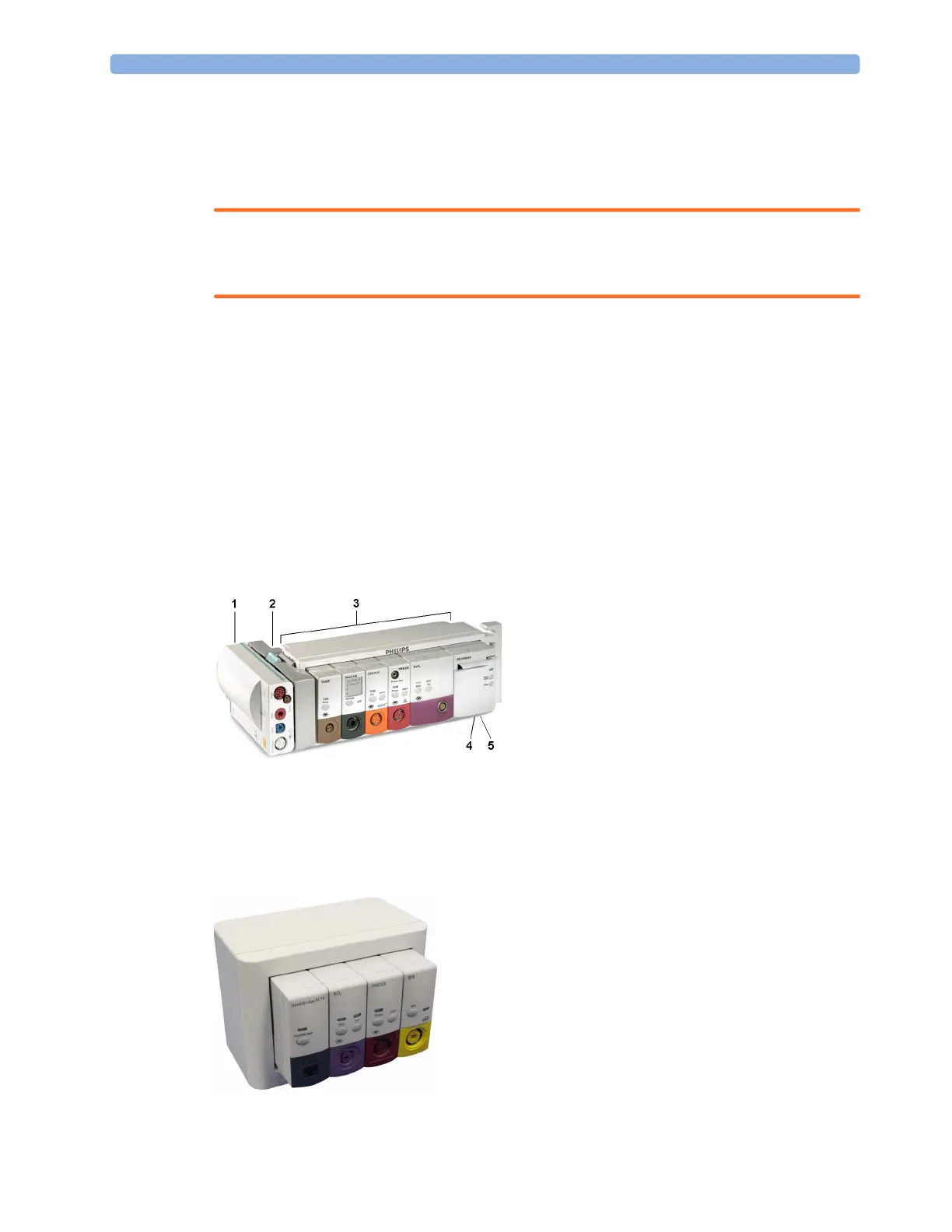
Flexible Module Rack (M8048A)
MX600/
MX700/
MX800
The 8-slot flexible module rack (FMS-8) lets you use up to eight plug-in physiological measurement
modules. For the MX800, you can connect two FMSs to use up to 10 measurement modules.
The maximum number of specific module types that can be used simultaneously in an FMS-8 is: five
pressure modules, four temperature modules, four VueLink or IntelliBridge modules (any
combination).
When two FMSs are used, in total a maximum of 10 pressure modules can be used.
Connect the FMS to the monitor via the measurement link cable (MSL). Use the MSL connector on
the left-hand side to connect an additional MMS. Use the connector on the right to connect to the
monitor.
4-Slot Flexible Module Rack (FMS-4)
MX600/
MX700/
MX800
The 4-Slot flexible module rack (FMS-4) lets you use up to four plug-in physiological measurement
modules.
1 X1 Multi-Measurement Module
2 Multi-Measurement Module
mount
3 Flexible Module Rack FMS-8
4 Power on LED
5 Interruption indicator



 To Next Page