12 Monitoring Invasive Pressure
220
d. Open the port to the manometer.
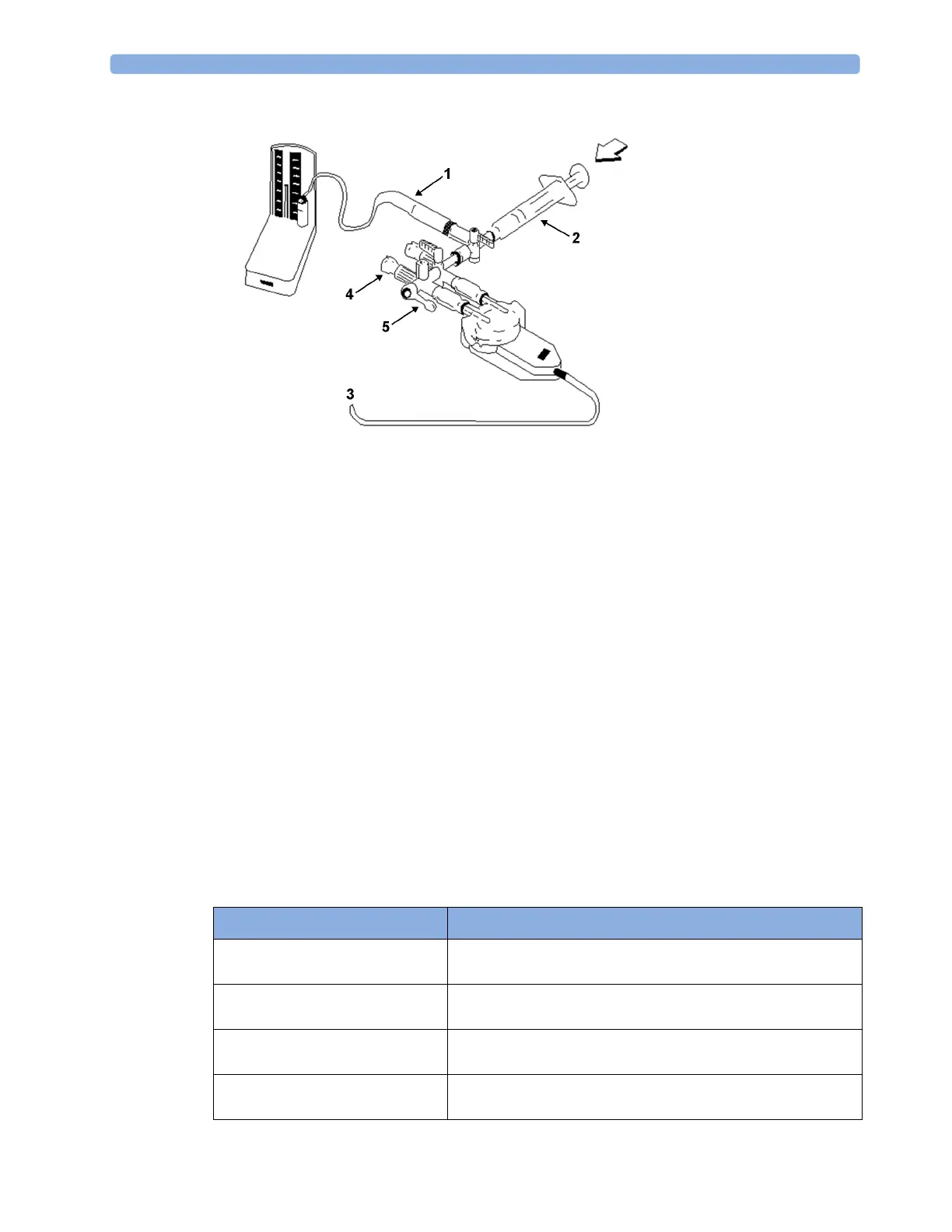
1 Tubing to manometer
2 Syringe with heparinised solution
3 To pressure connector on monitor
4 Patient connection stoppered
5 Off
3 Move the syringe barrel in and raise the mercury to 200 mmHg (30 kPa). 200 mmHg is the
recommended calibration pressure.
4 In the Setup <Press Label> menu, select Cal. Press.
5 Select the calibration pressure from the list, for example 200 mmHg.
6 Select Confirm to recalculate the calibration factor using the applied pressure.
7 When the monitor displays <Press Label> mercury calibr. done at <Date and Time>, remove
the manometer tubing, syringe and extra stopcock. We recommend you replace the transducer
dome and tubing with sterile ones.
8 Label the transducer with the calibration factor shown in the Cal. Factor field in the pressure's
setup menu.
9 Reconnect the patient and start measuring again.
Troubleshooting the Pressure Calibration
The status line lists the probable cause of an unsuccessful calibration.
Message Corrective Action
unable to calibrate - equipment
malfunction
Contact your service department. The pressure hardware is
faulty.
unable to calibrate - out of range Make sure that you have selected the value for Cal. Press that
you are applying to the transducer, and repeat the calibration.
unable to calibrate - no
transducer
Make sure that the transducer is connected and try again.
unable to calibrate - unstable
signal
Make sure there are no disturbances to the transducer, and
repeat the calibration.



 To Next Page